Tere!
Do you remember that I changed the bank account in Estonia? In the article I mentioned a bit that I needed a bank statement with my previous bank’ (Swedbank’s) signature and had to close my account on Swedbank.
This time I’m going to explain how to get the bank statement with the signature on Swedbank’s website and how to close the bank account on Swedbank. It’s really nothing big.
★How to get the bank statement on Swedbank
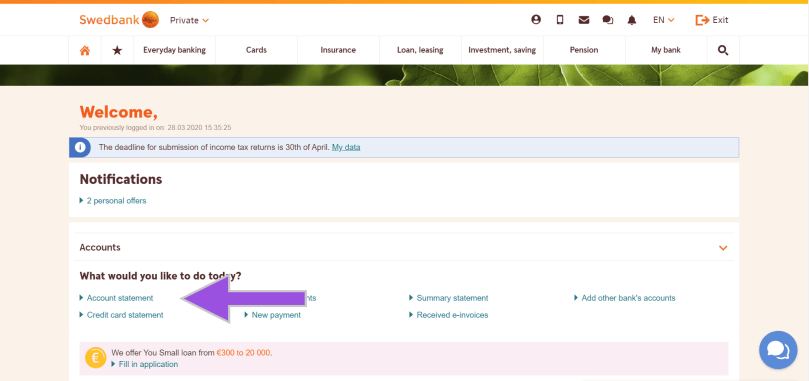
In order to get the bank statement on Swedbank, you firstly need to login the website apparently. Then there is “Account” section below “Welcome”, and find “Account Statement”.
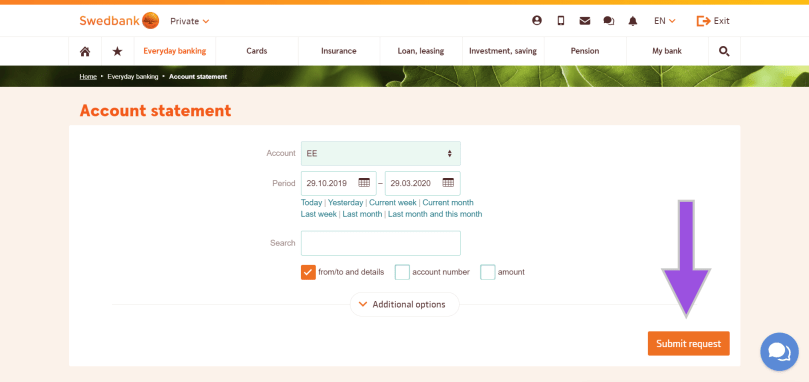
Next, let’s set up the filter for the statement. As I was told to get the statement for half a year, here I set the period for recent six months. After setting, click “Submit request”.
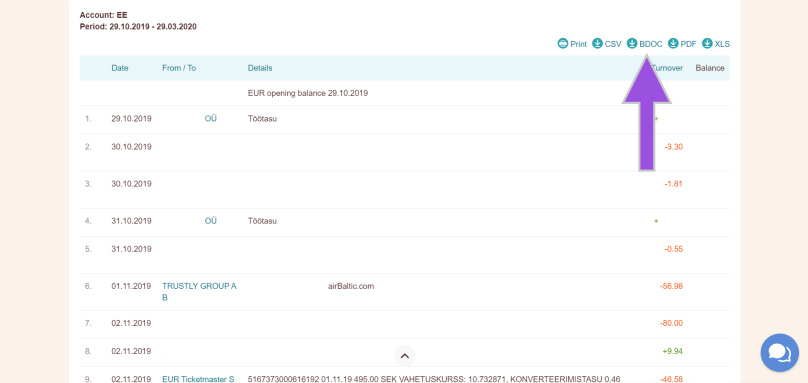
Then, you will see the long list-like statement. The texts in red mean expenses and the ones in green are income. You’re now also seeing the blank spaces, but I did that for the purpose of the privacy protection. In real life you can see some texts, so no worries.
Once you checked everything based on your curiosity, select the format to download the statement on the right top of the statement. If you have lived in Estonia for a while, you know which one would be most suitable – yes, bdoc. In my case, SEB asked me to get the statement with Swedbank’s signature. (bdoc will have a format that ends with asice, and you can read about it here.)
The digital signature has a valid period, so if you are handling the change next day or in the near future, send the statement with the signature/s to your own email address that you can access from your mobile device. Then while you are processing at the bank, just forward the email that you sent to yourself to the bank that asked you.
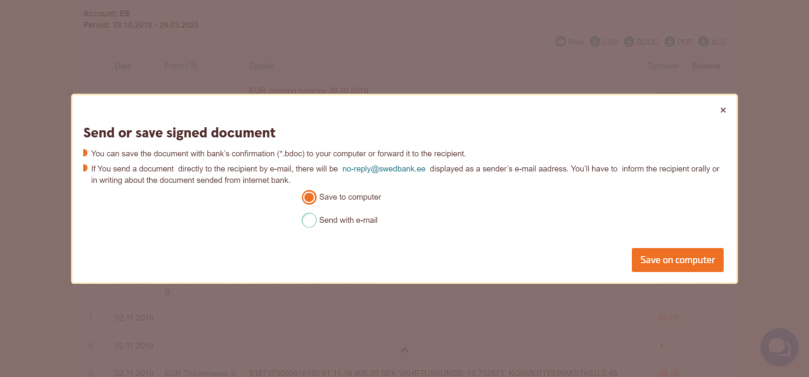
(I signed the statement in bdoc kind of automatically, but now I actually cannot remember if the bank asked MY signature as well.)
★How to close the bank account on Swedbank
Another topic in this article is how to close the bank account on Swedbank. It’s super easy. Way more straightforward than getting the statement.
Normally any companies do not want to lose their customers. Swedbank’s website doesn’t mention how to close the bank account clearly, so just follow what they say there; log in your account page on Swedbank and ask by typing “how to close my account” or something like this on the chat. Then the chatbot answers to contact them by either the chat or call, so select your preference. I chose the chat.
In a couple of days after sending the chat, Swedbank will email you that they closed your account.
That’s it.
Really, that’s all. I think I already deleted the mobile app of Swedbank by this time. I’m still keeping the invalid debit card as a fake credit card for travelling to prevent the pickpockets.
Aitäh! 🙂
 zooks.ee