Zooks Gets Mental. (1)

Tere!

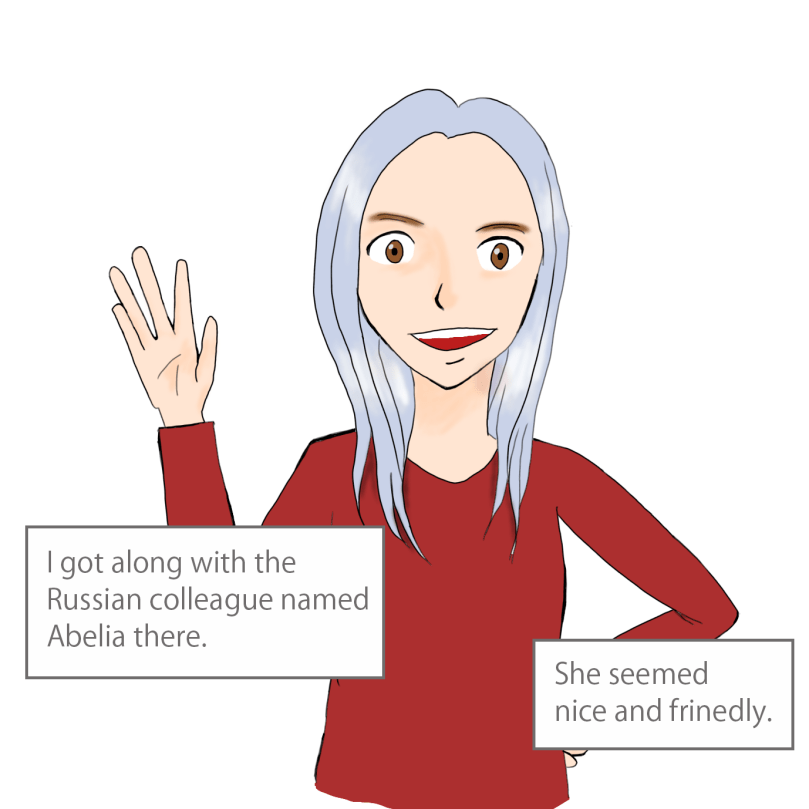
While even few of my friends knew, I was in the hospital for a while again owing to the mental issue. For this reason I decided to write and draw a diary about my hospitalisation! (Yay!!)

Nevertheless I used the word “diary”, it wouldn’t be just a daily report on hospitalisation.

It’s rather about causes, reasons and circumstances that I got mental.

Also, especially initial images don’t look good as I was not used to digital drawing, but it would be great if you enjoy reading itself.

Though I’m not sure until when I can continue this “picture diary”, have fun with my short stories that have only four frames each time!

Then, here we go — the first episode.

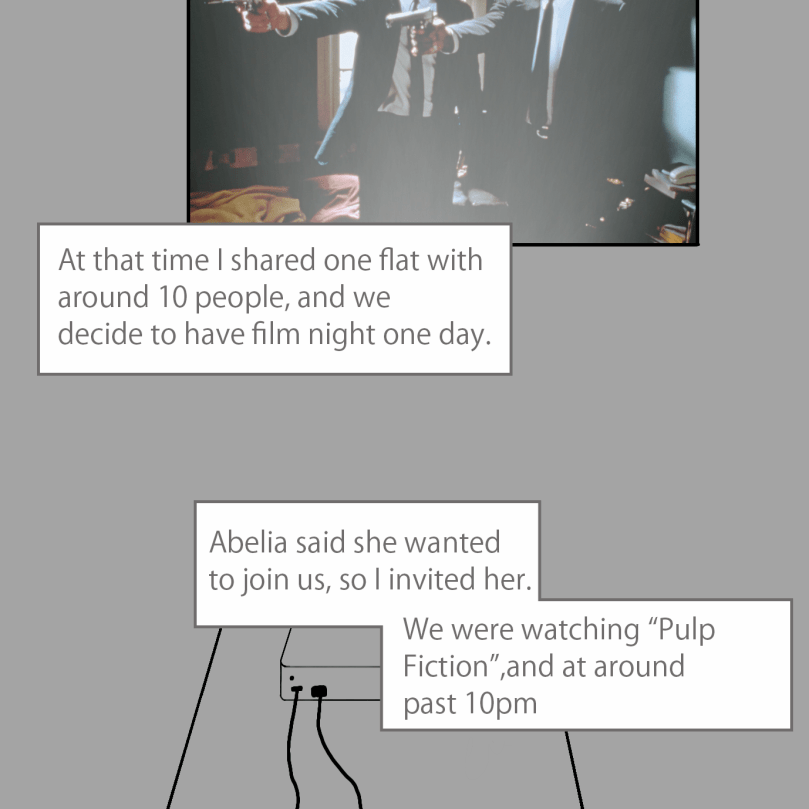
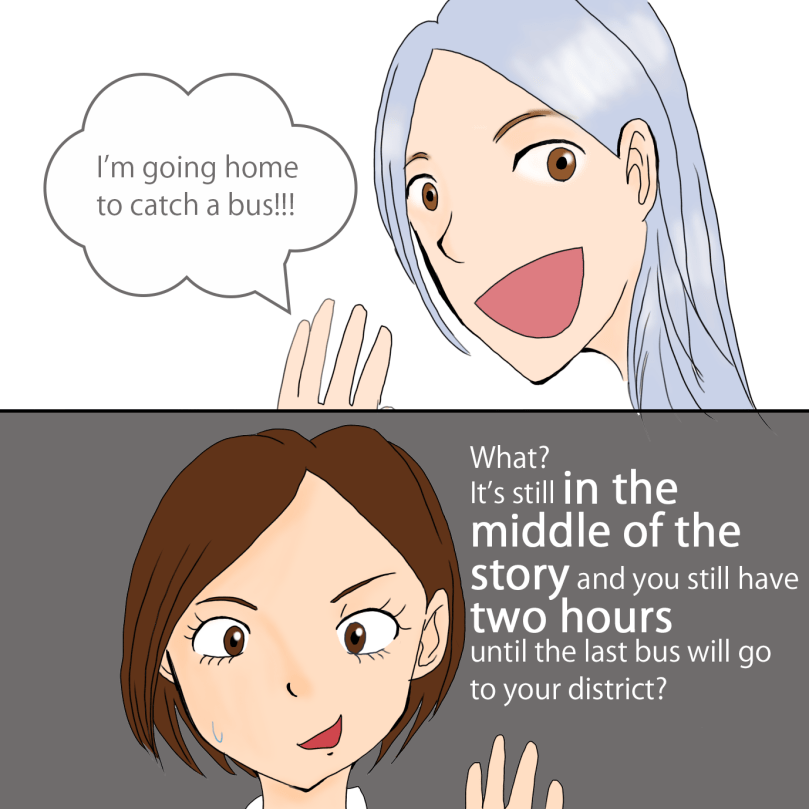
It takes about 40 minutes  to go to the dorm at TTU from the centre, and the daily last bus departs before 0am, but she went home so even my flatmate said:

Why did she go home? There are still busses even after the film and it’s still attendable for the 8am class!?

Man, I don’t know. I’m not her.

Aitäh! 🙂

Zooks Sells iPhone, Buys New One in Estonia.

Tere!

Recently I bought a new iPhone by selling the older one in Estonia. My friends know that I have had an iPhone whilst only friends in my hometown know that actually I have been an iPhone user since I was 14 or 15. 

You may think:


Wow, she must be from a rich family.


But


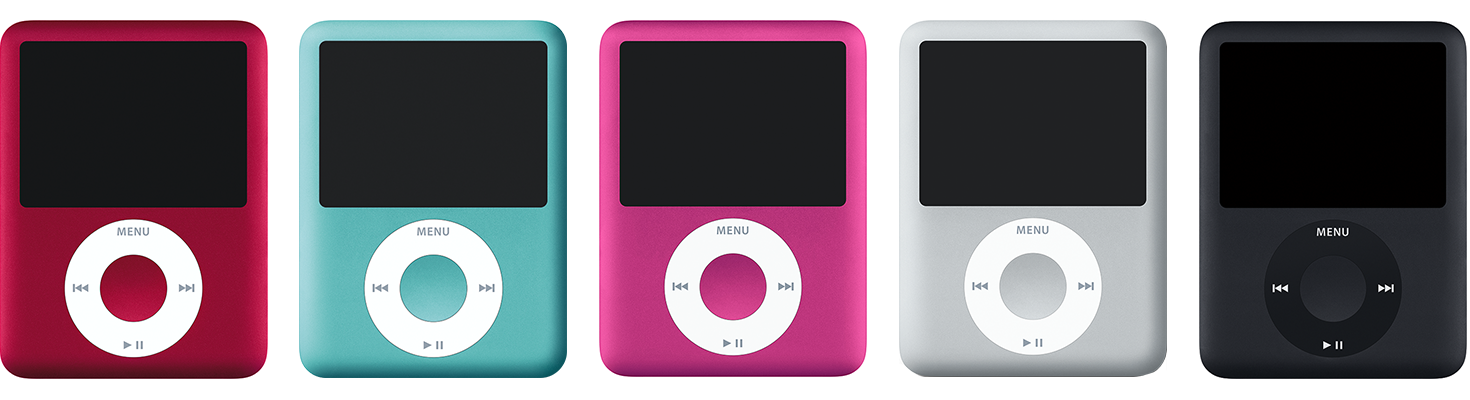
I saved money by myself and bought an iPod.


Reference

When getting in high school, my mam bought a cell phone for me, with which I could only make calls, email or something like so-called SMS nowadays, having no internet.

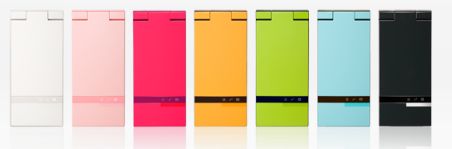
I had a green one.
Reference

As a second-year student in high school, my iPod was running out its storage, so I bought an iPod touch. My mam envied my new device so she bought an iPhone for herself. However, since finally (?) she thought that it was pitiful  that I had no internet on the phone, she bought an iPhone 4s for me.

In two years I changed it to iPhone 5s, and due to the fact that in December 2016 I dropped my it in the toilet at the restaurant in Kyoto when drinking with my Irish friend (and I also washed it), I changed the device model again.

Reference

Since I already decided to leave Japan at that time, I wanted a phone with the SIM free and I bought one free-SIM iPhone. Nowadays it’s really difficult to live a life without a phone anyway, so I didn’t care about the model that much. Then when I was travelling in Germany with my friend, he found that my iPhone was not 6s that I had thought for a few years but 7 actually. The iPhone already had something wrong so I wanted a new one, and decided to buy it after saving enough amount of money by working as a freelancer.

Reference

One day I talked about such a story to my customer support Estonian colleague, who said:

Probably you can sell it at 100€ or something.

Really.

In Japan the system is completely different. Usually we buy SIM-locked phones at the phone carrier shop as those are cheaper and “sell” their older phone accordingly to the payment schedule of carriers that they have used. (It may sound complicated, and it is actually.) In other words, normally they don’t sell older phones at some device or telecommunication shops which are not phone carriers before buying new ones.

Then the colleague told me one store called Mobipunkt.

I contacted them by email in advance, and they said iPhone 7 could be sold at around 130€. However, I expected 100€ because my iPhone’s battery health was bad (81%), and the colouring was a bit faded.

In the end of April I got notified that the salary as a freelancer has been paid so next day I went to Mobipunkt in Linnahall. Nevertheless it was still during the quarantine period owing to COVID-19, as even such a shop seemed to be considered as a telecommunication service, the store was open. (That’s why I could decide to go there.)

When entering the inside of the store, only one staff member was there.

I told him that I wanted to sell the older device and buy a new one. He said the engineer would check the device, which would take five to ten minutes, which the time like I could see around the whole shop. In several minutes, the staff came back and told me the selling price. I agreed to the price and told him the type of model, the storage size and colour of the device that I wanted. He deducted the older device’s selling price from the new device price, which was the final price for me to pay.

I got a backup in the previous night and was ready for everything so basically that mentioned above was all. The price of iPhone 11 was 815€ and I could sell my iPhone 7 at 100€ so I paid 715€. You might want to pay on the installment plan, but I didn’t want to pay for the interest, for which reason I saved money.

I knew that there would be a new model from Apple, and yet I take photos with the camera of my phone, so whether there is a night mode in the camera was quite important. iPhone 11 Pro was too expensive and I really don’t like triple cameras. (It’s so creepy and disgusting.) That’s why I bought iPhone 11.

Reference

After the purchase, I went home and restored my backups, and changed the app store because I wanted to use SEB’s mobile banking app. (The app store change is not related to the device change but it was just a good timing for me.)

You might know that the phones available in Japan makes sounds when taking pictures, but this time it doesn’t (as it seems the device was from France?). Anyway, I feel so GOOD.

That’s all about the personally recent happiest story.

Aitäh! 🙂

Zooks Gets Laptop Repaired in Estonia.

Tere!

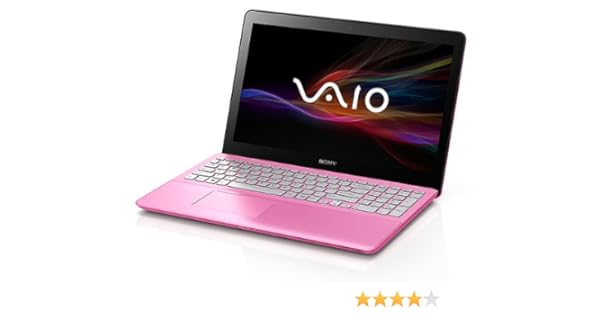
When I became a first-year university student in Japan, I got a brand new laptop for the first time in my life. (I’d had only second-hand ones so far.) The brand new laptop was VAIO’s model, which I had used for around seven years until I came to Estonia and got a degree in postgraduate school. It means that it had been dying but it survived during my thesis period. In autumn in 2019 when I temporarily went back to Japan for the first time in over two years I finally bought a new laptop. This time I bought one from ASUS.

A bit duller metalic pink.
Reference

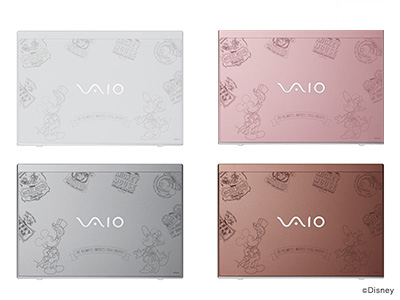
I was planning to buy one from either VAIO like the previous time or Macbook, but Macbook has only the charger port on the one side, and Macbook Pro was too expensive so I gave up the Apple products. I liked VAIO’s laptop design, but their spec was not enough for me. (Its storage was 256GB at maximum and I already used over 400GB with the previous laptop.) 

I wanted the brown one with Mickey.
Reference

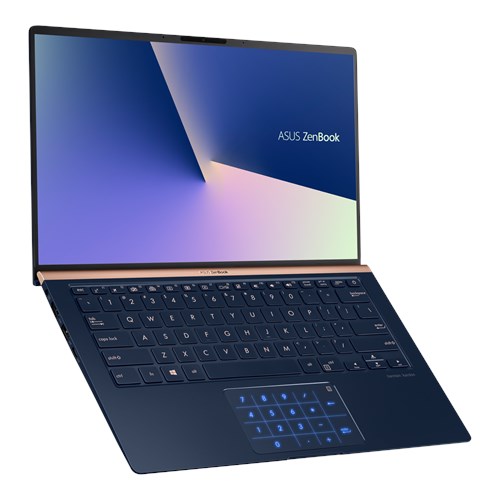
Then I asked one of my American friends, who said ASUS was great. I searched their laptops, found a cool one and bought it.

It has another colour: silver.
Reference

I got the product in Japan (because I used ASUS Japan) and brought it to Estonia carefully. However, when I started using it in Estonia, something seemed wrong.

The screen was frequently flashing.

I contacted ASUS’s support centre, based on whose advice I restarted Windows or reset BIOS, but nothing solved the problem.

I was so worried about any repair shop available for ASUS in Estonia as here is a really small country. I googled half-already-disappointedly anyway


and there was!!!!!!!


Then in the middle of November 2019, I went to the repair shop, spending almost one hour for one way to go there. The repair shop is in Ülemiste, which is near the airport.

The repair shop itself is quite small and doesn’t have any machine to issue the waiting number. They accept not only ASUS but other brands such as Nokia so if given that you need to go to this repair shop, just go inside and talk to the receptionist if there is no queue. Probably there are two ladies (one of whom looked quite showy and the other one wore glasses as my visit), so tell one of them that you want to get your device repaired.

The lady with glasses handled my issue at that time, and yet since she couldn’t speak English but Estonian and Russian, she went somewhere and came back with some engineer. I’m still not sure if it was concindent, but the engineer was the guy who I had been contacting by phone and email before coming to the repair shop. After meeting him, the procedure went smoothly.

Then in one week after I went to the repair shop, I received an email from the repair shop to get the laptop back, but Jesus Christ – it wasn’t repaired.

But why? This is because, according to the engineer, no matter how many times they tried to reproduce the error that I encountered under any possible circumstances, they couldn’t see it. The engineer asked me to send them some video so that they can know the issue better. I paid attention to the laptop while using it and successfully took one video and sent it to them.

Some of you may remember that I was supposed to go on a trip in March 2019 by using some days from the annual leave. I was going to have one week off, by using whose period I planned to go to the repair shop before travelling since I wouldn’t need it during the trip, but unfortunately COVID-19 panicked the whole world and affected my travel plan. I couldn’t go on a trip that I planned, but luckily (?) Estonia allowed groceries stores, pharmacies and the medical services and telecommunication services to run their operation even during the quarantine, so I revisited the repair shop.

On the 9th of April, I went to the repair shop again as planned after all the travel plans were cancelled and postponed. While my laptop was in the repair shop, I used my company’s old DELL laptop which was super slow to do my jobs and write some blog posts. 

I thought the laptop was really slow because it was so old, but the fundamental reason was its spec. It had Core i7 which seemed good but the number after the core type was something in 3000s. I was also using Adobe Photoshop with that laptop (and several other Adobe softwares as well), which occupied 60% of the laptop’s ability. This is why the laptop worked so slowly.

Reference

Eventually my CTO uninstalled around 10 Adobe softwares, which made the laptop not fast but a bit slower (better) and less irritating than the previous condition. 

Reference

Besides, one day I talked about this story to one of my colleagues on the phone, he told me to use one of the computers in the his room (the developers’ room) in the office because we all worked remotely for the quarantine so for a while they didn’t need them. However! I’m the type of person who cannot take such an offer obediently. Also I didn’t want to bother him because I didn’t know when I would get my laptop back from the repair shop and it might have lasted even until we all got back to the office after the quarantine.

Then coincidently (or fortunately?) I received an email about the repair completion from the repair shop!

The time to repair my laptop: approximately one month.

As a consequence, this article was written with my baby (my ASUS laptop).

(By the way, I didn’t pay even one cent for the repair since my laptop still had a warranty. As some you may know, the residents with the citizenship in Tallinn don’t have to pay for the public transport so I literally didn’t spend any money.)

That’s all about my recent trivial private news.

Aitäh! 🙂

Zooks Bought Desk at IKEA in Estonia.

Tere!

You might remember my story in which I said I wanted to buy a tablet once I got tax returned in Estonia. However, I actually had one more thing that I wanted to buy:

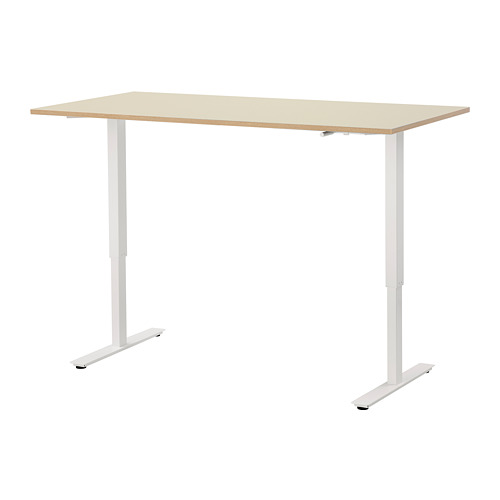
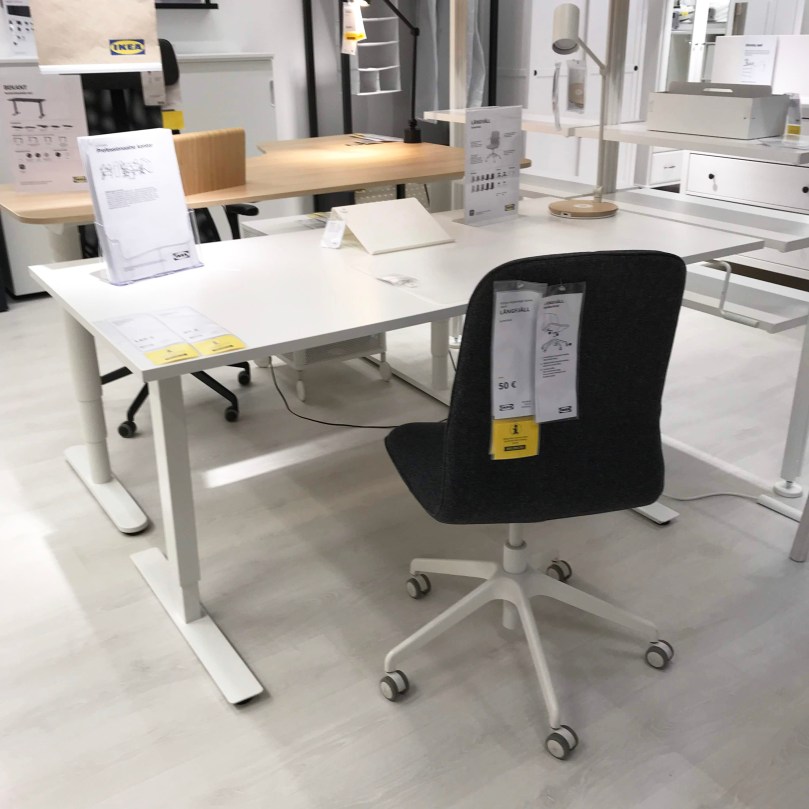
IKEA’s desk!

You may wonder

“Don’t you have a desk in your room?”


I have one!!!


In the office I use an electronic stand/sit desk, which is amazing. Usually I work standing so I don’t get tired by sitting for hours and a stoop, I guess.

So,

I wanted such a desk in my room too but the electronic one is expensive.

It costs at least 300€.

Then I searched similar desks on IKEA.

Then I found!

In addition they have cheaper manual ones!!!

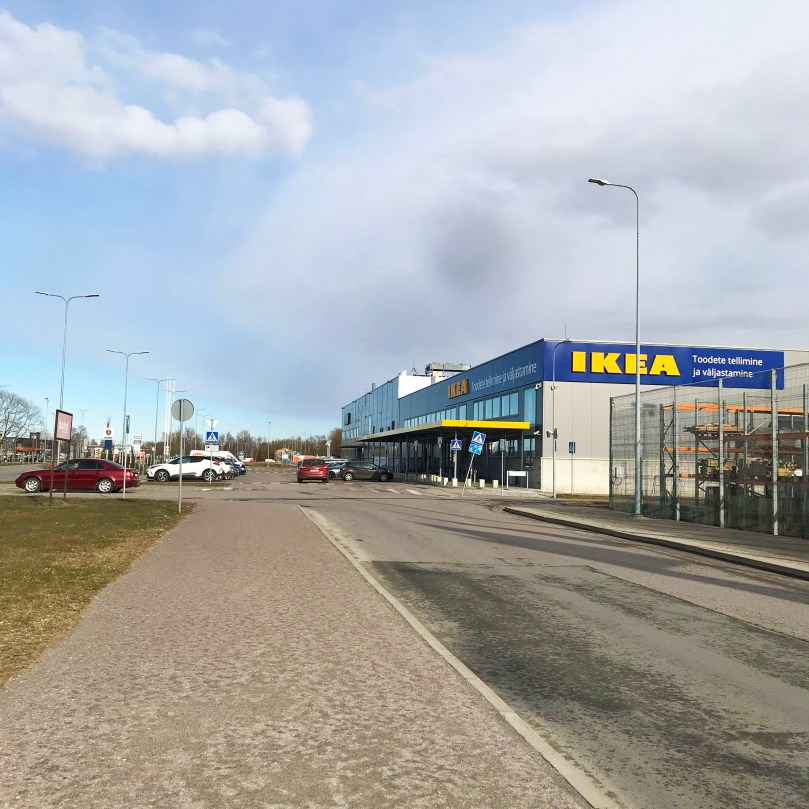
I was so happy as finding that one. Actually this IKEA in Estonia has launched quite recently.

Thus previously Estonia didn’t have any IKEA shops, and people bought furniture at Jysk. However, this IKEA in Estonia has a different style of purchase process from regular IKEA shops that you may imagine.

This Estonian IKEA doesn’t have any physical shop but a storage, so you have to order what you want to buy online beforehand. (I know you might have a concern about the sizes. The measurement tape is a must-have item in my opinion.) After ordering online, you will get an email or SMS message from IKEA Estonia when the products arrived and just go to this IKEA storage in Tallinn.

More strictly speaking, you have two choices which is: either 1) deliver the products to your place or 2) go to the IKEA storage. If you choose 1) and ask them to deliver the product to your place, you have to pay for the delivery fee, which is 19.90€ if you live in Tallinn and seems 69.90€ if you live in Tartu.

I personally don’t like spending money on the delivery fee since I was younger so I decided to go to and pick my table at the IKEA storage in Tallinn, which was kind of far from my place but it wasn’t impossible to go there.

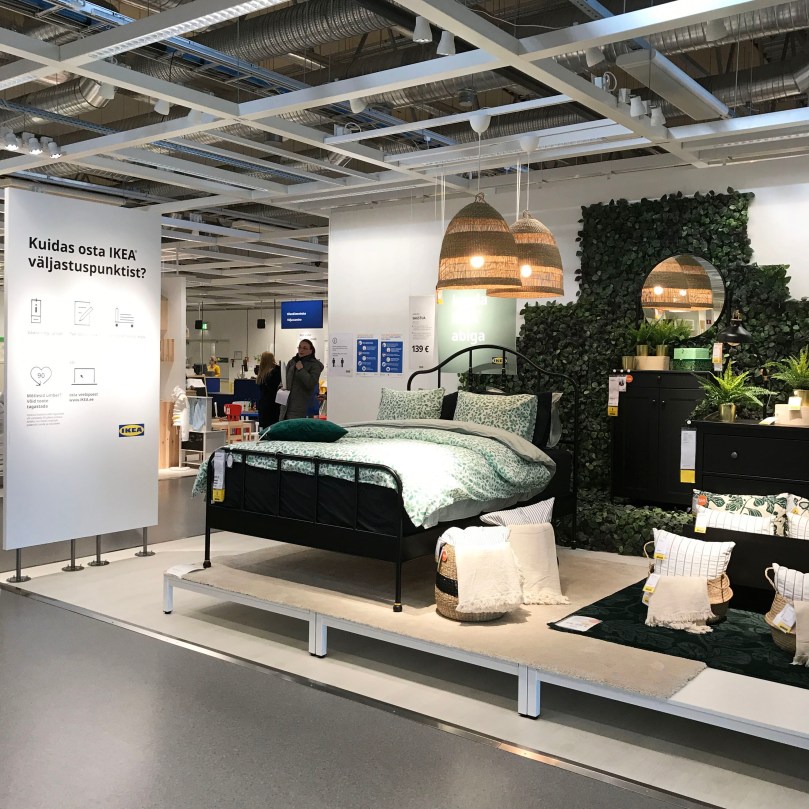
I’d heard that it was a storage so I imagined the literally storage-like storage but once I entered the inside, it was different.

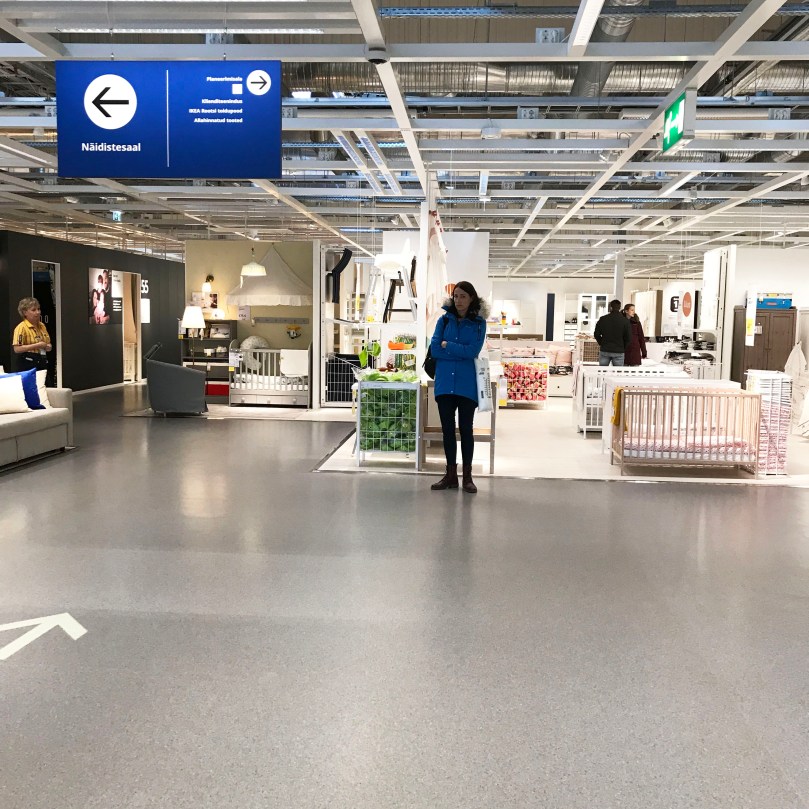
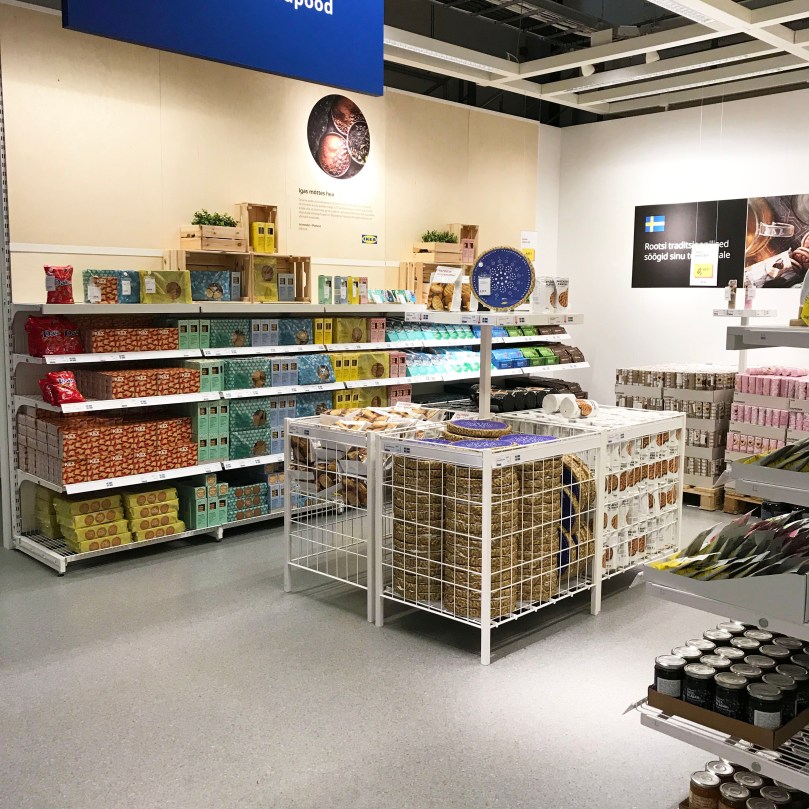
It was more like a proper shop than I thought.

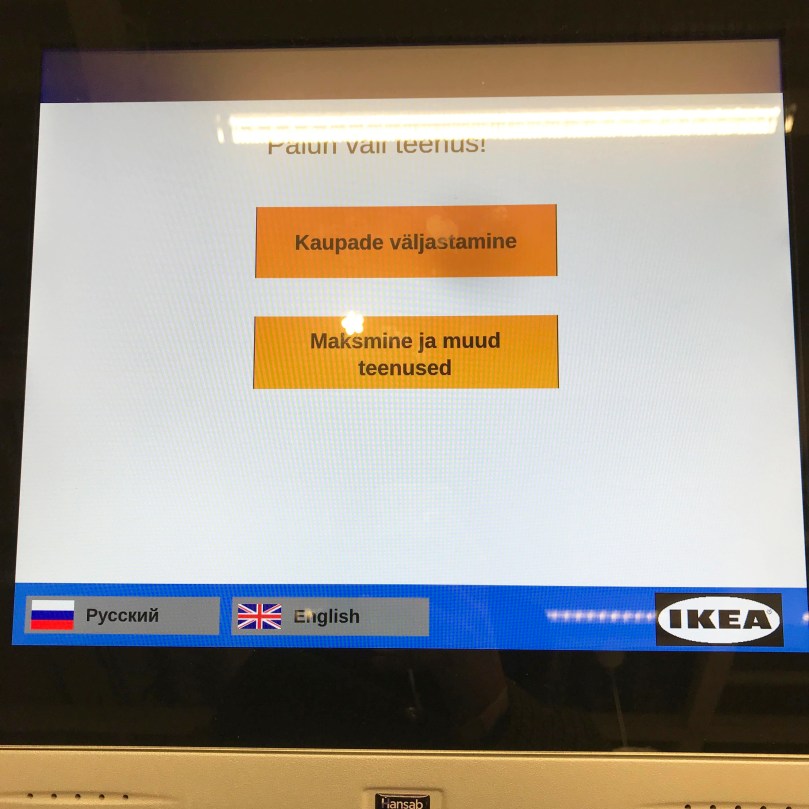
On the right side after passing the entrance, you can see somewhere like a waiting space and find the machines to issue your waiting number. (As written in IKEA’s email, Estonian IKEA has two entrances and my products weighed less than 50kg so I entered the main entrance.)

They have English but it wasn’t that understandable in my opinion.

At that moment there were around 10 people in front of me so for a while I was just wandering around the “storage”. It seemed that you could buy small things like bed linens and pillows even in the storage as well. Their displays looked like a proper and normal furniture shop so it was actually enjoyable to look around the inside.

Then my turn came. I went to the check-out point that had my number and showed my SMS message (or email) from IKEA. Then the cashier told me to come to the entrance of the real storage with her so I waited for a few minutes and another clerk gave me the products. They might be writing something when giving you the products but you don’t have to care about that. Just take your products and leave.

Then,

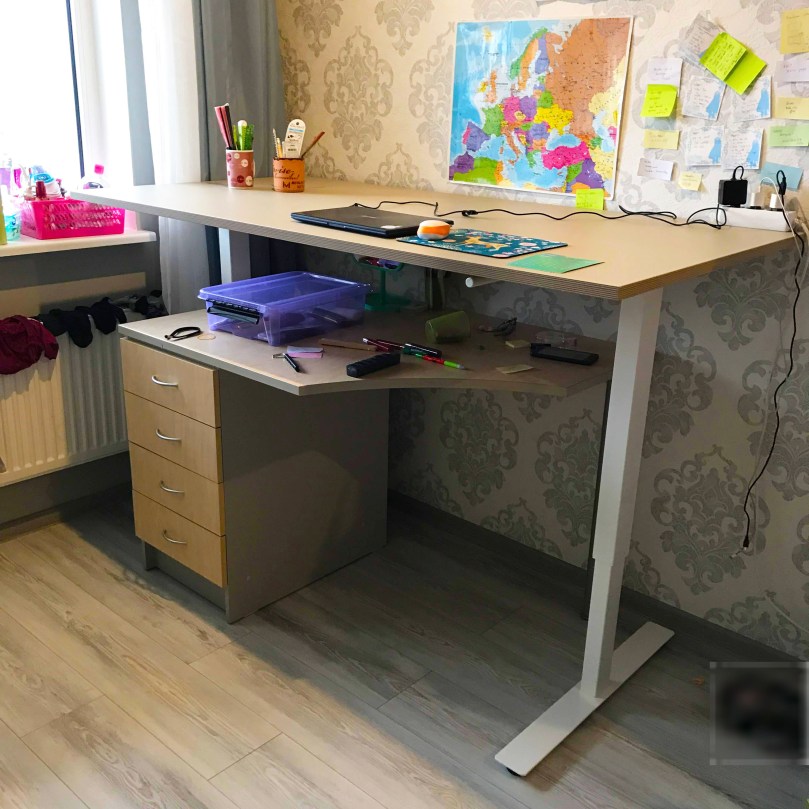
I actually thought of buying a 120cm desk and align it with my regular desk next which, but it seems everyone didn’t have enough space. Smaller sizes were continuously gone and I determined to buy a 160 cm one. I was going to use it, mostly keeping the standing height, which means I didn’t intend to change the height that often. Also as written above, the desk weighed less than 50 kg in total. (The desk top and legs weighed 30 kg in total.) So I thought I could bring them home like an exercise.


I was wrong.
(Of course.)

The desk legs were way heavier than the desk top and I immediately gave up bringing them home. I called Bolt (Estonian-version-like Uber) and the driver managed to put them in his car. It cost 7.20€ from the IKEA storage to my place. Compared to the delivery fee it cost still less than the half of it.

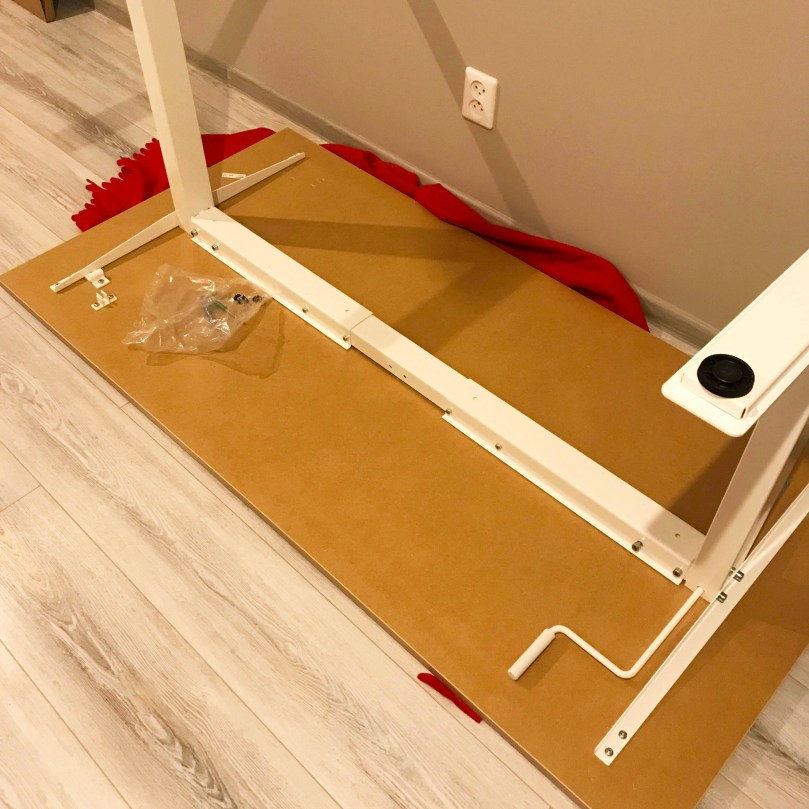
Then I was excitedly started to assemble the desk but

I was sooooooooo stupid!!!


I didn’t have a screwdriver. 


Besides I made mistakes twice.
(Because I didn’t read the manual properly.)


Next day I borrowed the screwdriver from my flatmanager and completed assembling my desk.

So now I use this IKEA’s desk standing, setting the height accordingly to my height. When I got tired, I sit on the chair and at the regular desk that has been in my room.

I always tend to mess up my desk top with the stationeries and devices so this 160cm-wide desk is super great. 

I may want to buy some bed linen and pillow cases on IKEA next time.

Aitäh! 🙂

Zooks Sets Three Things to Use SEB.

Tere!

Do you remember that I talked about the change of the bank in Estonia? This article is the third chapter (?) of it. (There will be four chapters in total.) This time I will develop the text regarding how to set the language on SEB’s account page, activation of SEB’s debit card as well as SEB’s mobile app.


★How to set the language on SEB’s account page

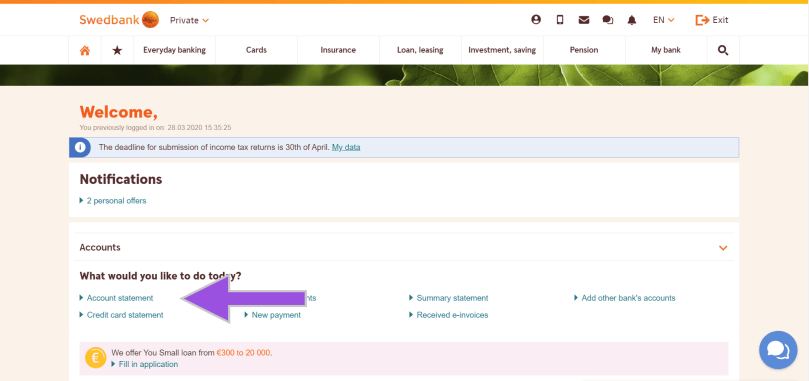
To begin with, the UI of SEB’s account page is not that user-friendly. In terms of the UI side, Swedbank has the better platform in my opinion. This is because on Swedbank’s website, you can change the language on both the public web page and your account page, and because you can change the language to English immediately from a language gateway on the top of the page.


But SEB is different!


I was so flustered.

Because I thought I might not have had English after changing the bank.

So I asked on the help chat and the support explained, but I thought: 


Wait, even if you explained in English, I still cannot change it as the website is in Estonian.


Then,


I asked how it was in Estonian, and they told me – that there is indeed English on SEB’s account page. The texts below are how to change the language on SEB’s account page.

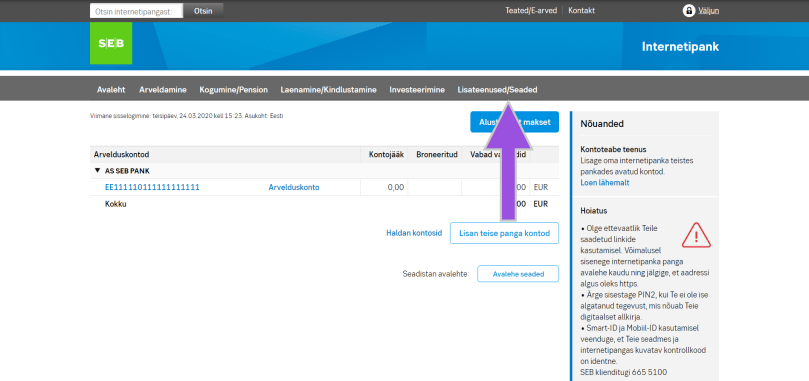
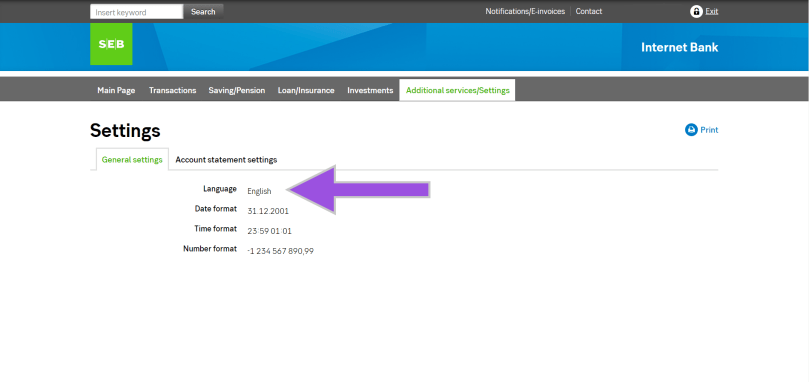
First of all,  you will see the screen like the image below after logging in SEB’s account page, and click “Lisateenused/Seaded” (indicated by the arrow).

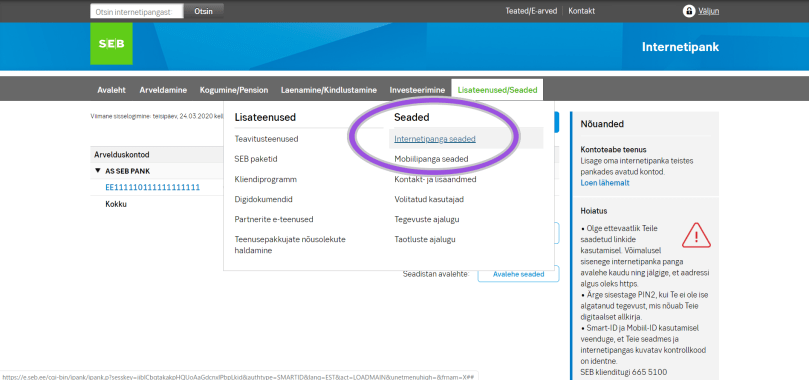
Next, there are some options shown, so click “Internetipanga seaded” (indicated by the circle).

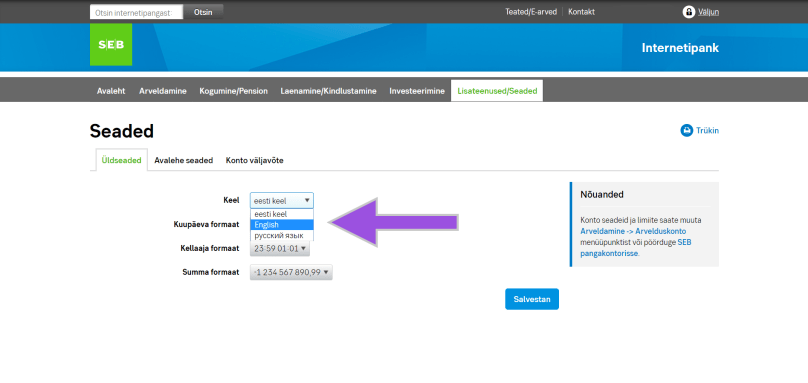
Moreover, you will see the drop-down list beside “Keel”, so select your language preference and save it. Once you saved the change, you will see the entire account page in English (if you chose English), and the language option also says “English”.

That’s it.

Congratulations! Now you completed the language setting on SEB’s account page.


★Activate the SEB card

Furthermore, let’s activate the card that you have got from SEB. Apparently it’s easier to do it after the language setting. 

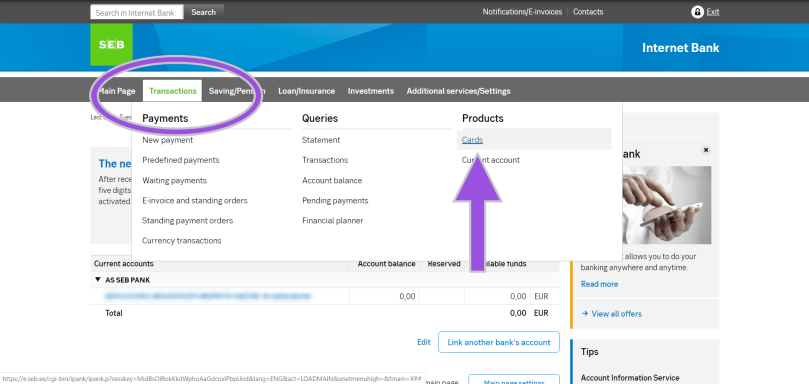
Firstly select “Cards” from the “Transaction” (indicated by the circle) on the account page.

Then you will see the type of cards that you have, so click “Activate the card” and follow the instruction on the screen.

THAT IS ALL!

However, you should keep in mind that the PIN code is initially something that you can see on the screen. You cannot change the PIN code on the online banking, but no worries, you can change it at the ATM so just find the nearest SEB’s ATM.


★SEB’s mobile app

In addition to the procedures above, you might want to manage your assets from the mobile device. Of course SEB has its mobile app, but on iOS you need to set the app store Estonia first. Otherwise you cannot download the app. (Perhaps on Google Play as well but you cannot change the store again on Google Play until next year, so be careful.)

I changed the app store from Japan to Estonia, and actually nothing big has happened basically. (In more detail, as of the beginning of May 2020, I couldn’t download the apps of xID which is a Japanese version of Smart-ID and Brain Focus which is a pomodoro timer in the app store Estonia.)

Anyways, I have set something necessary and fundamental on SEB’s account page. You might be wondering why the post date of this article is the end of March is simply because I did the first two things in this article (the language setting and the card activation) on that date. As for on SEB’s app and the app store, I have another story later on. 

Aitäh! 🙂

Zooks Applies for Tax Return in Estonia.

Tere!

In October 2019, I was so ready and willing to draw pictures digitally a lot with my pen tablet and brought the tablet and the pen from my family place; the tablet was in my backpack and the pen was in my glasses case.

Then I took a flight from Tokyo Narita airport to Chopin Warsaw airport by LOT Polish airlines. The tablet was in my backpack as mentioned but I completely forgot my glasses case in the pocket of the seat in the plane. Yeah, what a surprise.

After coming back in Estonia, I contacted LOT Polish airlines and the airports both in Narita airport and Warsaw airport but eventually no one could find… For this incident even though I was really eager to draw digitally with my pen tablet, I was fucked up with only the tablet so I started thinking of buying a new one. However, the pen tablet is pretty expensive.

This model. Now I have only the tablet.

Of course the price changes depending on the brand or specification but if you want it with certain quality, it can be more expensive than iOS devices. However, it’s necessary to invest some more because I didn’t want to lose money by purchasing a cheap tablet with low quality.

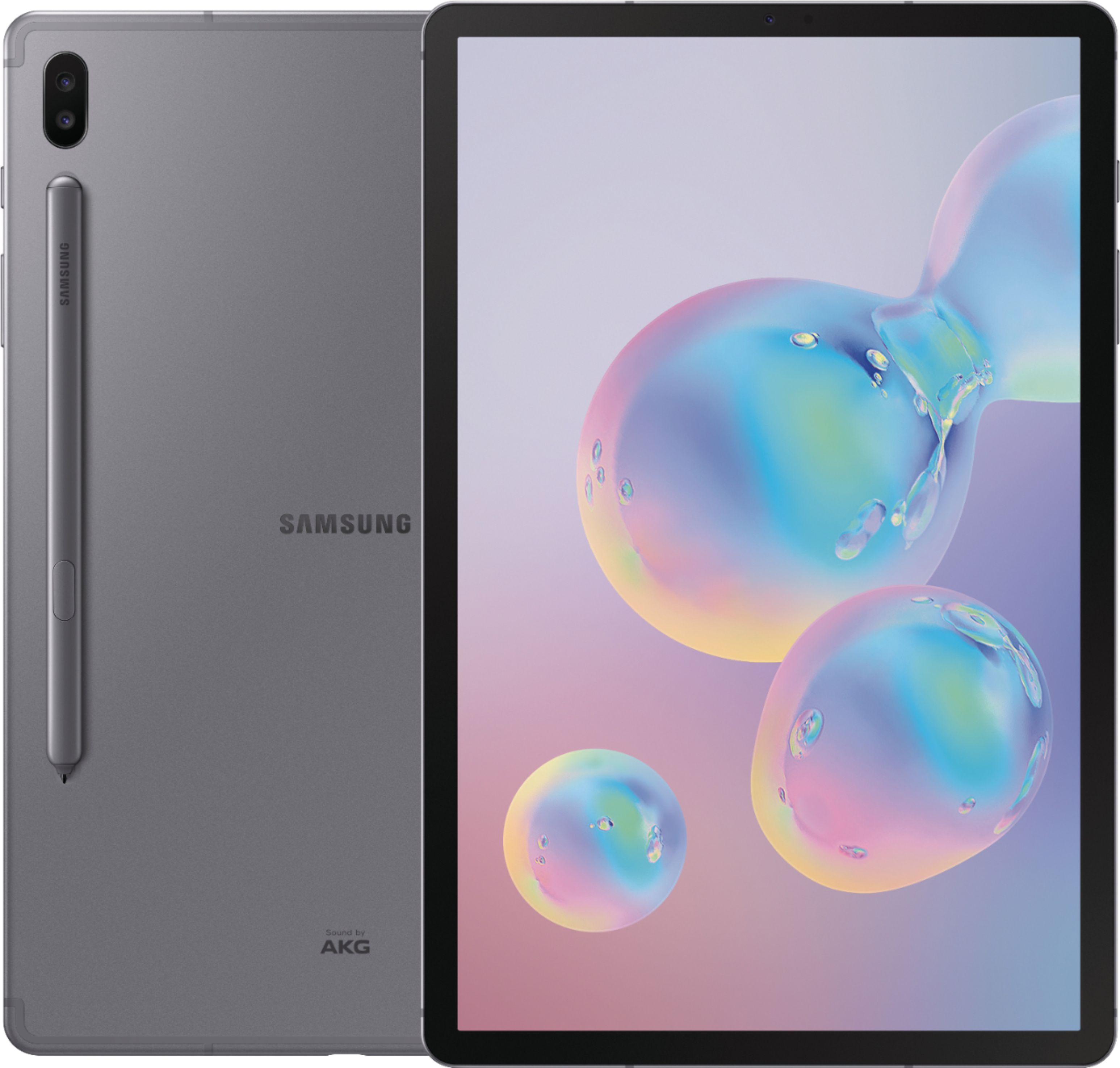
Then I googled and found one: Samsung’s Galaxy tab S6. I still remember that Samsung’s Galaxy models are as good as iPhones when I went to the promotion event of Galaxy 8 or something in Tokyo with my friend.

According to some online information, the latest Galaxy tablet model has a pen and the review or word of mouth says it’s as fine as iPads even when it comes to drawing digitally. However, this tablet doesn’t seem to be sold in Japan. Conversely saying, it’s being sold in Europe!


Okay, I’m gonna save money…


I remember secretly swearing to myself.

Then, one day a few friends came to visit me and talked about tax return in Estonia. According to them, I should get more than what one of them would get because I have worked since 2018.


It’s a windfall, mate.


So we accessed the website of Estonian Tax and Customs Board and logged in but:


You are not allowed to use this service because you don’t live in EEA.


No freaking way.

I have freaking lived here.

After all we couldn’t do anything that day so in another day I asked my CTO since he’s handling something financial in addition to something technical in our company. He advised me to call them so I accessed the Estonian financial portal site called e-MTA again and rang them.


Could you speak English?

No, I tell you number. Please call there.


Jesus she immediately declined.


Then I rang the number that she told me and another receptionist explained the procedures very politely and nicely. The reason why I saw the message like “You are not a resident in EEA” was because I hadn’t submitted the residential information to Tax and Customs Board. The followings are the procedures for both those who saw the same message and didn’t see the message to avoid being upset.


Contents
・How to proceed the tax return application in Estonia
・How to use Estonian digital signing system, DigiDog
・★ Additional comments (17/March)
・★ Additional comments (19/March)


1) Access e-MTA

First of all, access e-MTA. You can view and check information related to the tax in Estonia or submit the tax return application like this time.

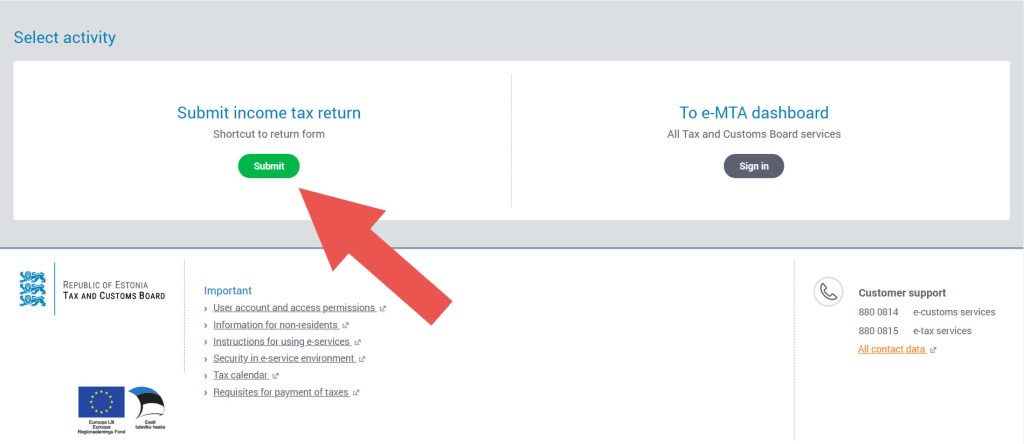
After accessing e-MTA, click “Submit” in green on the left “Submit income tax and return”. If you see the message like I saw, as mentioned there, it’s because you haven’t submitted the residential information. No worries, read the next paragraphs and go to Step 2.

If you have already submitted the residential information, you should see the details about your income and/or tax year by year. You see such information from the previous year. In other words, in 2020 you should be able to implement the procedure for the tax that you paid until 2019. (In this case go to Step 6.)

Given that you have something unclear, you may contact the customer support but as mentioned earlier, when I rang them they could speak either Estonian or Russian, they gave me the number for the English speakers. (Why don’t they have it in public.) So in case you want to know something further, call 6764132.

As I rang them, during the talk, my SIM’s charge was run out so I topped up and called eight times. Maybe it was a busy time due to the daytime. Not sure.

Anyways it’s time-consuimg and hard to reach them. Just keep it in mind.


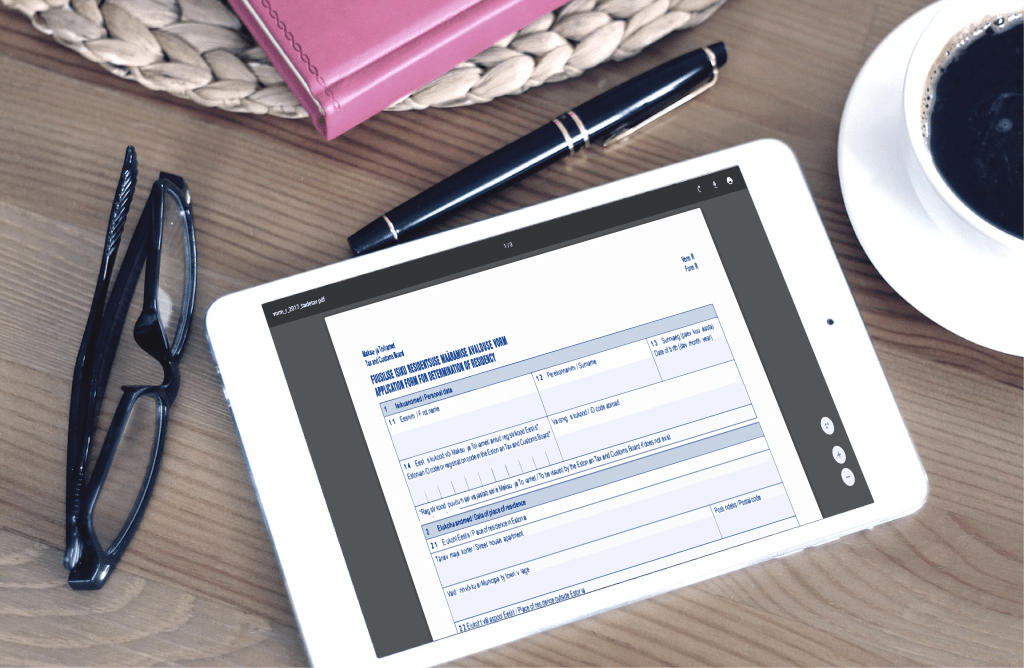
2) Download Form R

Next, if you see the popped-up message on your screen in Step 1, as repeated you are “not” in EEA so download the document to fill out and submit to Tax and Custom Board, here. (NB! Download it first and fill it out!)


3) Sign the file with DigiDoc

After downloading the file, open it with Adobe Acrobat or whatever you prefer and fill out the necessary boxes. Since I have a “permanent” residential right in and don’t know when I will leave Estonia, I entered the fundamental information about myself in the first box of the document, filled out the second part about my arrival in Estonia and typed my name, the date that I filled out and left the signature box in the last part. (The reason why I left the signature box empty was to sign digitally with DigiDoc.)


★How to sign digitally with DigiDoc

From now on here’s an explanation on how to sign digitally on the Estonian signing system called DigiDoc. DigiDoc is a system and/or software to sign the document digitally (as repeated). As far as I know any libraries in Estonia have this system installed in the computers. Also it doesn’t take time to install DigiDoc’s software so if you download it while filling out the document, you can also use it in the future too.

I had one in my previous laptop but at that time DigiDoc was available with either mobile ID or an ID card reader. For this reason, nevertheless I had the software, I didn’t use it at all on my laptop but signed the document on the library’s computer.

The ID card reader costs (only?) 9€ as far as I remember but I didn’t sign the documents that often so I thought “why not go to the library”. (It didn’t affect my life at all. It was just troublesome for me and I had to set my mind ready every time.)

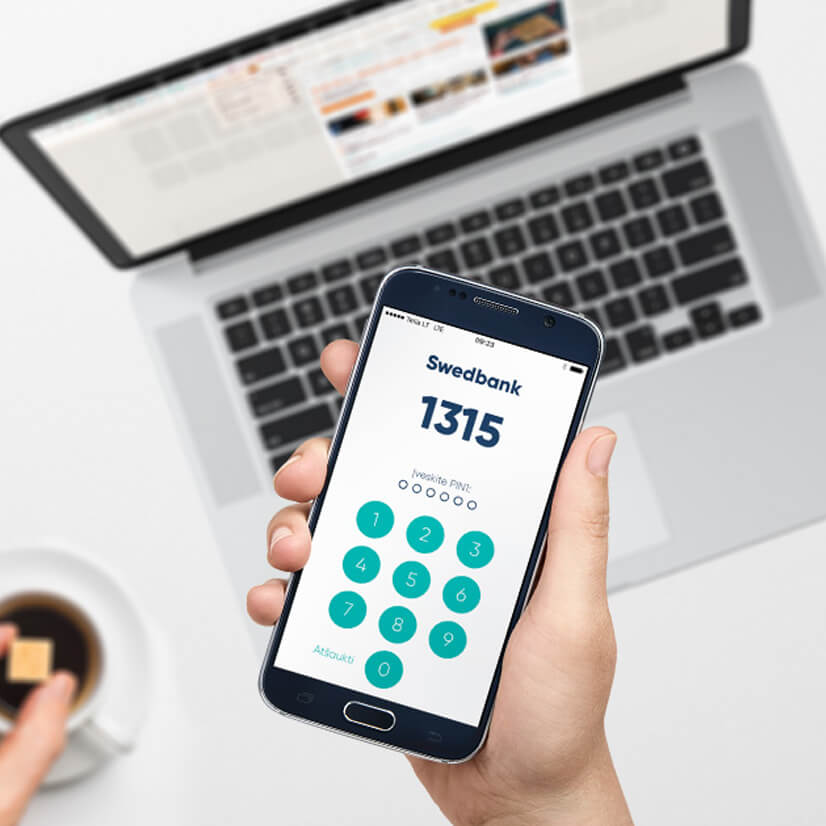
However, recently they developed DigiDoc available for Smart-ID as well, which means we no longer have to buy a card reader or go to the library to sign the documents with DIgiDoc. Smart-ID is a mobile app to identify yourself and once you open a bank account in Estonia, they would tell you to download Smart-ID. By linking your own Estonian ID, Estonian bank account as well as Smart-ID, you can make purchases online in Estonia without a bank card.

So I had used Smart-ID only to top up my phone or buy contacts (I mean, lenses) online or check the balance in my bank account. However, as mentioned above, (finally) they developed DigiDoc available for Smart-ID, I could signed the document to prove that I live in Estonia in order to get the submission right for the tax return.

Anyways, below there’s how to sign the document on DigiDoc with Smart-ID.

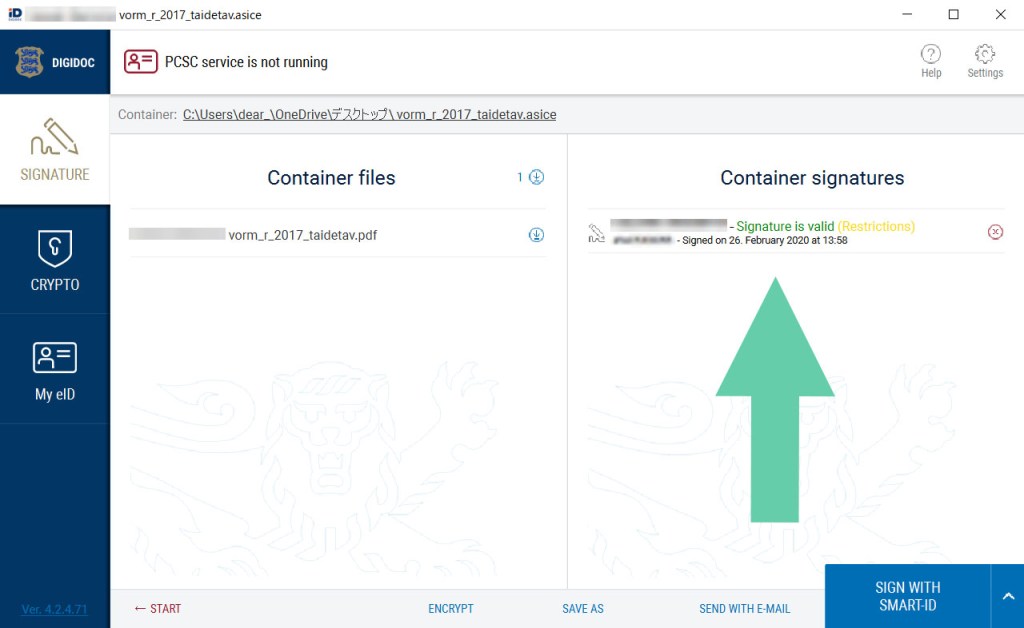
Firstly, after downloading DigiDoc, you would get two softwares, choose one of which named “DigiDoc4 client”. If this is the first time to open the software with your device, the language setting will appear so choose the language that you prefer and go next. I cannot understand either Estonian or Russian so I keep English. 

Next, upload the file that you want to sign digitally.

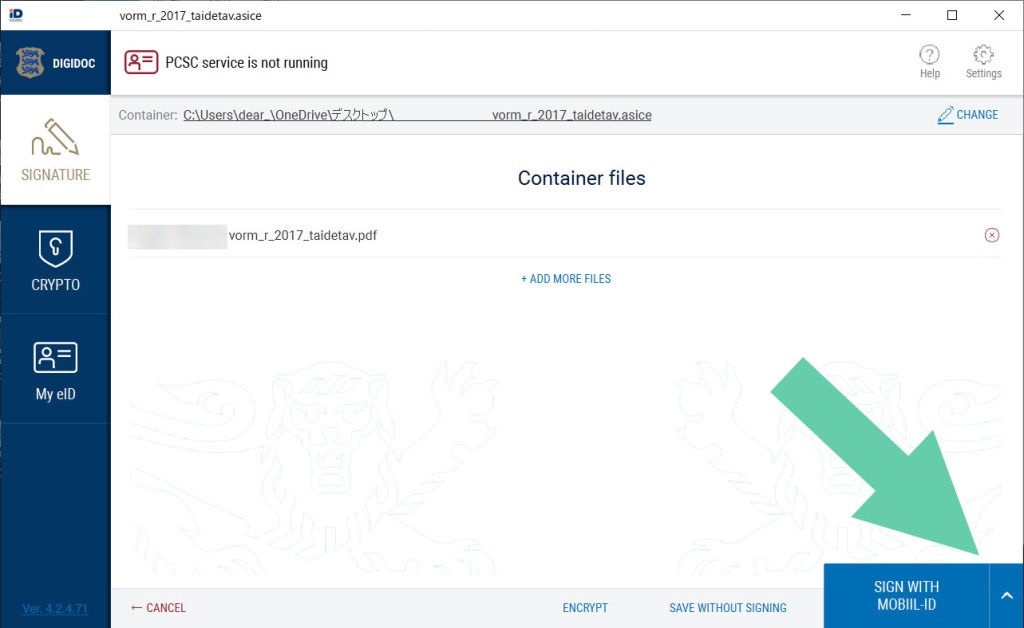
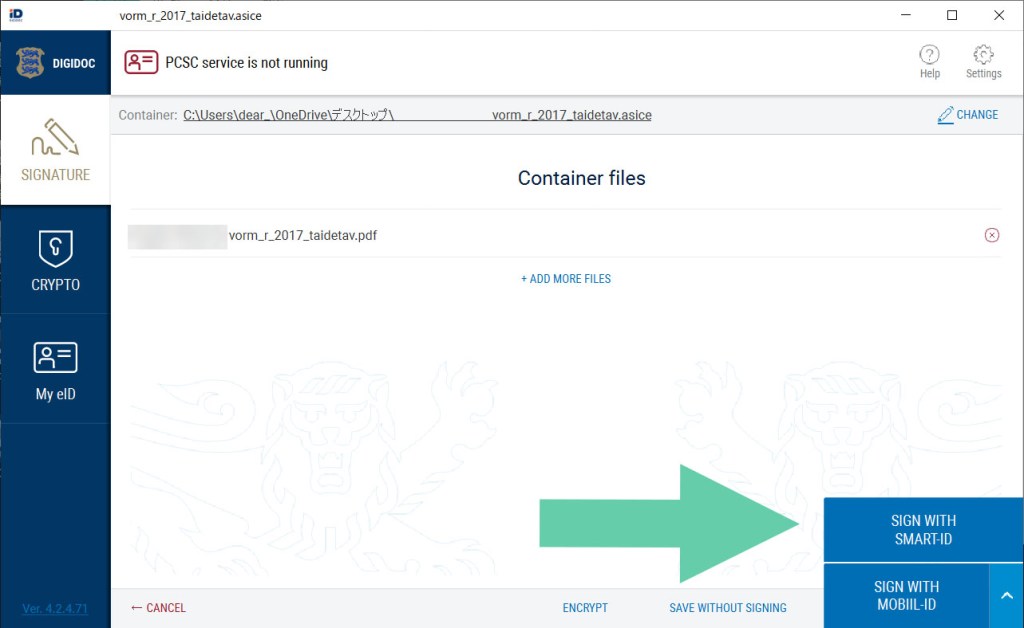
Then, click the caret symbol (“^”) in the blue box at the bottom of the DigiDoc’s screen, and choose “SIGN WITH SMART-ID”.

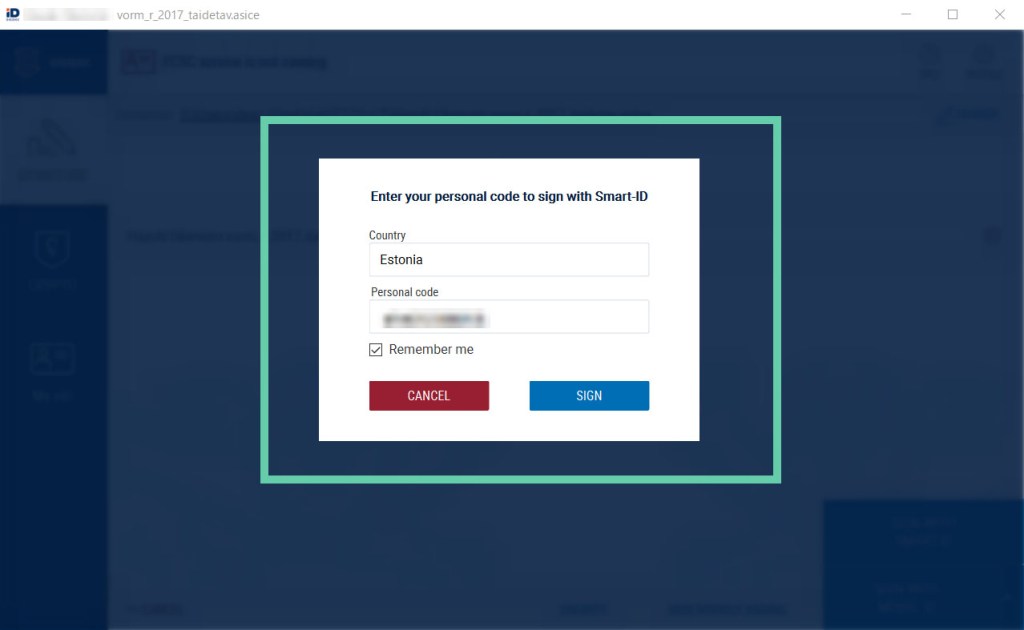
After that, it will show the name of the country that you are using DigiDoc and the entry box for your personal ID, so keep “Estonia” and type your ID (starting 4 if you’re female and starting 3 if you’re male as far as I remember). Then, decide whether you want your DigiDoc to remember your personal ID.

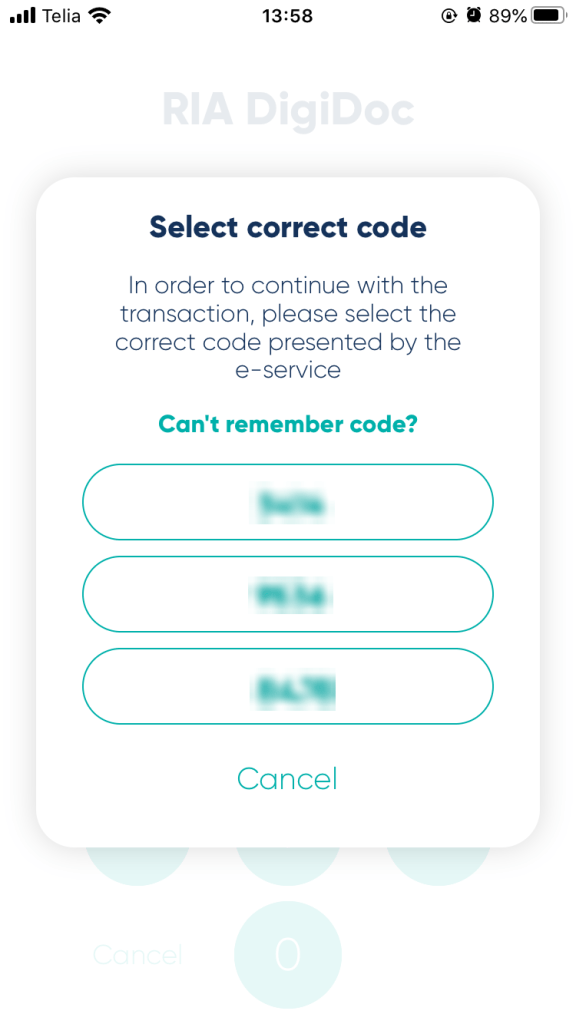
After clicking “SIGN”, open Smart-ID, the mobile app. This is something different from the usual use; the screen shows four digits and then you enter your PIN 1 or PIN 2 on your Smart-ID on the phone. However, this time you choose the set of number on the app, which is shown on your computer screen. Then you will enter your PIN code.

Once you’ve done with entry, make sure if the document has your digital signature on DigiDoc on your computer. (If it’s written “valid” in green, everything is alright.)

That’s all about how to use DigiDoc. For your information, I don’t know how your country is digitally developed but Japan is a digitally developing country. We have a similar thing like Estonian ID cards but so far it’s much less authentic than the driving license, absolutely weaker than our passport and really insufficient for identification.

It means we just have ID cards, whose diffusion is only around 13% of 100 million population.  Due to this poor fact, someone established an e-resident company in Estonia, which called blockhive that has developed such Estonian systems using our Japanse ID numbers.

Surprising fact for you?


4) Send the file by email

Anyways, let’s get back to the main topic: how to submit the tax return application. Now you know that you completed signing the document to prove that you are a resident in Estonia legally, so send the file with the digital signature to Tax and Customs Board.

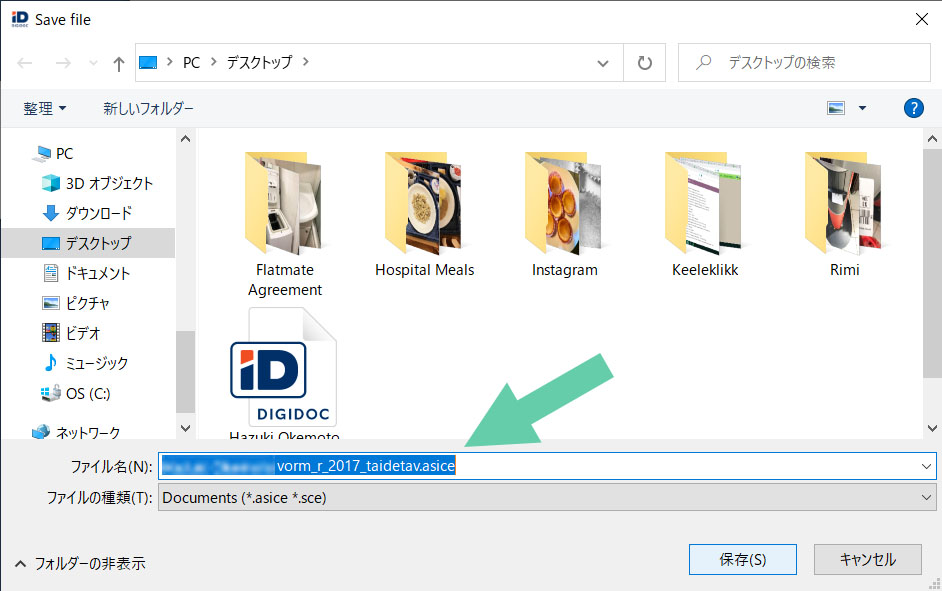
You may do through DigiDoc but you need to check which email address you should use, don’t you? Usually this happens or I don’t remember the precise email addresses whenever I sign digitally with DigiDoc and send the file so I always save the file somewhere on the computer once (just in case). As saving the file, you would see an unfamiliar filename extension “.asice”, which is correct.

Then you just send an email to emta@emta.ee with the digitally signed file attached, describing that you are sending such a file for the tax return application submission or something like that in both the subject of the email and the main text box.

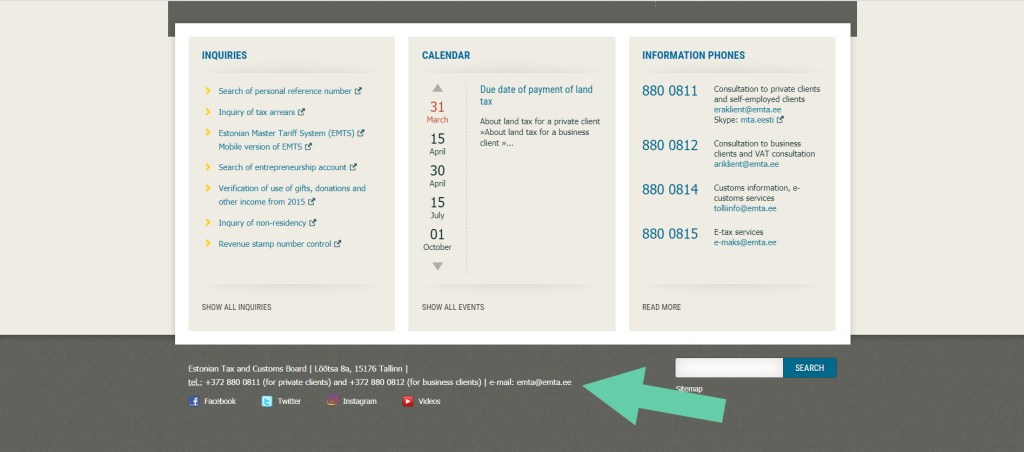
Now you may wonder how I got this email address because you probably couldn’t find. Open the Tax and Customs Board webpage, scroll down until the end of the page, find social media icons and there you go! There are their postal address, phone number and the email address in super hyper teeny-tiny letters. (Of course the lady that I spoke with on the phone told me this address. :P)

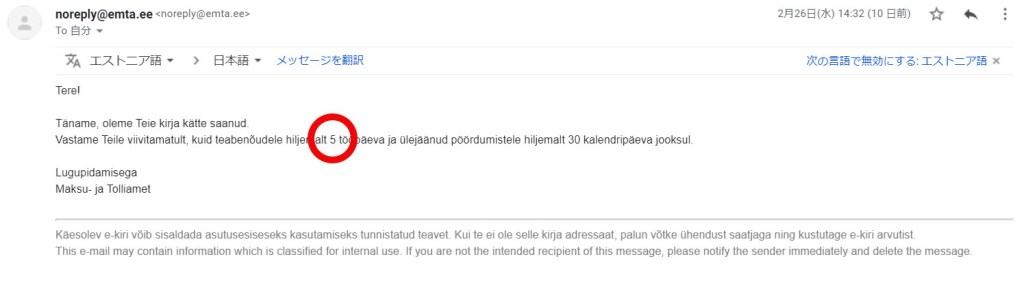
Once you sent the email, you get the auto/no-reply email, saying something like “we will reply you within 5 days” in Estonian so check it just in case.


Well, it said five (5) clearly there and I don’t know why but I thought it would take around three (3) days to get their reply.


Then only in about one hour,


You have registered as a resident in Estonia since DD MM YYYY!

They granted my residence in Estonia in Estonian.


Super hyper quick.


After that the success is mine (or yours).

(I really thought it would take around three (3) days so I was fearfully surprised. Really. My document was totally innocent.)


5) Access e-MTA again

If your reply is the same as the above, log in e-MTA again. Then, like what you did already in the beginning, click “Submit” in green under “Submit income tax return” on the left box of the screen.


6) Confirm your income and tax

Once you successfully go to the application screen, you will see the information regarding your income and tax that you paid until the previous year of the year that you are logging in, that is, if you see the information in 2020, the shown information is up to 2019.

Also the information is shown year by year so choose the year that you want to submit the tax return application for. (As a default, it should show the previous year’s income and tax information.)

Moreover, if you are looking at the information of year 2019, you see the application progress of your tax return submission on the top of the information, which are only three steps. Check the amount of your income and tax and go next.


7) Confirm the tax return application and submit

When you go next, you will see how much you will get as the tax return of the year that you apply for. Confirm the amount and enter the bank account and just submit. (If you use your Estonian bank account, the account number is the set of alphabet and number starting “EE”!)

Finally some message pops up and it’s done. Given that you have multiple years for the submission of the tax return application, just go back to the dashboard and apply for another year’s tax return.

(This happens every year, but last year they were fucked up according to my CTO in our company, so the application process was messed up and I hadn’t known the tax return in Estonia until this February. That’s why I’m writing now. Due to this I’m supposed to get quite a lot.)

By the way, this tax return application is not valid for everyone. As I was talking with my friends, I didn’t know that I needed to submit the residential proof in Estonia to them so we were just wondering why I couldn’t do anything.

Then one of the friends remembered my Estonian colleague who worked at part-time so I asked him and he said “I don’t know about it and I think you probably won’t get anything”. This friend is Estonian so she was sure that he should have known the tax return. Then I remembered one fact:


This colleague is a programmer so even though he works at part-time, he should earn more than I do.


Yep, as you may guess, the tax return has a “trick”. The person who can get the tax return is someone who earns money less than 1000€ every month no matter what kind of agreement (part-time or full-time work) they have. (I have had a period that I had 1000€ and over but mostly less than that since I started working at my current company in 2018.)

Now I work for 30 hours per week so I probably will get the right to submit the tax return application again next year. Probably. I’m actually happy without the tax return since I can live a life without any financial struggle in my opinion/case but why not get something I can get?

You now know how much I earn every month but actually I have worked as a freelance translator and community manager for a Belgian company so occasionally I make more money than the other regular colleagues, not programmers. (Of course it depends on the workload and from time to time I can’t make enough money with this freelancer’s job to withdraw.)

Welcome to my life.

Once I could confirm the tax return on my bank account, I will renew the article.

According to my Hong Kong flatmate, we should get the tax return within a month after the application submission.

I’m also thinking of buying IKEA’s sit/stand desk for my room…


★ Additional comments (17/March)

Yeahhh, I’ve got my tax returned!
However, I still haven’t got last year’s tax returned maybe because it’s much more than this.
I’ll renew the article when I got last year’s tax returned.


★ Additional comments (19/March)

I’ve got last year’s tax returned! I immediately bought a tablet that I mentioned above. I was super wondering which colour to choose but I thought I could have a bit more expensive beer with 5€ so I simply bought it at euronics. If I can buy a desk at IKEA, everything will be perfect.

Aitäh! 🙂

Zooks Faces Panic in Estonia Due to COVID-19.

Tere!

Recently we have heard of the news regarding new type of coronavirus called COVID-19 in a daily basis. It was started from China and the infected patients have been found in Japan and a lot in South Korea too. In the Middle East Iran was highlighted and in Europe Italy became the first risky country. In Estonia more and more people have been infected day by day.

I was supposed to go to Stockholm, Sweden for last weekend (from the 13th to the 15th of March) for Louis Tomlinson’s live concert, who is one of One Direction’s members. However, since I got an information about the concert, the situation in whole Europe has been drastically changing owing to COVID-19. 

In Japan it’s also alarmed that people shouldn’t believe information with no grounds about COVID-19 so although this article is related to COVID-19, I just summarise what has personally affected me in Estonia, which does not treat the Estonian government’s announcement or such.

This is, again, really personal but some of you might be curious and get some advice when being the similar situation in the future. This article is written in the order of time sequences and will be added when something happened to the end of the article. (No worries, this is not serious at all. Just enjoy like reading someone’s secret diary.)


1) 12th March A.M.

★The concert postponed

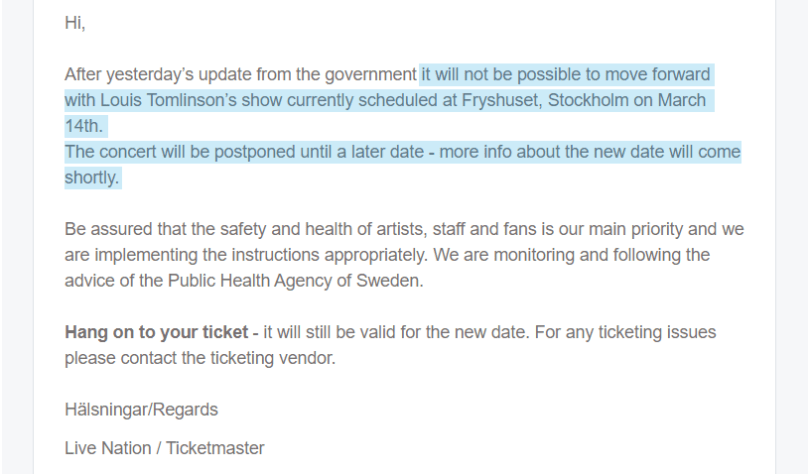
On the 12th of March, while I was working, I got an email on my personal email account from Swedish ticketmaster, where it was said that Louis Tomlinson’s concert for last Saturday was postponed due to the Swedish government’s announcement regarding COVID-19. 

I, to be honest, didn’t know the situation in Sweden in terms of COVID-19 at that time but soon after that many events were cancelled or postponed in Estonia too. (I was super looking forward to the concert and worked for the concert so I was super disappointed.)

In Sweden, in addition to the concert, business conferences and movie theatres and other gathering spaces were all cancelled, postponed or closed. Then Estonia got the same situation as the one in Sweden.


★Hostel stay date change vs. cancellation

At that time I still could go to Sweden and yet since I’ve done with sightseeings there around five years ago and the main purpose of this time was the concert, I didn’t see any point to go to Sweden. Then I asked the hostel that I was supposed to stay at but they said they couldn’t refund me any money as I booked a bed through Hostelworld with the plan that does not refund.

However, they said I could change the date for free. On the other hand I just knew the information that the concert was merely postponed and the organisers haven’t decided the alternative date yet so I asked the hostel if I could change the date twice. They changed my booking to April and we promised that I would let them know asap when the organisers announced the alternative concert date.


★air Baltic’s flight change vs. cancellation

This concert was the first one in a while so as mentioned I was super hyper looking forward to it but it was postponed, whose fact made me wonder if I should go there anyways.This time I booked the round flights with air Baltic so I rang them


At around 10 times.


After approximately 10-time ringing, the line was finally connected, which made me wait for another 10 – 15 minutes. After that finally an agent answered the phone.

I asked the agent if I would get charged to cancel or change my flights. She told me that air Baltic had three plans: Basic, Premium and Business. This means that it depends on the plan that you made a purchase with to choose whether they charge to cancel or change the flight.

Unless you have specific points that you care about when choosing the plan, Basic is sufficient. Mine was Basic too (or let’s say I didn’t pay attention to such things at all).

What are the differences among those?

With the Basic plan, you may change the flight date just once. Also, you may claim the flight fee but you can get only the tax. (However, here is Northern Europe, as imagined, the tax rate is quite high so I was supposed to get the half of the fee that I paid.)

On contrary to the factual calculation, I still didn’t want to lose any money so I told them I needed time to think of it and hang up the phone.


2) 12th March P.M.

★Alternative concert date announcement

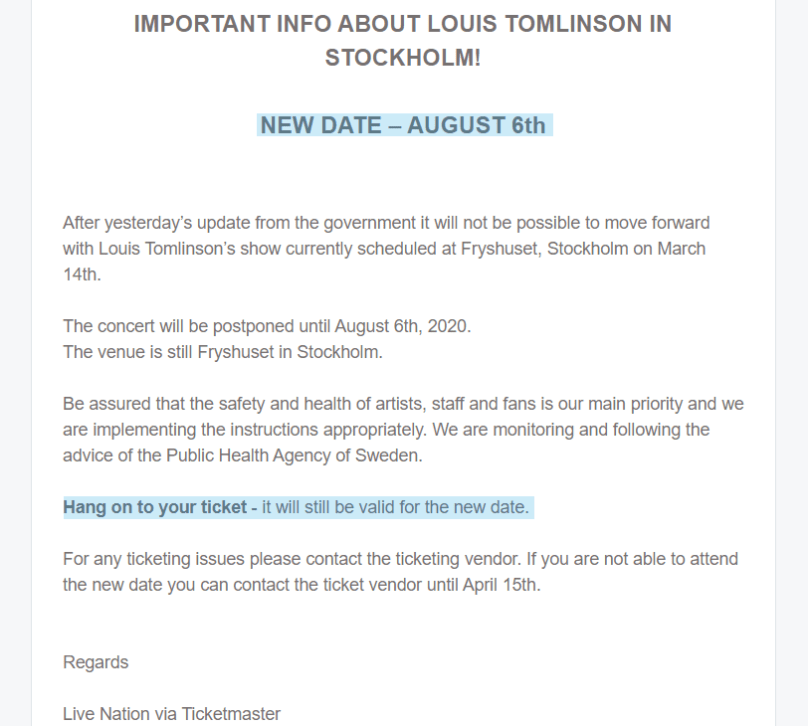
After a while, Swedish ticketmaster emailed me again, announcing that they decided the alternative concert date. This was a really quick decision. Really. The alternative concert date is the 6th of August. Thursday. THURSDAY.

I wondered about what to do because usually I have work on Thursdays but I remembered that I still had one week left for my annual leave even at that time so I thought it was okay and determined that I would changed the flight dates. 


★ air Baltic flight changes

Then I rang air Baltic again around 10 times, got the line connected and waited for the agent for 10 – 20 minutes again. I explained to her that I wanted go to the event in Stockholm so I needed the flights that cover the concert date period.

Based on my needs she suggested me the morning flight to Stockholm and another morning flight from Stockholm and I changed them for free. These flights will be in the super early morning but better than nothing.

The air Baltic agent confirmed my email address and then sent me the flight changes by email. Nothing special happened. Everything was getting fine.


★Hostel booking date change

As mentioned above, the hostel and I promised to inform them immediately when the event organisers announced the alternative date for the concert. Therefore, accordingly to the flights by air Baltic, I changed the hostel booking dates as well. (However I believe this was exceptional. Given that you use Hostelworld, usually you need to contact Hostelworld. Just keep in mind.)


★Flixbus booking change

I also booked one bus with Flixbus from the nearest bus stop of the hostel in Stockholm to Stockholm Arlanda airport, which required me to change. Unlike air Baltic, Flixbus had a chat support available.

I’ll publish another article on how to change the booking with Flixbus later.

Here you may access and get information of how to change the booking on Flixbus.


★Swisscare travel insurance

Since I have worked for an Estonian company as a resident in Estonia, I have health insurance in Estonia but this is not applicable outside of Estonia. For this reason, whenever I travel abroad, I purchased the travel insurance.

Due to the fact that my main travel area is Europe and I didn’t have any work in Estonia for one year since I came to Estonia, I always purchased the health insurance on Swisscare, which was recommended by Tallinn University. Swisscare has multiple insurance options depending on where you go and offers those at quite reasonable price so in my opinion Swisscare is the best option.

As repeated, the concert date has been changed and both the flights and hostel booking dates were also changed, according to which I needed to change the period of the travel insurance on Swisscare so I rang them. However the agent told me to email them because he couldn’t solve my problem for some reason.

The problem was the fact that Swisscare’s help centre doesn’t have any number for it and I had no reply even as of the 13th. I have contacted them by email previously so I was sure that they would reply but it seems this is because of COVID-19 again… I’ll update the article when I got the reply from them.

I’ve got a reply on the 16th so I’ll update sooner or later.

In summary, Louis Tomlinson’s concert in Stockholm was completely postponed, accordingly to which the flights and the hostel bookings were also changed. There is still the problem regarding Swisscare left yet, the more problematic one is my annual leave that was supposed to start in the coming week.


3) 13th March A.M.

★Contacts to the booked hostels

I was supposed to spend my one-week annual leave in some Balkan countries that I have never been to, but (it was said that) Germany would get 70% of the population infected and I don’t care about myself but do about others such as my flatmates. For these reasons I changed my mind and postponed my leave as well.

First thing is first. I tried to either cancel or change the booking dates of the hostels that I was supposed to stay at during the vacation. I contacted them with my booking numbers but as I booked the hostels via Hostelworld so unlike the hostel in Stockholm, they all told me to contact Hostelworld about the cancellation or rebooking owing to COVID-19.


★Contact to Hostelworld

I asked Hostelworld with all the booking numbers because all the hostels that I have booked told me the same thing as mentioned above, but even as of the 18th in the afternoon, there’s no reply yet. Perhaps many travellers are also asking and claiming the cancellation or rebooking, which made Hostelworld in a panic like airlines.

–> Check number 8)


★GetByBus’s cancellation annoucement

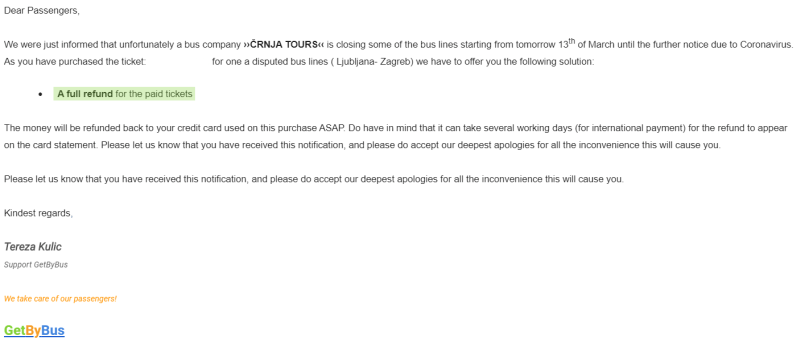
GetByBus is a booking platform that handles basically busses available in the Balkan countries. It was Friday and my company still allowed us to work in the office so I was there. However as I was working in the office I got a cancellation email from GetByBus to my personal email address. They said it may have taken “several day” to refund but the refund is full so I’m done with GetByBus.


★Remote work

It was really hectic even in Estonia on this day, since which some companies in Estonia “advised” the employees to work remotely but as mentioned earlier our company members were working in the office as usual. Some seemed to be sick and we have had a rule that such people had to stay at home until they get completely good. (However this is a public rule in all over Estonia.)

Then, many things had been drastically changed in Estonia second by second so our company finally “advised” all the workers to work remotely/at home. Our general meeting would be implemented via Skype (, which sounds really like Estonia) and our CTO made a group chat for our daily reports which is now mandatory. (I used the term “mandatory” but our company is not that strict at all so reporting would be really “friendly”.)


4) 13th March P.M.

★One whole day to contact Ryanair

I was concerned about my vacation using the annual leave, which was supposed to start in the coming week since Thursday, the 12th so I checked Ryanair’s help centre and realised that Ryanair’s help centre was open from six in the morning (GMT). Then I kept opening the chat while I was working in the office.

However, it seemed that every government’s announcement regarding COVID-19 has perplexed people, which has led the subsequent cancellations of flights so although I started contacting them at eight in the morning (which is six in GMT), the agent didn’t respond me at all. In the afternoon, I finally got connected with the agent but as of then Ryanair still hadn’t announced anything on the coming flights, keeping the usual operations and fees so I just let it go.

I’ll write an article separately for those who want to know how to contact Ryanair’s help centre.


★easyJet

There was another flight that I was supposed to use for my vacation: easyJet which is a British LCC. In my opinion their action regarding COVID-19 was faster than Ryanair. Roughly speaking, they already announced that no change fee would be applied to any flights. I’ll also write about this separately.


★Shortages at supermarkets 

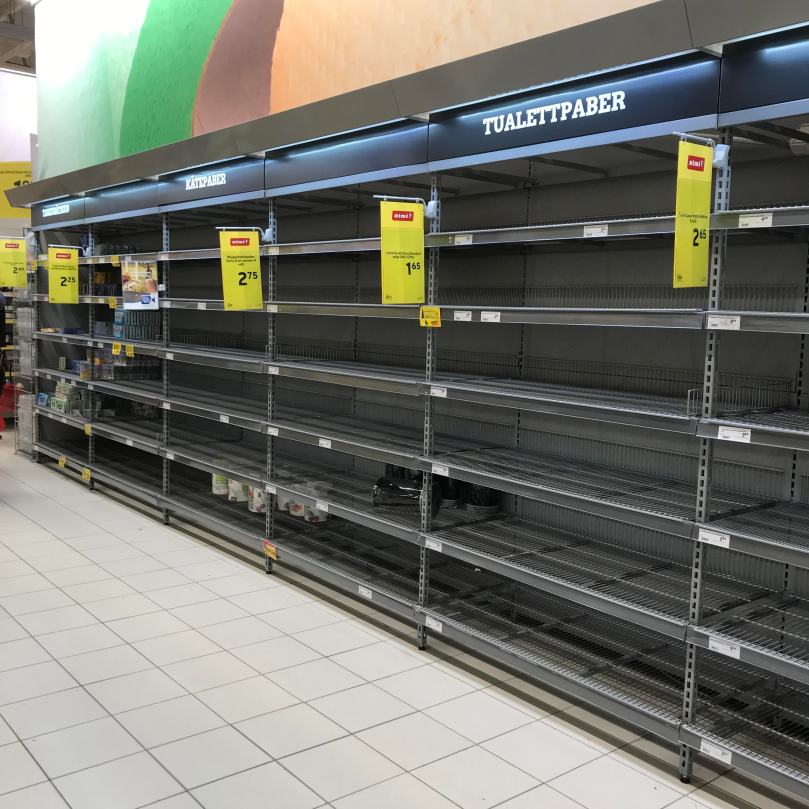
In Japan people posted pictures of the empty racks of toilet papers and masks on social media. Estonia had the same panic.

I usually make menus on Thursdays for the following week and go to supermarkets, checking discounts at Rimi and Maxima. However, I was sure I shouldn’t do it this time. I rather needed to get foods anyways.

Then I went to a supermarket but as I expected “usual” products were all gone and there were boxes of stocks in the corner of care products perhaps because the clerks didn’t have time to organise and display them properly.

As of last Thursday I couldn’t see a sanitiser (though it was okay because I still had mine), in addition to which on Friday huge containers of hand soap were mostly gone. There were a few boxes of tissues, in-pocket tissues, small size of boxed tissues and some paper towels left. (Luckily I already bought two packages of toilet papers several days ago and had stored them so my flatmate and I were not affected by this panic.)

Sanitary products were basically not affected but makeup remover in sheets were quite gone. Shampoos and such were also enough stocked.

But!

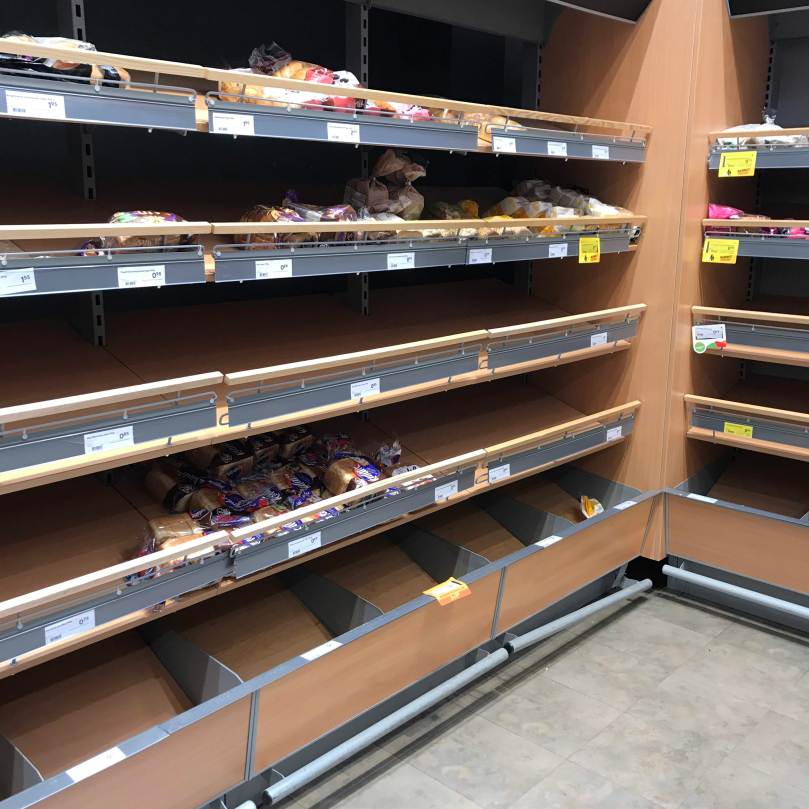
When I went to the bread section after this, there was a different world.


All the shelves were mostly empty.


Like the ones seen on Twitter!!


I thought so and took a picture.


Yeah, I’m not worried at all, mate.


Breads are fundamentally sold loaf by loaf in Estonia like other European countries. (In Japan, one package has only one-third or -fourth of one loaf.) This time there were only some half loaves left.


So I bought two and made one loaf.


Next, I went to the vegetable and fruit section.

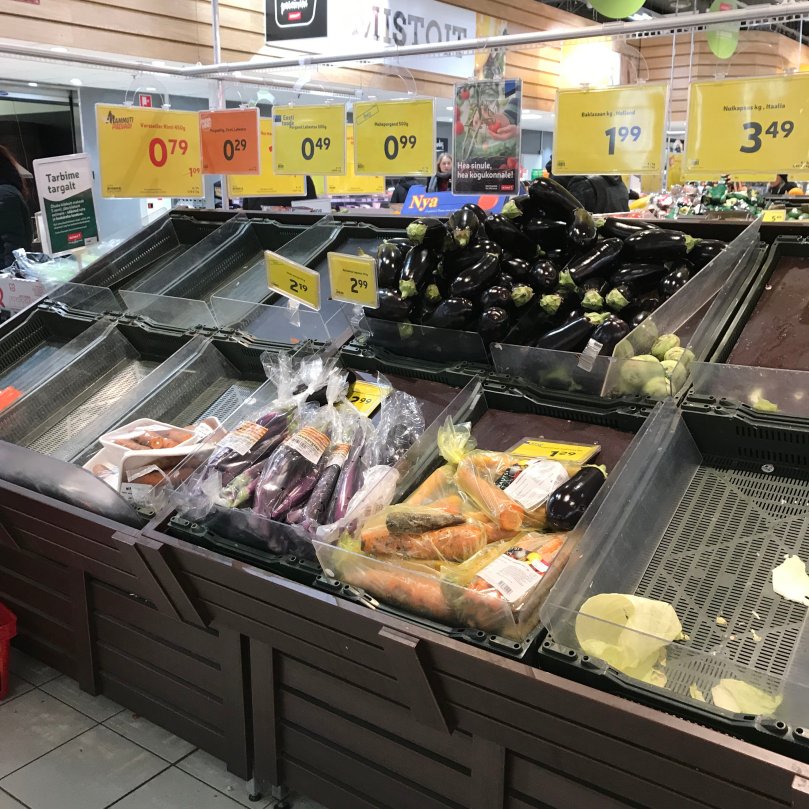
It seemed it didn’t get affect by COVID-19 but as I went to the carrot section, Jesus. All the carrots that were usually stored there a lot, whose container was empty this time. The container beside the carrot section for cabbages was also empty. The other container next to it for potatoes were, of course, empty as well.


So I bought two courgettes.


Whenever I looked at this picture, I believe that the Estonians probably don’t know how to cook aubergines. Only aubergines were left a lot.

By the way, I managed to get two medium-sized onions, bell peppers as well as cellories. (The latter two veggies didn’t seem to get affected by COVID-19.) I didn’t buy but there were also quite sufficient amounts of tomatoes, mushrooms and cucumbers.

I had stored meat and seafood in my freezer so skipped that section and went to the dairy product section.

There were only a few packs of milks and almost all of the cheese and butter were gone. I could get some cheese but my favourite Saaremaa’s butter was all gone. I didn’t check any yoghurt so I don’t know what has or has not happened to them. Ah also probably eggs were mostly gone too.

I couldn’t find any oatmeals or other types of flours a lot either. Just in case I bought one bag of pizza flour. If the breads and oatmeal were gone, you also could expect something – of course any types of pasta were also nearly all bought.

I found a few bags of Rimi’s fusilli so I bought three bags (one bag = 400g). It didn’t seem that pasta sauce like pesto would be sold out but since it was difficult to get proper veggies and some news mentioned that any frozen products were mostly gone too, I bought two jars of pesto just in case.

There was a product that actually surprised me: rice. It’s understandable that people crazily buy breads, pasta and potatoes because Estonia is an European country.

However this time even round grain rice that I usually buy instead of Japanese rice was gone and only Basmati or long grain rice or the one so-called sushi rice are kind of left. I didn’t buy any rice as I already had enough at home anyways though.

Therefore, this is all about what I saw in the huge supermarket, HyperRimi. I actually thought the economics could go well but it is also true that I was kind of worried about when I can get food next time since many food products were gone.

On the other hand I still have some snacks, candies and miso soup from my mam in Japan so ultimately speaking my life is assured in a sense but still I want to eat properly every day, you know.


5) 14th March A.M.

★Free flight changes with Ryanair

It was Saturday. On waking up in the morning and checking the phone, I found that Ryanair finally emailed the coming passengers. I opened all flights on Ryanair and easyJet in different tabs on the browser and made an alternative plan for my vacation. 

I was planning to have one-week vacation in March and one more in July but I had to change the schedules and 


You know it’s summer, the tickets are more expensive in general.


So my summer plan is like this; right after coming back from Louis Tomlinson’s concert in Stockholm to Tallinn, I will be off for my vacation for around two weeks. How stupid I am.

It was a matter of time since Friday but I was happy that I could change the most important parts. I’ll renew the article since the problems about the hostels and Swisscare’s travel insurance are not resolved yet as of the 14th.


6) 14th March P.M.

★Refund from GetByBus

Personally the Balkan area is unknown for me so as described in the email I expected that it would take approximately one week to get the refund. This is not about the conversion and such but I paid in euro because GetByBus showed the prices in euro.

On contrary the tickets had the prices in Croatian Kuna so they seemed to have converted based on the prices Croatian Kuna. In summary my refund was around 20 cents more than the actual money that I spent.


7) 16th March P.M.

★Response from Swisscare

There was a response from Swisscare, an insurance company.

They said it was not impossible to modify the insurance once it’s purchased but told me to let them know when I bought another insurance to go to Stockholm and then they will refund me. Maybe this is because I told them that the concert was postponed owing to COVID-19.

So my recommendation on travel insurance is still Swisscare.


8) 21th March P.M.

★Response from Hostelworld

There was reply from Hostelworld, a platform to book hostels.
(I literally messaged them three time, which worked…)

Usually they don’t refund us if we use the non-refundable plan (which is cheaper) but they did this time as credits to my Hostelworld account so that I can use from next time because of COVID-19 which is the biggest problem in all over the world now.

I will write an article about this some time in the future.

Aitäh! 🙂
What’s Puldikassa? Zooks Shops at Estonian Supermarket Rimi.

Tere!

Would you prefer a checkout with a cashier or self-checkout (SCO) when you buy groceries at a supermarket? Some of my Japanese friends don’t  like the SCO thought it’s quite convenient.

(Well, as I moved to Kyoto from Wakayama, my hometown, I thought “Why don’t they have SCOs though here’s way more urban!” There is one shopping centre which was not close to my flat had some SCOs but the closest shopping centre which had an enough big supermarket didn’t have them. I don’t think I have seen SCOs anywhere but at the former shopping centre.)

On the other hand, supermarkets in Estonia seem to have both types usually. You have to go to the regular checkouts if you want to pay in cash, for example, at Rimi, Selver and Prisma but at Maxima some SCOs can accept both cash and cards.

When it comes to huge supermarkets such as Hyper Rimi, they have another type of checkouts with which it seems to possible to steal the products in addition to those two types of checkouts.


Seriously, it seems it’s possible steal products at a supermarket.


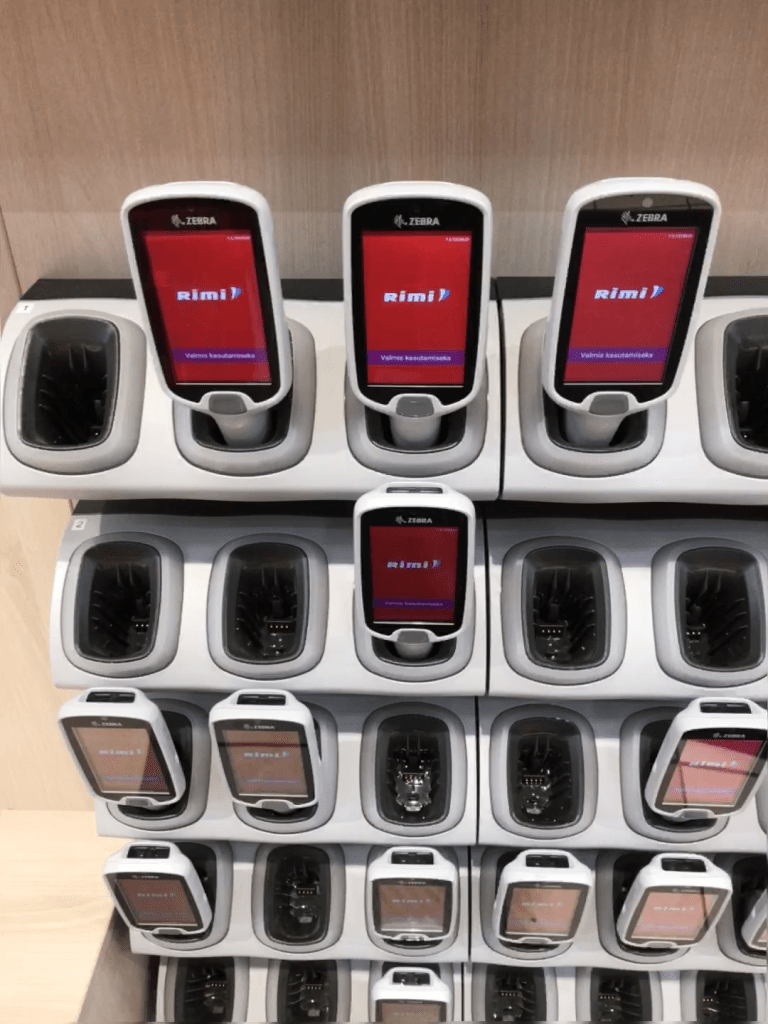
In Estonian it’s called “puldikassa”. “Pult” means “remote” and “kassa” implies “checkout”  in Estonian, which are connected and became “puldikassa” (remote checkout).

As for the former term, I searched the meaning online so probably only its nuance is correct but still I believe that it’s enough understandable.

This is because the machine itself works as a checkout.

In order to use this remote checkout, you must have an account in Rimi. (If you have one, you can get discounts and get “money” that you can use at Rimi so why not register? There’s an article about it on my older website but it’s all in Japanese so just please ask me if you want to know more. The issuing fee is only 1€ as of 2018 or 2019.)  

Since I have Rimi’s card, I tried the “puldikassa”! In the beginning you may wonder how to use it but once you used it, you’d get used to it. However, probably some of you don’t want to look like a foreign weirdo because of the unfamiliar system that has an introduction in a non-understandable language so I intentionally went to the supermarket to be a weirdo who was wondering how to use it. The texts below are my outcomes of the challenge and how to.


1. Unlock the puldikassa

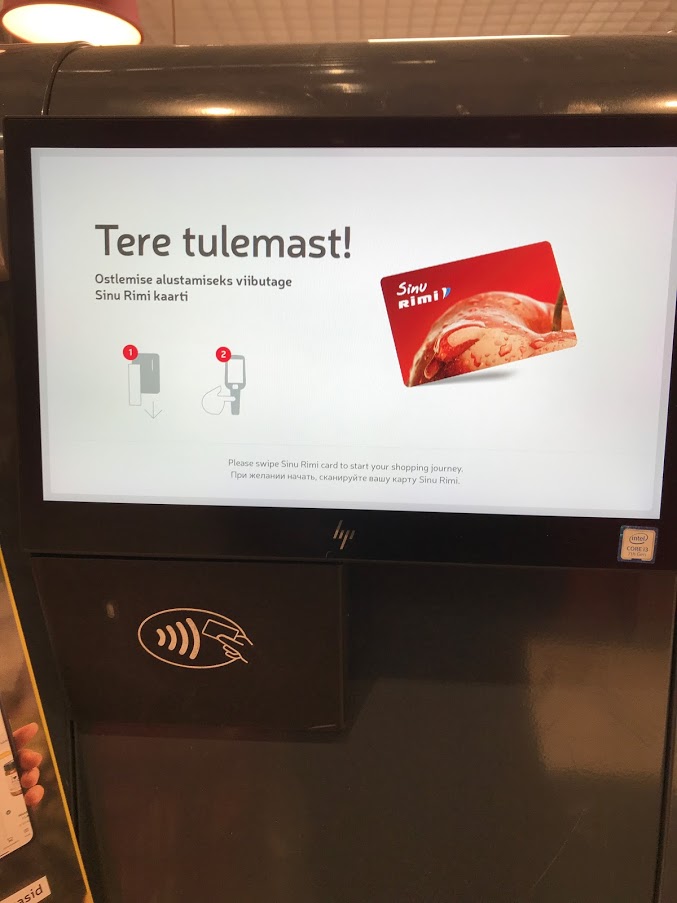
There is a box that keeps the remote checkouts locked at the entrance of Rimi and a small screen like a TV beside the box. First of all, you need to swipe or tap your Rimi card with the card reader attached the screen or under the screen.

It seems from time to time the screen doesn’t read the card information by swiping so I recommend you to tap it. (Yeah, I already experienced.)

2. Get your puldikassa

After tapping (swiping) your Rimi card, find the puldikassa that has your name from the box. When the puldikassa is locked it shows Rimi’s red logo and once it’s unlocked it turns a white screen having your name on. Also the individual box that unlocked the puldikassa has a green light so it’s pretty easy to find your machine.

3. Scan the products

Alright, now let’s scan what you want to buy. Take the product and scan the barcode that is attached to the product.

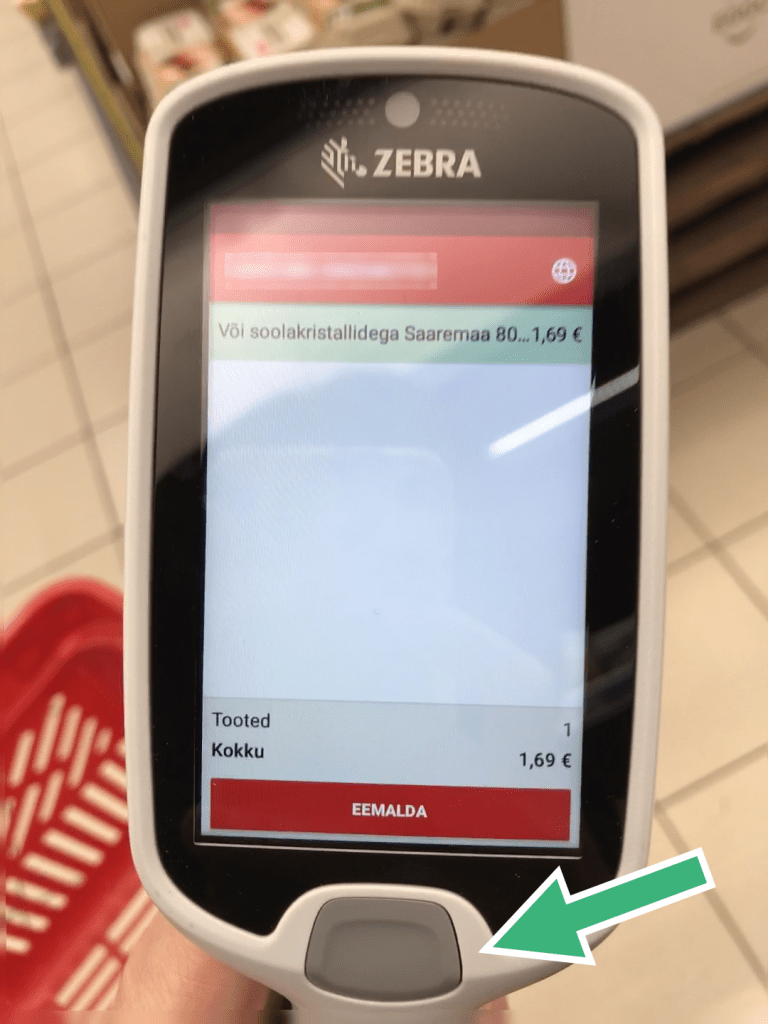
To read the barcode press the button of the puldikassa and light up the barcode.

Something like these but not completely the same things.

When I was working in Japan I once in a while used similar checkouts that had red lights. So I expected the same thing with the puldikassa, but it had a white light. Perhaps because that red light is actually said to be harmful for humans.

It has pictures so even though it’s in Estonian you don’t have be worried about anything.

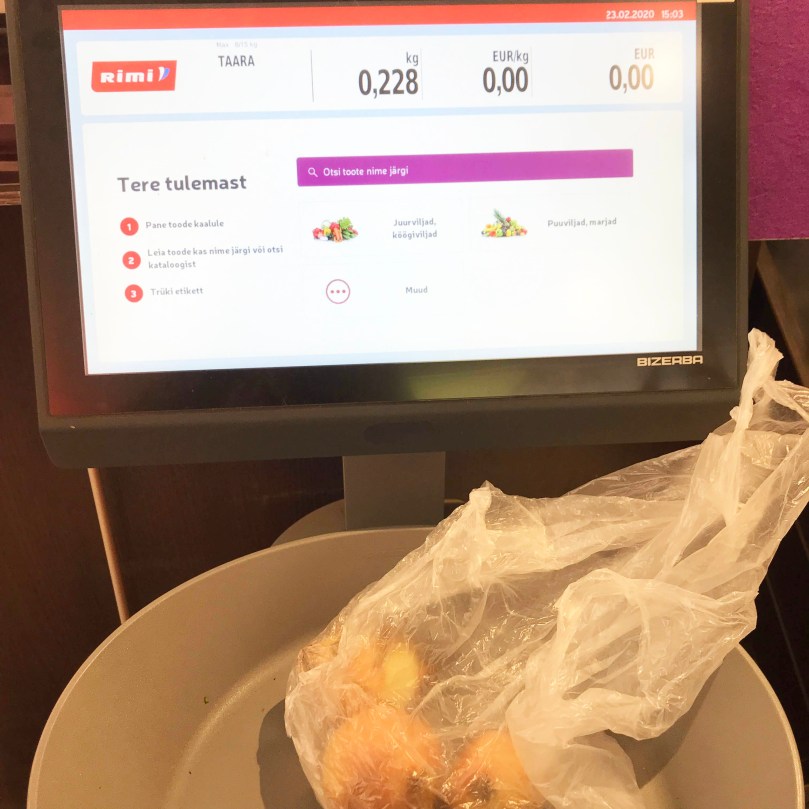
By the way, although it is normal to buy vegetables and fruits based on their weights in Europe but in Japan everything has the same size so they have only fixed prices. If you’re unfamiliar with weighing the products, no worries. Just prepare for or take a small bag and put one type of vegetables or fruits as many as you wish in the bag.

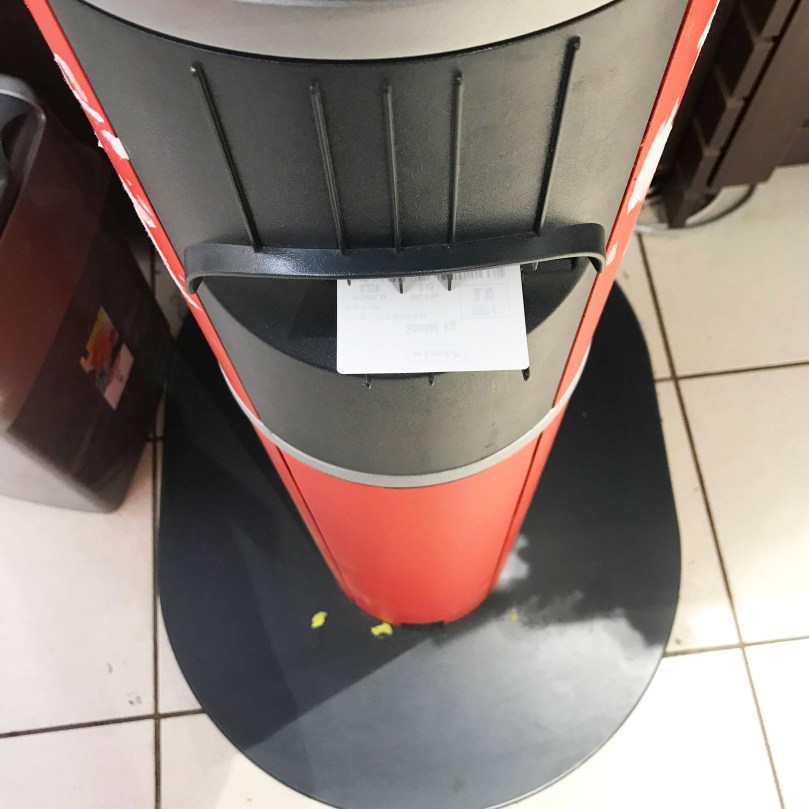
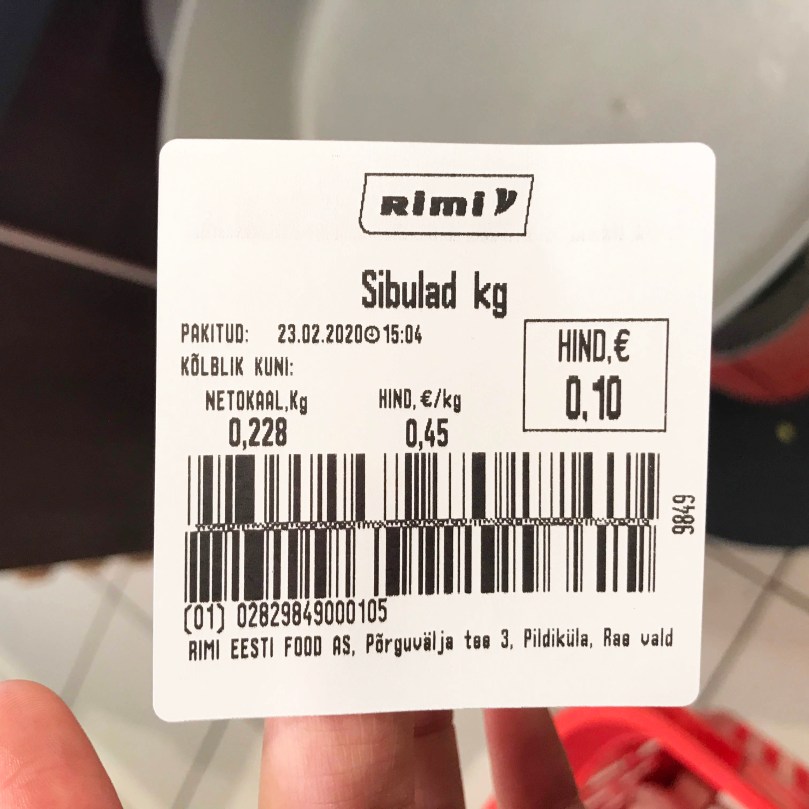
It produced the barcode sticker.

Then, place the bag on the scale in the vegetable and fruit section at Rimi and choose the right product from the screen and then the scale gives you a barcode sticker. Finally read the barcode and that’s it.

Onions 230g 10 cents.


4. Pay for the products read with the puldikassa

If you’re done with your shopping, go to the checkout area that is not the regular checkout with a cashier or the regular SCO but the most simple checkout section. There is another box that you can place your puldikassa after scanning all the products that you want to buy.

Just put it there and the box automatically locks yours. (Any empty box is okay.)

Then go to one of the checkout point available (with green light). At the checkout point, tap your Rimi card on the credit card reader.

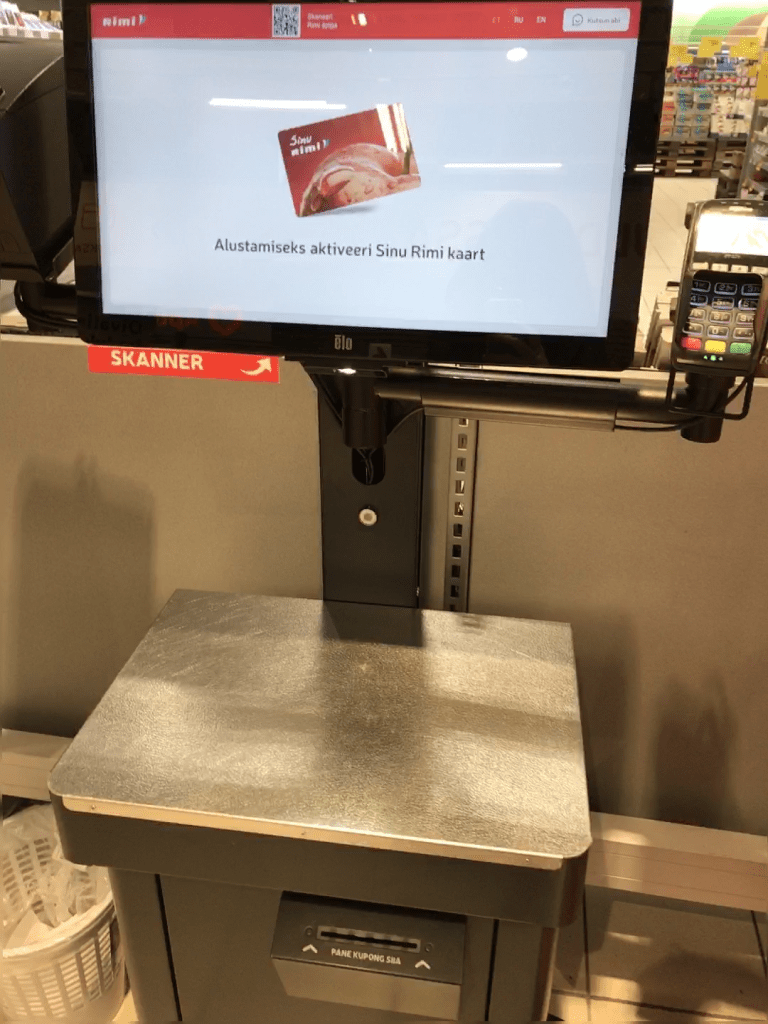
If you have used Rimi’s SCO machines, it may sound more familiar with you. After reading the Rimi card, the screen asks you whether you scanned all the products with the puldikassa so just go to the next step.

Then it turns the payment screen so pay by card. Be careful, you cannot use cash. If you have vouchers maybe you can use them only at the regular checkouts with the cashiers. (I’m not 100% sure about it so better to go to avoid troubles.

After the payment, keep or dispose or leave (!) the receipt and put the products that you bought in your bag. (If you don’t have your own bag you still can buy a bag with the puldikassa, no worries. I personally have never bought any bags in any occasion.) Finally you can leave Rimi with what you bought.


Easy-peasy-lemon squeezy, wasn’t it?


By the way, I recently noticed that (as far as I know) you can choose whether you will get the paper receipt or not. There is a tick box of unnecessity of the paper receipt on the right side of the screen at the regular SCO machines, so if you tick there you can dedicate to save resources.

If you’re worried about your budget management, I think it better to get the paper one. However, if you use banks such as Swedbank or N26, depending on your setting you are notified by the app when the money was used so it totally depends on your specifics and lifestyle.

In my opinion, the puldikassa is useful when I don’t have many things to buy. Given that there are lots of products in your basket, I think the regular checkouts with the cashiers or SCOs are better. In the order of my  preference, I like:

  1. the regular SCOs
  2. the remote checkouts (puldikassa)
  3. the regular checkouts with cashiers.

As I usually have lots of things to buy, I feel some kind of pressure from the behind if I choose the regular checkouts with cashiers and I personally don’t want to communicate strangers so I prefer the regular SCOs. (This is a very good system for those who have a communication disorder.)

Oh, but I have worked as a seller at the event merchandising for around five years in Japan. Work is work, private life is private life. I was probably just good at switching the modes in a sense.

If you come to Estonia, go to Hyper Rimi, get Rimi card and try the puldikassa. The puldikassa has English and the clerks help you if necessary.

Aitäh! 🙂