
Tere!
When it comes to apps for public transports, some are very convenient, others are user-unfriendly and for which Google maps works better. In Japan, I liked Yahoo Japan’s public transport app, but because almost all of Yahoo-related services have been inaccessible in EEA and the UK since April, 2022, I have not been able to use that app or even its web service from Estonia. From 2022, when I want to visit Japan, it seems Google maps is the only option for me… (Maybe I can access the webpage if I am in Japan, but it’s still inconvenient anyways. Besides, I have changed my iOS app store from Japan to Estonia, so I can’t have the app either or it’s not even in the search results.)
In Tallinn, there is also a similar service and app called pilet.ee, and yet I don’t like it. Occasionally Google maps shows detours, and on such an occasion, I use this app (pilet.ee) to look for faster and easier options. Additionally, maybe this is not only about Tallinn’s transport app – pilet.ee, but I personally want a function to add the travel plan from such an app to the Google calendar app.
Anyway, in Sweden there are also similar services. This time I’m going to talk about only the service in Gothenburg. In Gothenburg, there is a public transport app called Västtrafik in sky blue.
In my opinion, Västtrafik is relatively more user-friendly.
You can buy tickets on the Västtrafik app, and of course on site too. (In trams you can purchase tickets unless the machine is broken. In terms of buses in Gothenburg, unfortunately I cannot say anything specific or make any comments as I didn’t use it.) However, in real life, I experienced both in-app purchase and on-site purchase (in a tram).
Table of Contents
★In-app purchase
★On-site purchase (Trams)
★In-app purchase
I personally recommend you to purchase a ticket in the Västtrafik app as it’s faster and easier. When you open the Västtrafik app, there is a page named “Travel Planning”. Tap there and enter an origin and a destination. In the Västtrafik app, of course you can check stops in the map. Air coaches like Flygbussarna stop in the city centre of Gothenburg, it might be better to check the nearest Västtrafik stop to Flygbussarna’s stop in Gothenburg beforehand.
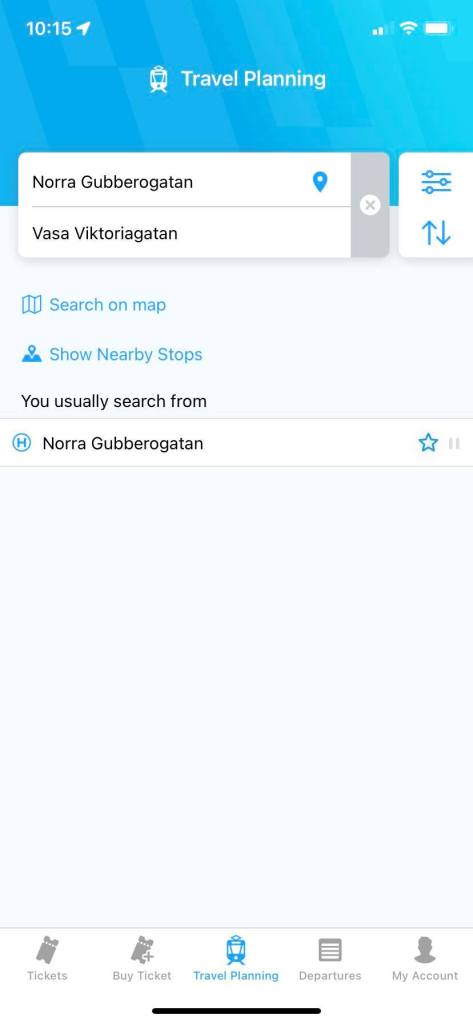
Once you decide the origin and the destination, the Västtrafik app shows routes. You can also filter the departure or the arrival time, etc in the app. You may see multiple different routes in the screen, but the zone should be more or less the same, so tap one of them, and then you will see the ticket type at the bottom of the screen.
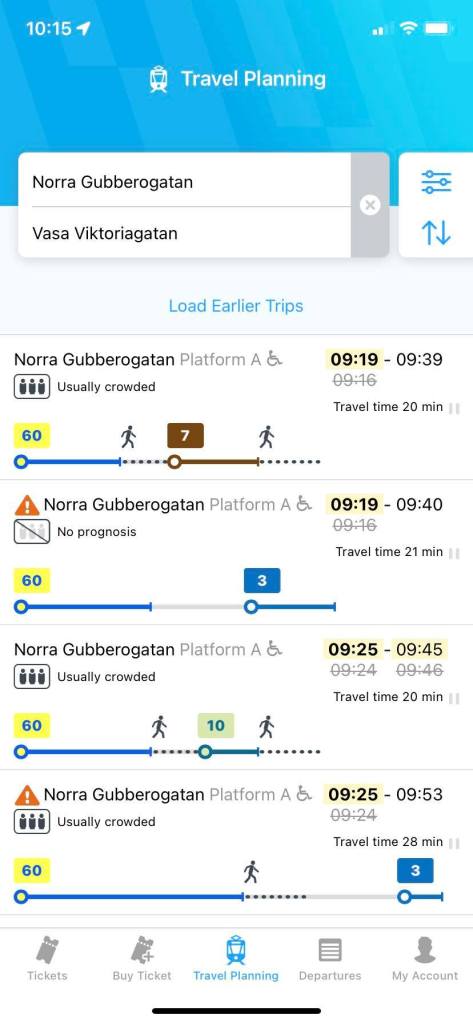
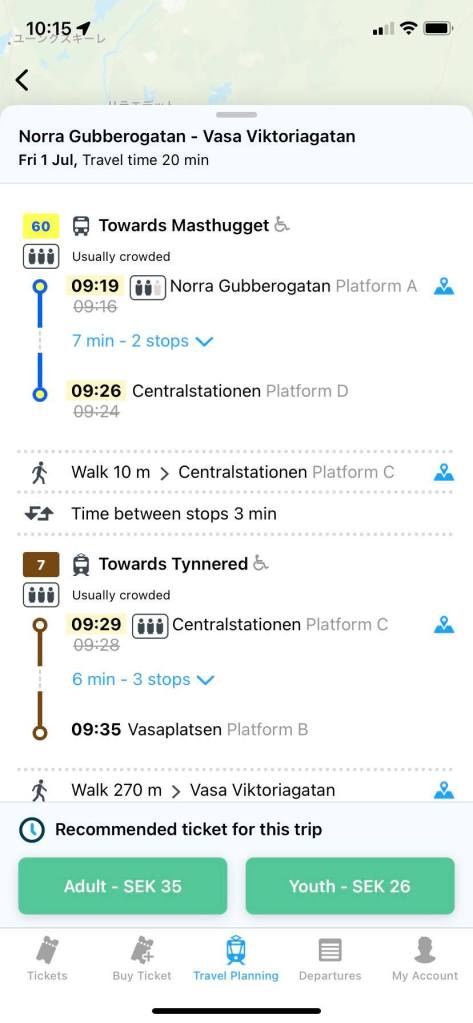
In Västtrafik, “Adult” means those who are 20 years and over, and “Youth” is for those who are 7 to 19 years old. This sort of age difference (like “Adult” or “Youth”) may differ depending on a country or a facility or service, so especially people in their 20’s should check every time. Sometimes, “Adult” is for those who are 26 years old and over, and “Youth” is for under 26, or something like that.
I recommend bearing in mind to use this Travel Planning page while travelling Gothenburg. This is because when I went tog Gothenburg in May, 2023, there were partial construction, and using Google map, I was so late to meet my friend. What was worse, I went somewhere unknown. Using the Västtrafik app, you can arrive at your destination without any problems as Västtrafik shows the real-time information even if the public transports get affected by traffic accidents or constructions.
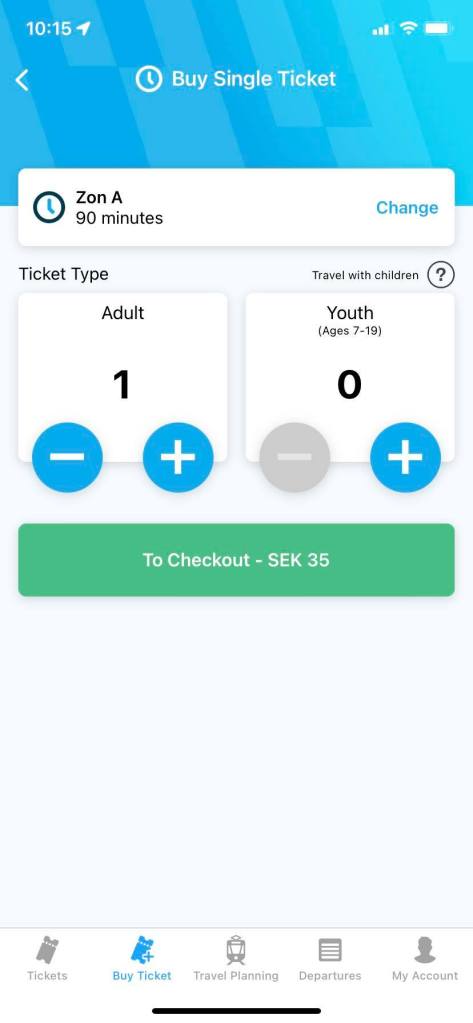
Once you check the ticket type and set the number of tickets, go next. The Västtrafik app will show the payment method. You can purchase it with an app called Swish there, and yet Swish seems to need to be connected with a bank in Sweden, so most likely travellers cannot use this option.
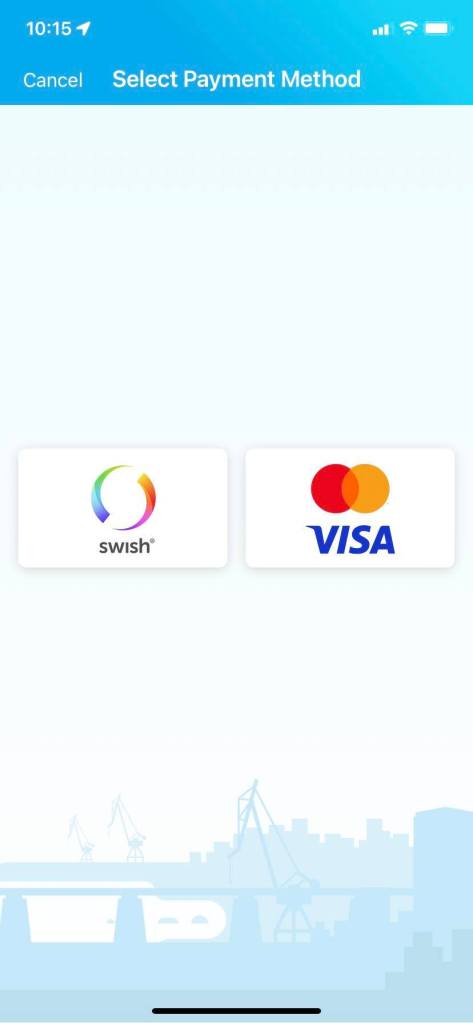

Paying for the tickets, the purchased tickets become valid immediately. Hence, I would and did purchase one just before the transport came.
However, if you wish to do this, you should register your card in the app, and have a secret note of or remember your card’s security code (CVV, CVC, etc) in advance. In general, it’s quite dangerous to take out your card, and enter private information in public such as at a bus stop, I would say.
After purchasing the tickets, you will see a QR code in the Västtrafik app, but honestly, I don’t still know how to use that QR code. I assume it’s for inspection (only)? I tried scanning it at the machine in the tram, but it didn’t seem to be working. Therefore, I didn’t actually use the QR code.
★On-site purchase (Trams)
For sure you can purchase tickets in a transport unless the ticket machine is broken. (I saw it once in Gothenburg.)
I wanted to obtain a paper ticket, so I bought one in the tram, and found out that it costs 4 SEK (0.40 EUR) more expensive than buying the same ticket in the Västtrafik app. If you care about your travel budget, I would recommend in-app purchase.
In my case, I bought a ticket in the tram at 5 am, so there were few people and it felt relatively safe, but I think it’s a bit dangerous to purchase a ticket in the transport when it’s packed.
Moreover, the machine didn’t have a function to pay by touching a card, but was an old type where you needed to insert your card. After purchasing there, I was like
Jesus, my card doesn’t come out!!
This is the same pattern as ATMs in foreign countries that “absorb” travellers’ cards!!!
But I was wrong. 😂
I just needed to take the card out by hand by myself. 😂 (Thanks to this, I feel my life time got shortened.)
By the way, truth to be told, in Gothenburg, I tried a free ride. 😂 In the tram from Gothenburg Central station to the hostel, I thought “I don’t think anyone notices even if I don’t buy a ticket, don’t they?”, so I did. And it worked 😂
However, particularly in a foreign country, you never know when you will encounter a ticket inspection.
I would recommend not to try. 😉
Aitäh! 🙂
 zooks.ee