Tere!
This time I’m telling you a real horror story. But I recommend you reading it because it will be helpful in your life.
Table of Contents
1. Unknown transaction in my Estonian bank account
2. What I did to get my money back
a. Estonian bank – SEB
b. Transaction destination – Airbnb
c. Transaction method – PayPal
3. The scariest part
★Summary
1. Unknown transaction in my Estonian bank account
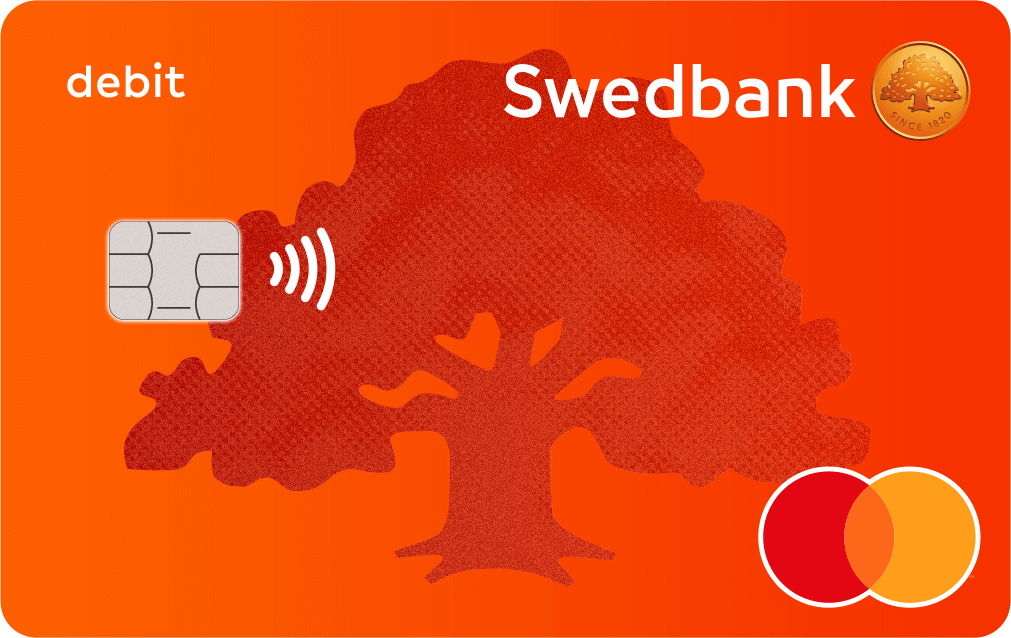
At the end of March in 2023, it happened while I was travelling in Amsterdam. I was staying at a hostel in Amsterdam, and in the morning on the second day of the Netherlands trip I saw a notification on my phone that “640.36 EUR will be deducted” from the Estonian bank SEB’s app.
I opened the app, and found the transaction destination seemed to be Airbnb where you can book accommodations.
At this point, the transaction was reserved, so what I could see was only the amount and the notes to the transaction destination. Therefore, I was not sure if the transaction destination was really “Airbnb”.
Since I had multiple trip plans already at that time, I wondered if I had already booked any accommodations on Airbnb.
However I booked a hostel on Booking.com for the trip to Vienna, and hadn’t decided where to stay when it came to the trip to Georgia. Checking my Airbnb account, there was no history or plan except the one in Dublin in MArch 2023.
Shit, someone used my money.
I immediately thought so and took the following actions:
- Blocking the SEB card
- Contacting Airbnb
- Contacting SEB
でした。
2. What I did to get my money back
Then, let’s take a look at what each company did to/for me.
a. Estonian bank – SEB
As I was immediately able to block my SEB card on the SEB app, there was no further problem.
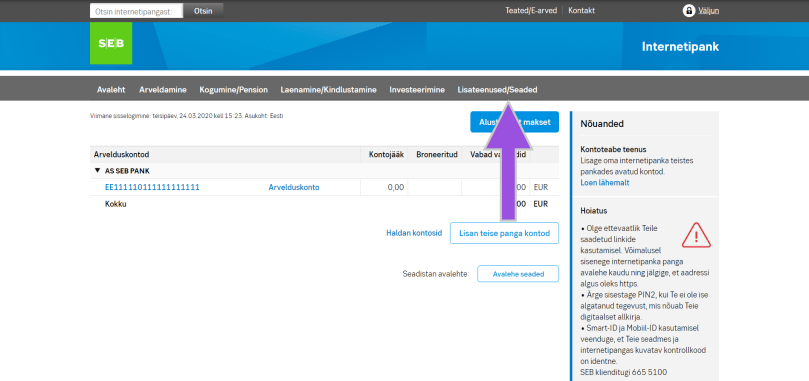
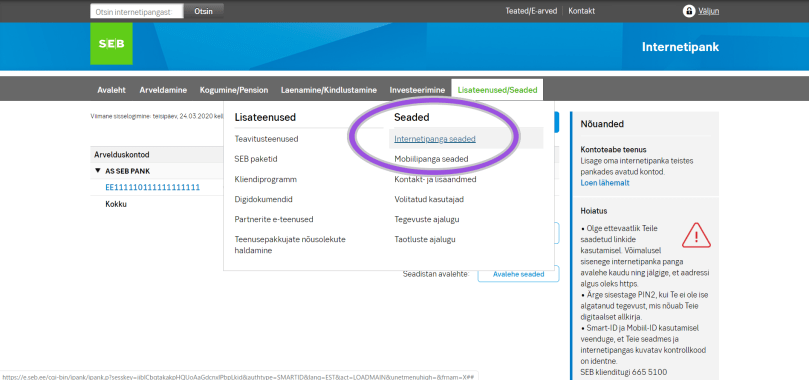
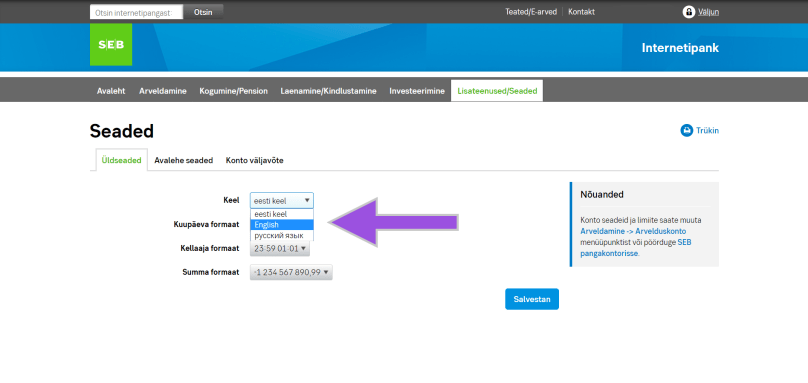
On calling SEB, the teller told me the possibility of cancelling the transaction, but it turned out that it was possible to do that only from a computer, not from a phone. I tried to use a browser on the phone, but it didn’t work. It sucked that I needed a computer. (Since I was travelling, of course I didn’t have my laptop. After all, I asked one of my friends who I trust a lot.)
However, I found that it would take up to 10 days to see the result since we submitted the application. Thus, the money was deducted in four days after I noticed this maltransaction.
What was worse, another SEB teller clarified that they were not able to cancel the transaction in which an SEB card was physically used. (So if you pay by card at a store, they can’t cancel your transaction.)
At this point almost everything was hopeless.
b. Transaction destination – Airbnb
I also contacted Airbnb.
Honestly, they were the worst.
In addition to the information from the communication with PayPal, which I am writing below, I sent additional information to Airbnb. However, regardless of the situation that
- My card was used by someone.
- I had had my own card.
- I did not share my card with anyone.
- Someone added my card information to their PayPal account.
- I couldn’t get this person’s information from PayPay due to privacy reasons.
- They (Airbnb and PayPal) can share their customer information as they are related companies.
Airbnb just said
“We cannot refund you as we don’t know the original information.”
That’s why I told you to contact PayPal.
c. Transaction method – PayPal
The best company among these three that I contacted was PayPal. (Now I trust them more than before.)
Explaining the situation, they immediately understood, and called me to solve the problem as soon as possible.
Then, as written above, they found the fact that someone stole my SEB card information, and added it to their PayPal account. (When I had a call with PayPal, I had already removed my SEB card information from my PayPal account, it was crystal-clear that the SEB card that they found on the PayPal database belonged to someone else.) They immediately removed my SEB card information from that person, and escalated my case to the payment team.
From that point everything went so fast. One weekend, PayPal emailed me about the escalation, and next Monday I already received another email that PayPal was dealing with the refund to me. Then the next day I got my money back.
As the problem happened at the end of March, I had never looked forward to receiving my salary before.
The best thing was PayPal solved my problem within one week. I was so relieved.
3. The scariest part
Now, let me talk about the scariest part.
I asked PayPal why this kind of weird thing happened, why there was a transaction although my card had never been stolen and shared, how I can prevent my funds from such an event. They said
“Since the technology has been well-developed, even if you just walk with your card on a street, someone scans your card or phone, so it is impossible to prevent it.”
That’s just horror.
PayPal suggested that I report my case to a local police so I did it to the Estonian police. You can report crimes online (PPA’s website), and attach some images if there are, though you will need to log in with your Estonian ID.
As for Airbnb, from my experience, it is normal to contact a related company about customers, but they didn’t do it and even try it.The reason why I was so sure that Airbnb had my money was because of the comparison of my own transaction history on the SEB app and the fake transaction. Everything written on both transactions was the same.
★Summary
Let’s get back to our original life and live with cash.
Aitäh! 🙂






 zooks.ee