SL App – Stockholm’s Public Transport App

Tere!

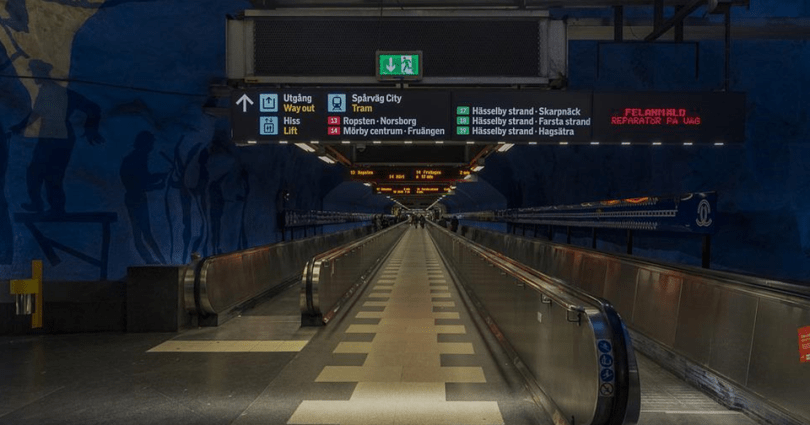
While travelling, I usually walk a lot (to save money and to prevent myself from lack of exercise), but it does not mean that I don’t use public transports at all. Especially in Stockholm, three out of four times of the visits were for the purpose of concerts, I always used the public transports after the concerts.

In addition, this time I took a ferry just because I was interested in it.

The story here is nothing special, but maybe for some people the information is useful.


Table of Contents

1. App on public transports in Stockholm
     a. Check routes in the SL app
     b. Buy tickets in the SL app

2. How to take a ferry within Stockholm

★Summary


1. App on public transports in Stockholm

a. Check routes in the SL app

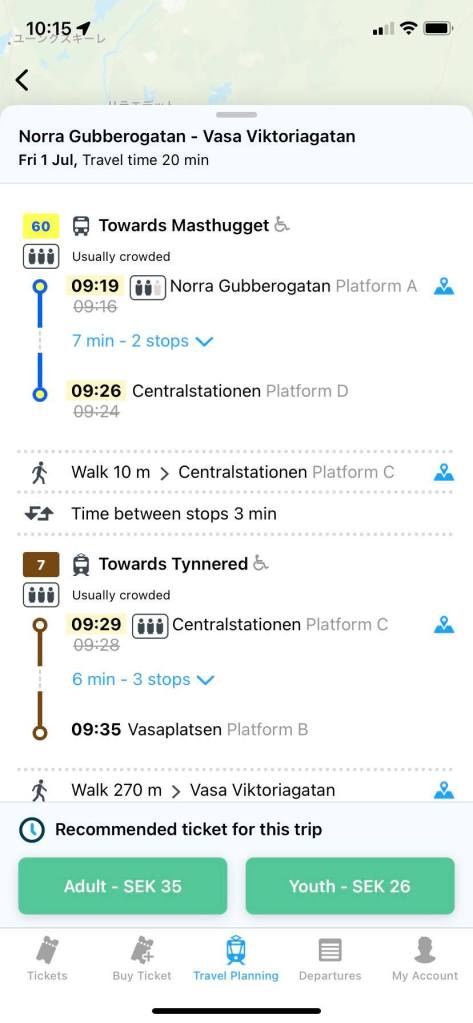
First of all, I’m gonna introduce a transport app called “SL” that you can use in Stockholm. It is just like the Västtrafik app in Gothenburg.
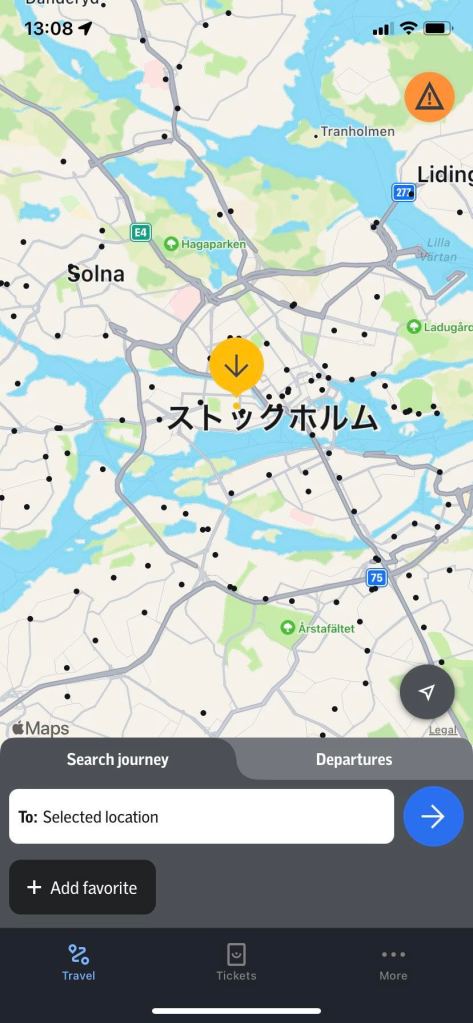
Here is how to use the SL app. Once you download the SL app, open “Travel”. Then you will see your current location in the SL app. (I had turned on the location access on the phone, so the map in the SL shows even Estonia.) From that page, you can check any routes.
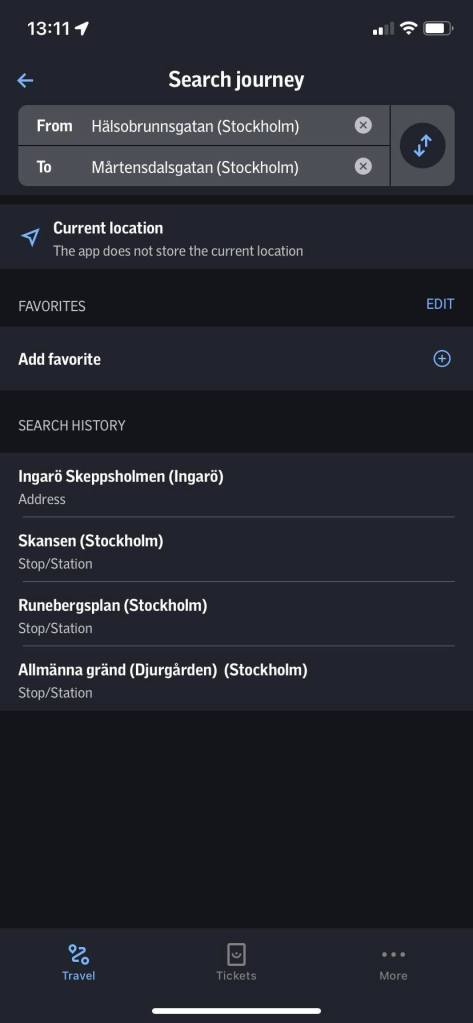
Here I set the gig venue as a destination and the hostel’s address as an origin.
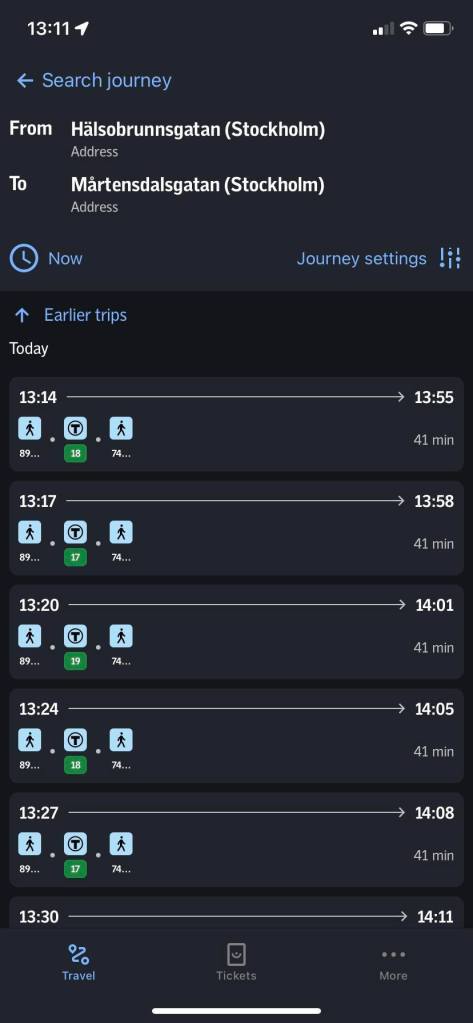
Then the SL app shows the route.
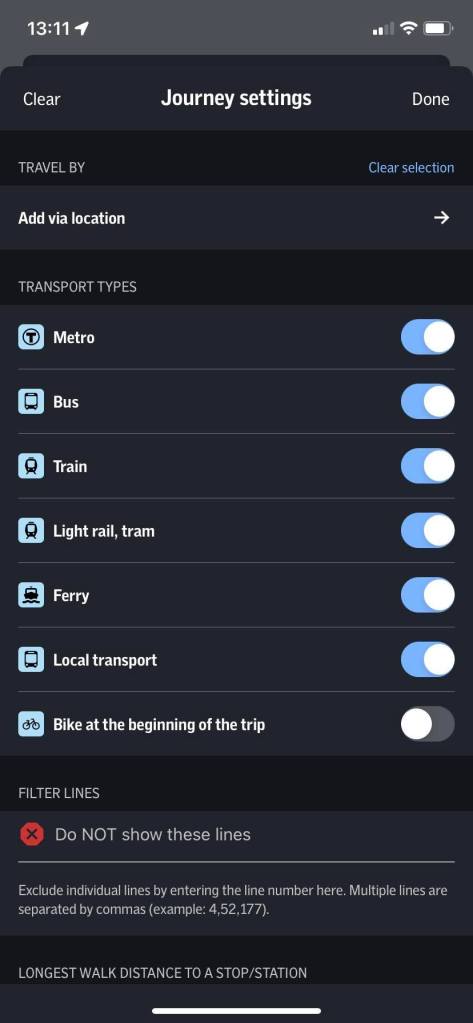
On the top right corner, there is “Journey settings’” from which you can set which transport type you wish to use. In default, I think everything is turned on. Also, when you go back to the previous page, you can set the date and time.
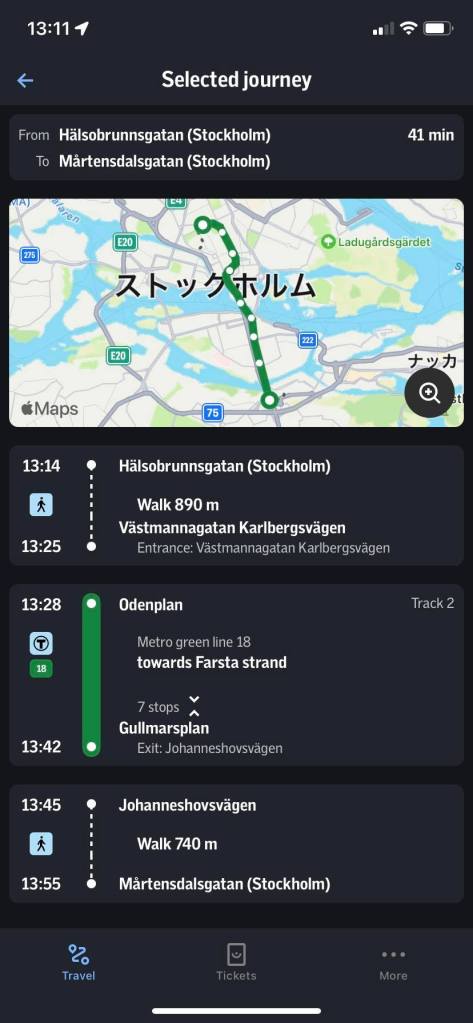
Once you select the route, the SL app shows the route in detail. In this case, from the hostel to the gig venue I just needed to take only one underground.
b. Buy tickets in the SL app

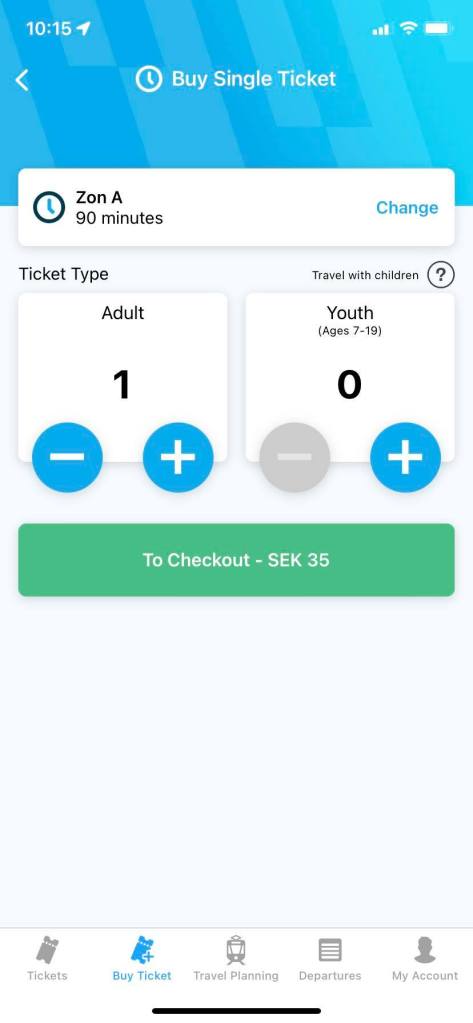
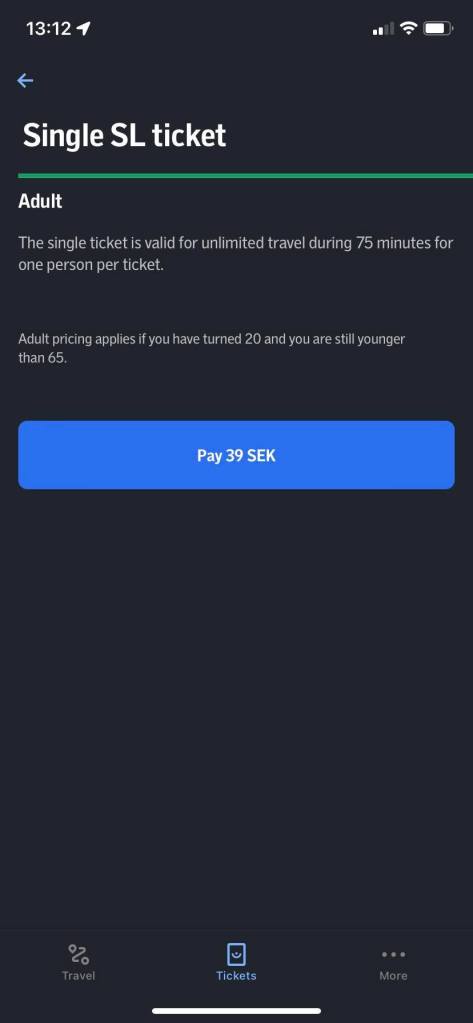
In order to purchase tickets in the SL app, open the SL app, and tap “Tickets” in the middle at the button. Then a blue bottom is shown, so tap that button.

Then you can see the page where the ticket types are shown.
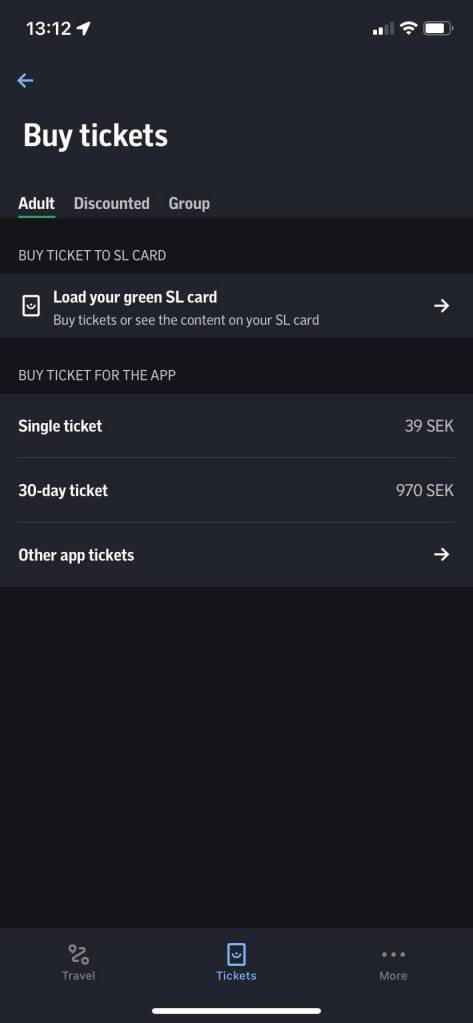
If you tap “Other app tickets”, you will see some other tickets like the ticket valid for 24 hours, so select one that suits your trip. There is also a transport card called SLcard in Stockholm, but I never needed it, hence I just purchased a single travel ticket every time I needed.
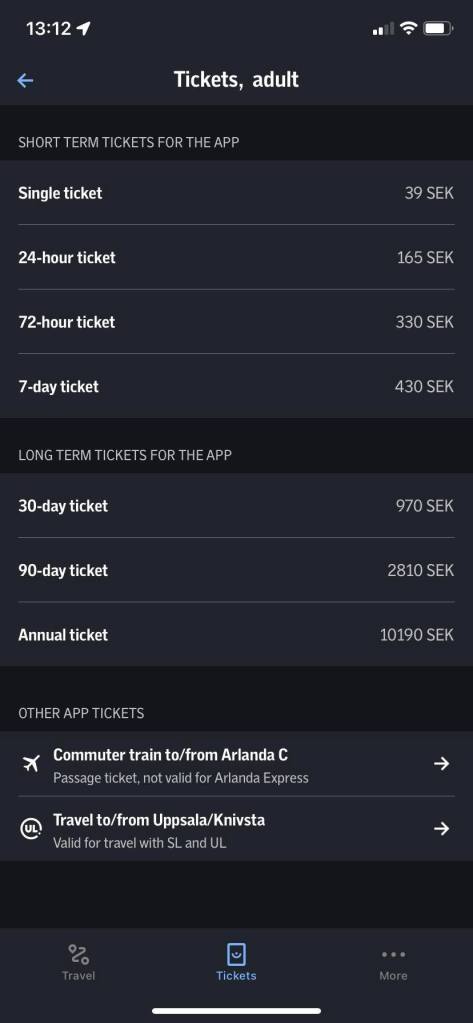
Once you select the ticket, the SL app shows the price in the blue button again, so tap it and go to the payment page.
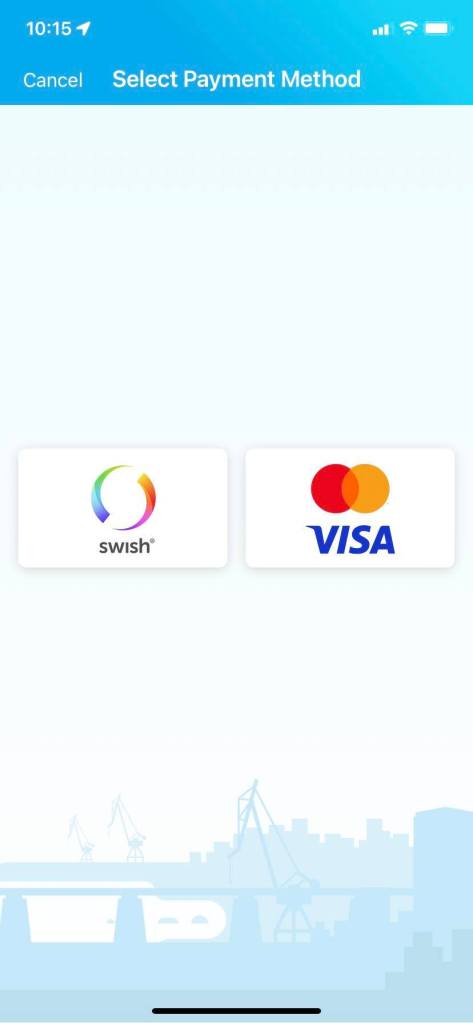
There are two payment options: Swish or card payment. I reckon almost all of the non-Swedish residents/travellers would have no choice but the card payment. This is because Swish seems to require you to connect your Swish account with your bank account.
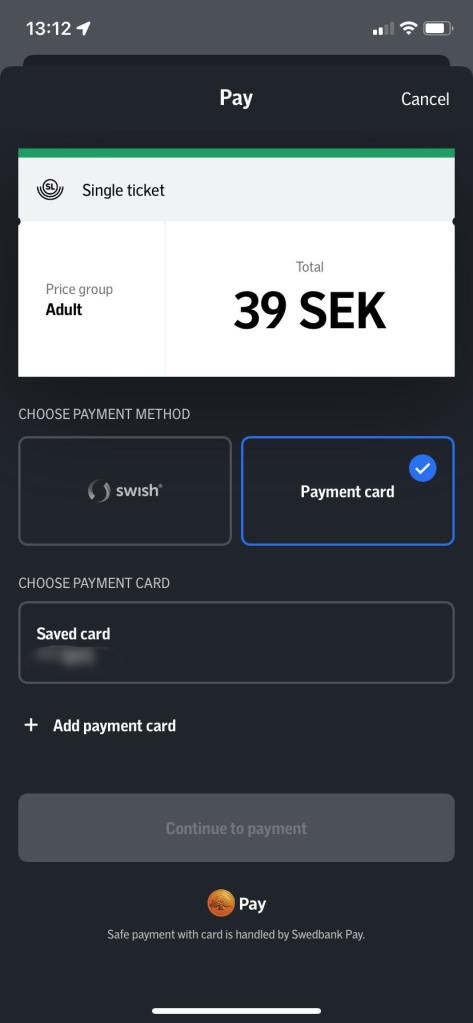
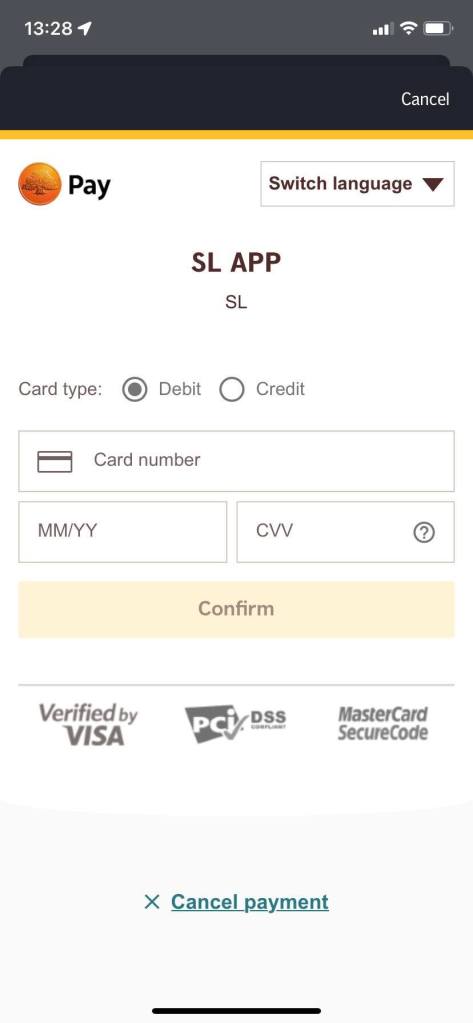
Here the SL app shows my card as I have purchased tickets before, but for new users, or those who wish to use another card, you can simply add a new card from “Add card”. Enter the necessary information, and Confirm it. Then the payment is done.
Once you purchase a ticket, the SL app shows it to you. Before taking a transport, you need to scan the ticket at the machine, but unlike Västtrafik in Gothenburg, the ticket won’t be activated on purchasing it. I personally prefer the system in the SL app so that I don’t have to pay attention to the time, and can purchase tickets at any time beforehand.

2. How to take a ferry within Stockholm

While travelling in Stockholm, I suddenly wondered:

“Stockholm basically consists of several islands, so maybe there are ferries as a regular public transport option?”

So I searched, and I found there are!

If you look at one of the screenshots above, you may notice, and yet the SL app includes ferries as a transport option.

However, in reality, it was a bit cumbersome when travelling from Djurgården by ferry.

The ticket counters were closed, and there was some information about ferries, but it wasn’t well-explained… (It didn’t mention the ticket price for a ferry either.)
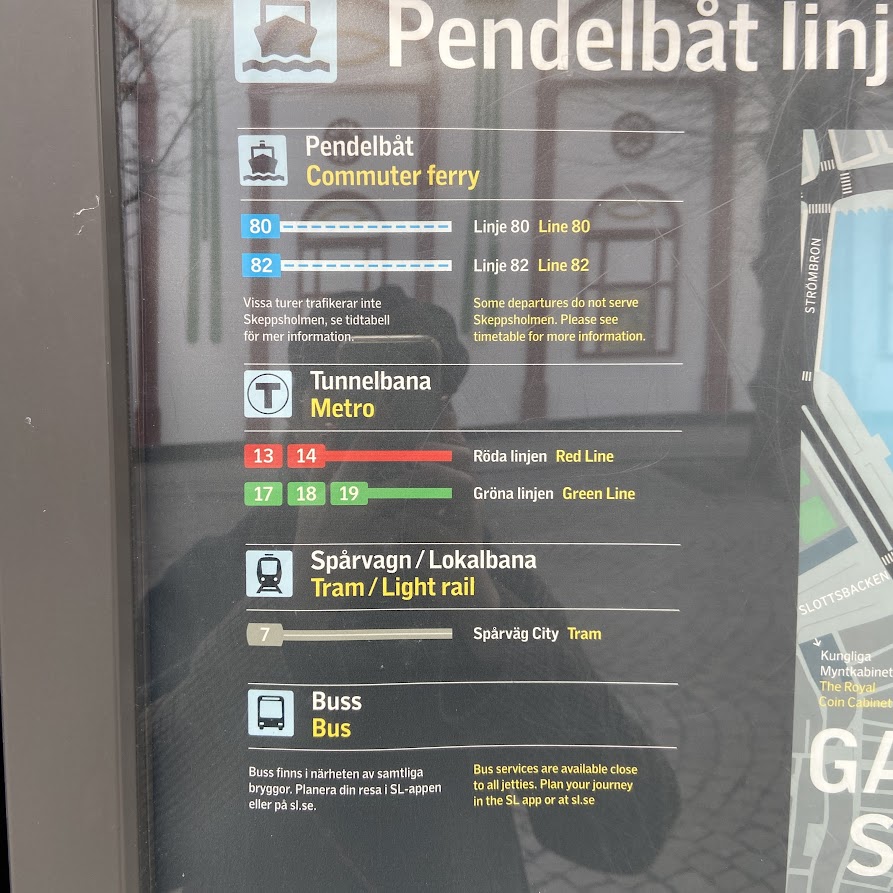
So I decided to ask a staff member when a ferry comes, and asked her, and she said

“You have a card!!??”

Um, yes…?

“Here!!!”

??????

“Here!!!!”

I realised she was not able to speak English that well… Anyway I just followed what she said, and scanned my debit card at the machine, and then immediately the payment was executed. I looked at the price shown in the machine and it cost only 1 SEK. It’s like 10 cents in EUR.

I’m not sure if this is because the distance is pretty short, or whatever, but still it was cheap even if it were not Stockholm. I would recommend using a ferry in Stockholm just as an activity there. To me a ferry as a regular public transport option in a city is extraordinary.

View from the ferry

The travelling time in the ferry was short as described, but I enjoyed myself from the perspective of a different type of public transports within a single city.

★Summary

In my opinion, Stockholm has many activities and museums in the main areas, so maybe you don’t need to take public transports that often, but it can be too far to walk depending on the destinations and where you are. Hence probably it’s good just to know they have the SL app for that in Stockholm

Also, as repeatedly mentioned, I really recommend the ferry travelling within Stockholm. If you love seas and ships, or have kids, you can probably enjoy it too.

Aitäh! 🙂

Sweden’s Aircoach: Flygbussarna

Tere!

When it comes to travelling to the city centre or somewhere from an airport, in my opinion an aircoach is very useful at many airports. On the other hand you don’t need to take an aircoach when using an airport such as Tallinn airport or Dublin airport because those are not too far from the city centre. (As for Kansai International airport, depending on the origin, I sometimes use an aircoach, sometimes a train.) At airports in Sweden (at least at Arlanda airport in Stockholm as well as Landvetter airport in Gothenburg), an aircoach is more useful. In Sweden they have an aircoach called Flygbussarna. In this article I’ll talk about Flygbussarna.


Table of Contents
1. Flygbussarna’s website and mobile app
2. How to buy Flygbussarna’s tickets
3. Flygbussarna’s mobile app is convenient when travelling
4. Can you buy Flygbussarna’s tickets on site?
★Summary


1. Flygbussarna’s website and mobile app

Flygbussarna has both a website and a mobile app. The way to use either platform is almost the same as one another, so in the next chapter, I will talk about the procedure on only the mobile app (although I personally prefer using Flygbussarna’s website when purchasing a ticket 😅).

Unlike booking an accommodation on Booking.com or Hostelworld, Flygbussarna does not discount just because you use the mobile app. The ticket prices are the same on both the website and the mobile app.

2. How to buy Flygbussarna’s tickets

Here is a procedure of purchasing a ticket on Flygbussarna’s mobile app.

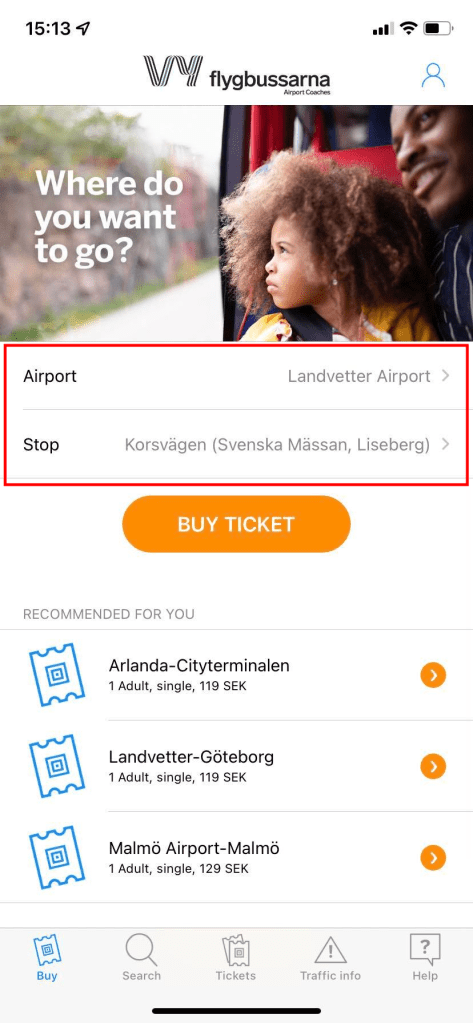
1) Once you open Flygbussarna’s mobile app, select an airport and Flygbussarna’s bus stop that you will or want to use. Here I selected Ladvetter airport and Flygbussarna’s bus stop in the city of Gothenburg called Korsvägen that I used when travelling there.

2) As you select the airport and the Flygbussarna bus stop, tap “BUY TICKET”.

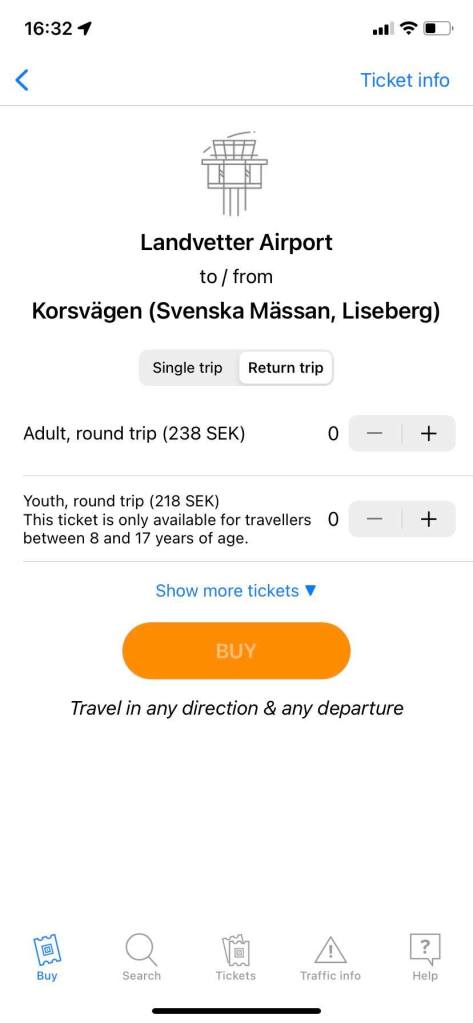
3) Then the app shows you only the one-way ticket price first. On Flygbussarna, Youth is for those who are from 8 to 17 years old. Unless you know the return flight or a flight to a next destination, you can buy only one-way tickets of course, but if you know you will use the same airport, then it’s better to buy a round-trip ticket as the price is 20% cheaper. (This description can be seen only on the Flygbussarna website, and yet the price is still the same even if you use the Flygbussarna mobile app.)

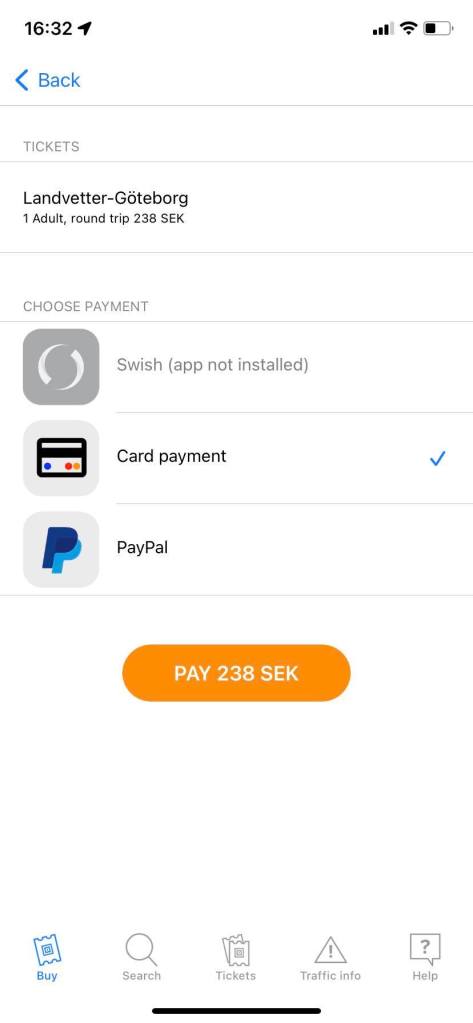
4) Here’s a payment page. A traveller would use a card or PayPal payment. Here I choose a card payment.

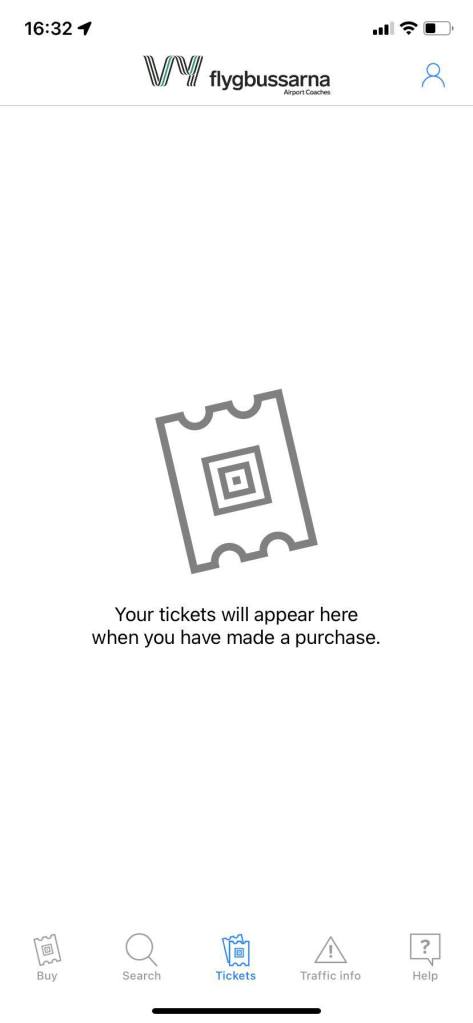
5) Once you purchase tickets, your tickets will be shown in the “Tickets” section accessible at the bottom of the Flygbussarna mobile app. Moreover, you will receive an email with the tickets in PDF from Flygbussarna after purchasing, so you don’t need to worry if you cannot download and/or access the Flygbussarna mobile app.

Also, since the Flygbussarna tickets are valid for three months after purchasing, as long as the valid period covers your travel period, you can purchase Flygbussarna tickets earlier.

3. Flygbussarna’s mobile app is convenient when travelling

On iOS whilst you can save a PDF file in the “Apple Books” app, I personally prefer having the Flygbussarna app because it is faster for me to show the ticket (QR code) in the Flygbussarna app as described above, and I just need to scan it with the scanner in the Flygbussarna bus next to the driver. This way I don’t have to open the Apple Books app and look for the PDF file (as I sometimes have other documents that I need for my trip).

Of course, I don’t have the Flygbussarna app on my phone all the time. When I want to use apps specifically for the country or city that I travel to, then I download them temporarily, and use them only while travelling.

4. Can you buy Flygbussarna’s tickets on site?

Of course you can purchase tickets with the ticketing machine at each Flygbussarna stop. In the case of use of Landvetter airport, if you purchase an Adult one-way ticket at the machine, it costs 139 SEK, and tickets for a round trip costs 249 SEK, which are a bit more expensive than purchasing online beforehand. (This logic is not applied for only the use of Landvtter but in general when using Flygbussarna.) Also, the prices can be different depending on which direction you go.

You can check the Flygbussarna ticket prices on this page.

On the top of the screen, under the header, there is “Show prices for”, where you can select the airport.

★Summary

It’s easy to purchase a ticket on the Flygbussarna platform, isn’t it? You may use a train or a taxi if a Flybussarna bus does not arrive at the airport by the time you should be, or it’s too early to leave for the airport. If not, I would recommend you to try Flybussarna. (In the Flygbussarna bus, you can get Wifi and a USB charging port too!)

Aitäh! 🙂

Västtrafik – a Convenient App for Public Transports in Gothenburg

Tere!

When it comes to apps for public transports, some are very convenient, others are user-unfriendly and for which Google maps works better. In Japan, I liked Yahoo Japan’s public transport app, but because almost all of Yahoo-related services have been inaccessible in EEA and the UK since April, 2022, I have not been able to use that app or even its web service from Estonia. From 2022, when I want to visit Japan, it seems Google maps is the only option for me… (Maybe I can access the webpage if I am in Japan, but it’s still inconvenient anyways. Besides, I have changed my iOS app store from Japan to Estonia, so I can’t have the app either or it’s not even in the search results.)

In Tallinn, there is also a similar service and app called pilet.ee, and yet I don’t like it. Occasionally Google maps shows detours, and on such an occasion, I use this app (pilet.ee) to look for faster and easier options. Additionally, maybe this is not only about Tallinn’s transport app – pilet.ee, but I personally want a function to add the travel plan from such an app to the Google calendar app.

Anyway, in Sweden there are also similar services. This time I’m going to talk about only the service in Gothenburg. In Gothenburg, there is a public transport app called Västtrafik in sky blue.

In my opinion, Västtrafik is relatively more user-friendly.

You can buy tickets on the Västtrafik app, and of course on site too. (In trams you can purchase tickets unless the machine is broken. In terms of buses in Gothenburg, unfortunately I cannot say anything specific or make any comments as I didn’t use it.) However, in real life, I experienced both in-app purchase and on-site purchase (in a tram).


Table of Contents
★In-app purchase
★On-site purchase (Trams)


★In-app purchase

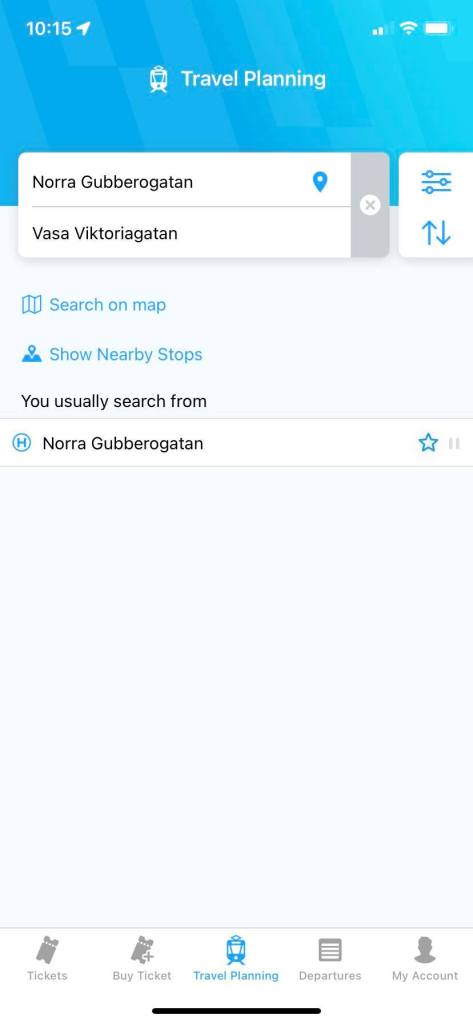
I personally recommend you to purchase a ticket in the Västtrafik app as it’s faster and easier. When you open the Västtrafik app, there is a page named “Travel Planning”. Tap there and enter an origin and a destination. In the Västtrafik app, of course you can check stops in the map. Air coaches like Flygbussarna stop in the city centre of Gothenburg, it might be better to check the nearest Västtrafik stop to Flygbussarna’s stop in Gothenburg beforehand.

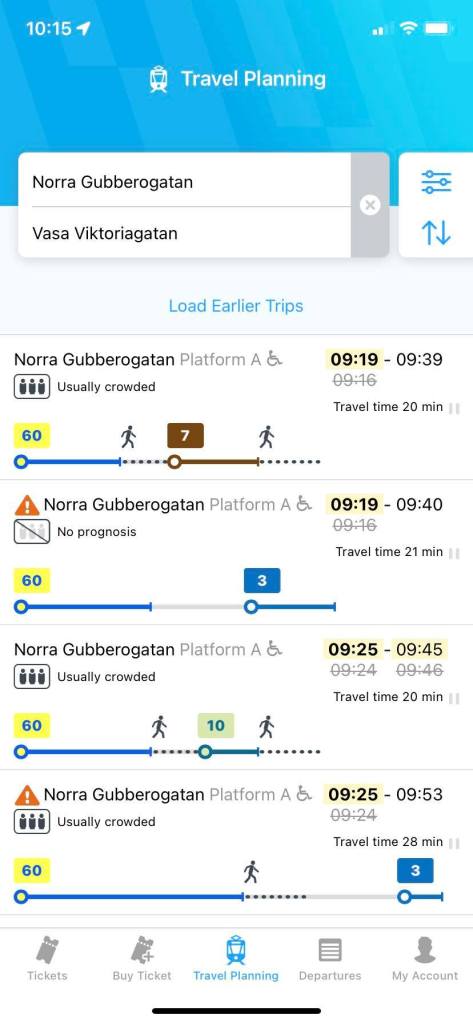
Once you decide the origin and the destination, the Västtrafik app shows routes. You can also filter the departure or the arrival time, etc in the app. You may see multiple different routes in the screen, but the zone should be more or less the same, so tap one of them, and then you will see the ticket type at the bottom of the screen.

In Västtrafik, “Adult” means those who are 20 years and over, and “Youth” is for those who are 7 to 19 years old. This sort of age difference (like “Adult” or “Youth”) may differ depending on a country or a facility or service, so especially people in their 20’s should check every time. Sometimes, “Adult” is for those who are 26 years old and over, and “Youth” is for under 26, or something like that.

I recommend bearing in mind to use this Travel Planning page while travelling Gothenburg. This is because when I went tog Gothenburg in May, 2023, there were partial construction, and using Google map, I was so late to meet my friend. What was worse, I went somewhere unknown. Using the Västtrafik app, you can arrive at your destination without any problems as Västtrafik shows the real-time information even if the public transports get affected by traffic accidents or constructions.

Once you check the ticket type and set the number of tickets, go next. The Västtrafik app will show the payment method. You can purchase it with an app called Swish there, and yet Swish seems to need to be connected with a bank in Sweden, so most likely travellers cannot use this option.

Paying for the tickets, the purchased tickets become valid immediately. Hence, I would and did purchase one just before the transport came.

However, if you wish to do this, you should register your card in the app, and have a secret note of or remember your card’s security code (CVV, CVC, etc) in advance. In general, it’s quite dangerous to take out your card, and enter private information in public such as at a bus stop, I would say.

After purchasing the tickets, you will see a QR code in the Västtrafik app, but honestly, I don’t still know how to use that QR code. I assume it’s for inspection (only)? I tried scanning it at the machine in the tram, but it didn’t seem to be working. Therefore, I didn’t actually use the QR code.

★On-site purchase (Trams)

For sure you can purchase tickets in a transport unless the ticket machine is broken. (I saw it once in Gothenburg.)

I wanted to obtain a paper ticket, so I bought one in the tram, and found out that it costs 4 SEK (0.40 EUR) more expensive than buying the same ticket in the Västtrafik app. If you care about your travel budget, I would recommend in-app purchase.

In my case, I bought a ticket in the tram at 5 am, so there were few people and it felt relatively safe, but I think it’s a bit dangerous to purchase a ticket in the transport when it’s packed.

Moreover, the machine didn’t have a function to pay by touching a card, but was an old type where you needed to insert your card. After purchasing there, I was like


Jesus, my card doesn’t come out!!


This is the same pattern as ATMs in foreign countries that “absorb” travellers’ cards!!!

But I was wrong. 😂

I just needed to take the card out by hand by myself. 😂 (Thanks to this, I feel my life time got shortened.)

By the way, truth to be told, in Gothenburg, I tried a free ride. 😂 In the tram from Gothenburg Central station to the hostel, I thought “I don’t think anyone notices even if I don’t buy a ticket, don’t they?”, so I did. And it worked 😂

However, particularly in a foreign country, you never know when you will encounter a ticket inspection.

I would recommend not to try. 😉

Aitäh! 🙂