Tere!
On 1st July 2021, my Dutch friend in Japan sent me a postcard! We’ve known each other since we were in the university in Kyoto. I think she’s worked in Japan for a few years now. (I think I’m right because I went to her place in the Netherlands in 2018.)
In return for the postcard, I decided to send one to her, but the biggest post office in Tallinn city centre was closed a few years ago, so I was wondering about where to buy a postcard. (Maybe I could have been to some souvenir shops in the old town though.)
She made a postcard on her own, so I decided to make one by myself too.
Then there is a problem: which photo to use for a postcard.
I personally think I have been to many places in Estonia, but I didn’t have a lot of pictures. That’s why I wondered. Then eventually I chose a photo of the prison in Rummu.
I went there in summer, and this return would be done in summer too, so I thought it was a perfect choice.
Since I always take photos in a square shape, I wanted a postcard in a square too, but there was no choice. In addition, in many copy shops, massive printing is their default, so their supply didn’t match my demand.
Table of Contents
Printing out at Minu Foto
Going to Copy Pro
★Printing out at Minu Foto
However, I managed to find photo printing service called Minu Foto of a shop called Copy Pro, which can be shown in the top of the search results. You can easily find the service, but if you want to find it on Minu Foto’s website, follow the steps below.
- Access Minu foto
- Click “Photo cards” in “PHOTO PRODUCTS” in the head bar.
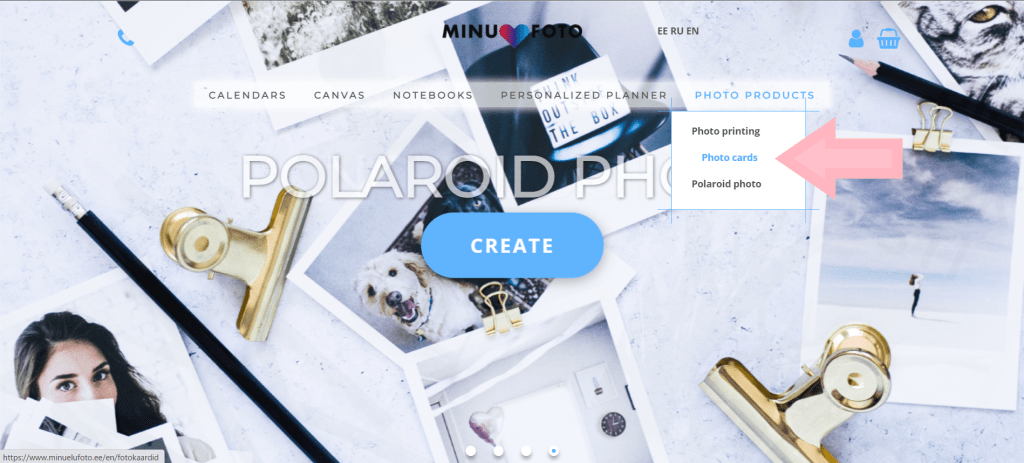
It’s easy to use; first of all, choose its back print which is a side you may write messages and/or receiving address.You can choose either nothing or with lines. (In my opinion, I don’t recommend the one with lines, because your card will have Minu foto’s log there…)
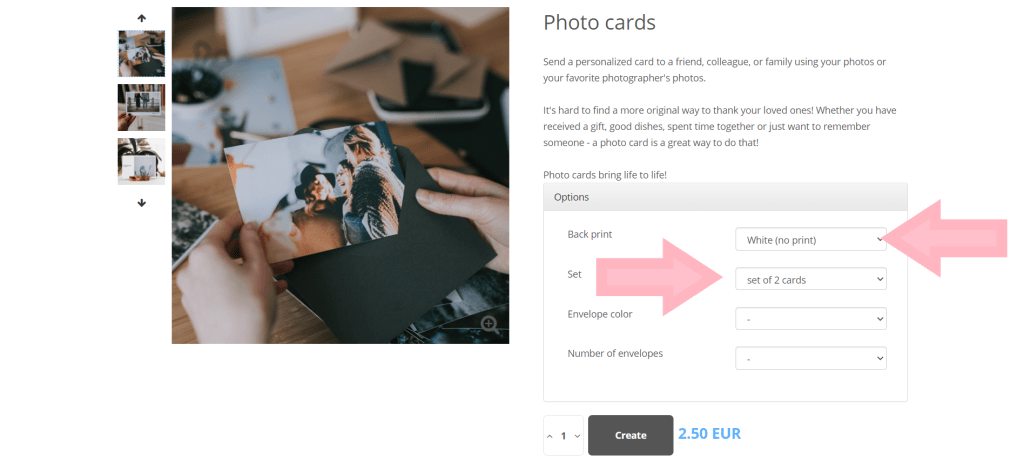
Then choose a set of two postcards or eight postcards. Sending one postcard to my friend was the only purpose for me, so I just chose a set of two postcards.
If you want envelopes, you can also select, but in my case I didn’t need any, so I left it blank.
Then click “Create” and go next.
This is finally the editing part of the photo side of the postcard. There is an option to have a square picture, but I didn’t choose because I wanted to have a square-sized photo and my website’s logo. (Plus, I didn’t like that the photo part was on the right side.)
I made a file on Photoshop to align the picture and the logo, but Photoshop’s postcard setting was different from MInu foto’s setting.
Also, on Minu foto’s editing page, you can see layouts on the left side, which have two similar postcard design icons. (At least it looked the same as one another on Google Chrome. It might be shown properly on Edge or Firefox.)
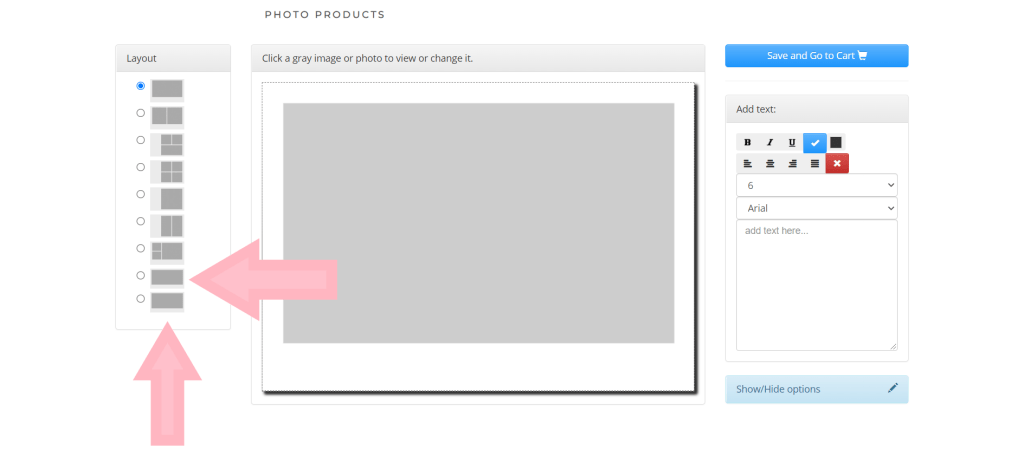
The send one from the below has no margins around the pictures, so if you have a single photo, you will have that picture fully on the card. Of course that wasn’t my option at all.
I chose the last option. It has margins around the picture selected. I had white margins around the pictures and the logo in Photoshop, but I edited it like below to make it fit in the postcard.
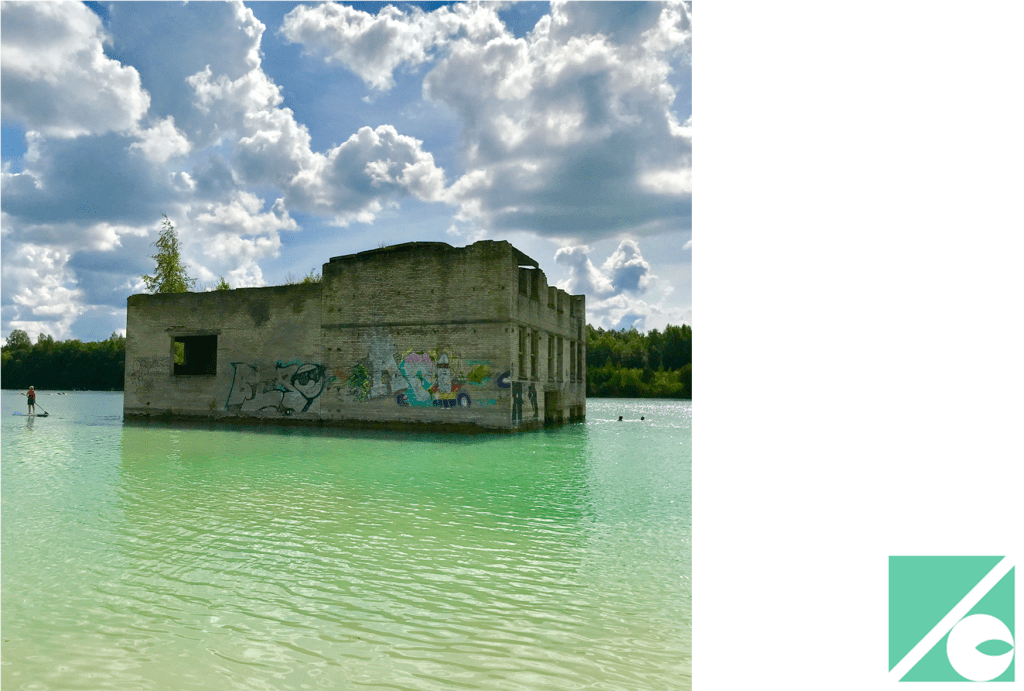
By doing so, it fitted!
Perfectly.
After editing the design, click a blue button written “Save and Go to Cart”, and go next.
Next, I chose the delivery method.
They don’t charge you if you go there to pick yours up. I always choose this method as long as the online shopping is within Estonia.
By the way, here’s a side story; currently (as of 14th of July in 2021) the shop’s address mentioned was under construction, so the address on the website was different from the one on the selection page. I emailed them, and they said that it wasn’t just updated, so now it has a correct address.
There are two card payment methods as well as bank transfer (the middle option). I chose the card payment like always, but both options didn’t work. I still don’t know why. I compromised and chose the bank transfer.
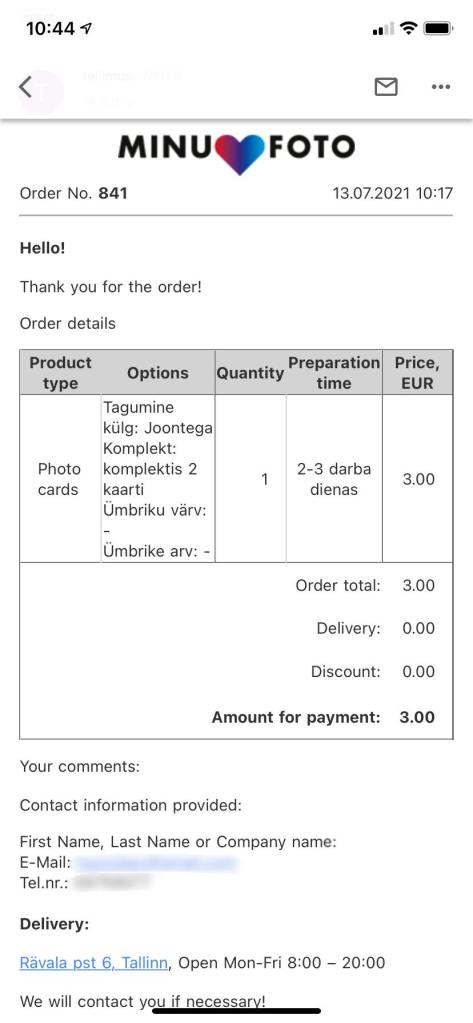
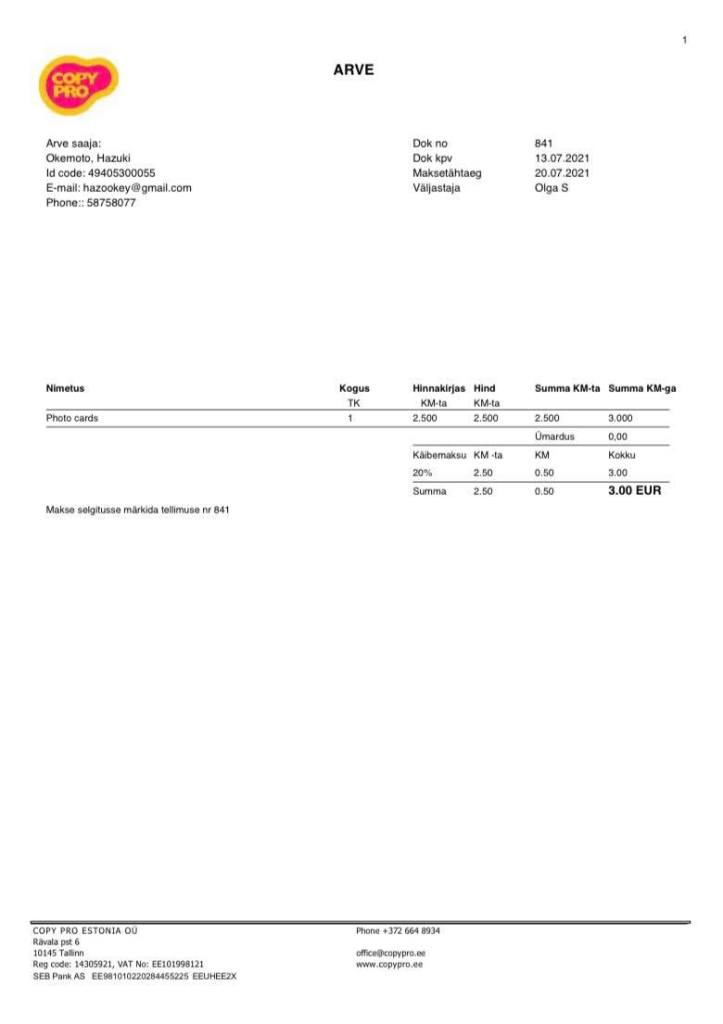
Then they sent me an email about the purchase confirmation with an invoice like below.
As the invoice had the shop’s bank account number, I thought maybe I should pay there, but it was still unclear, so I asked them again. Then they said I could pay when I pick up the postcards. It was easier so I chose it.
At the same time, they said:
Your postcards are ready!
It was literally very instant after ordering.
Since it was fast work, I planned when to pick them up.
★Going to Copy Pro
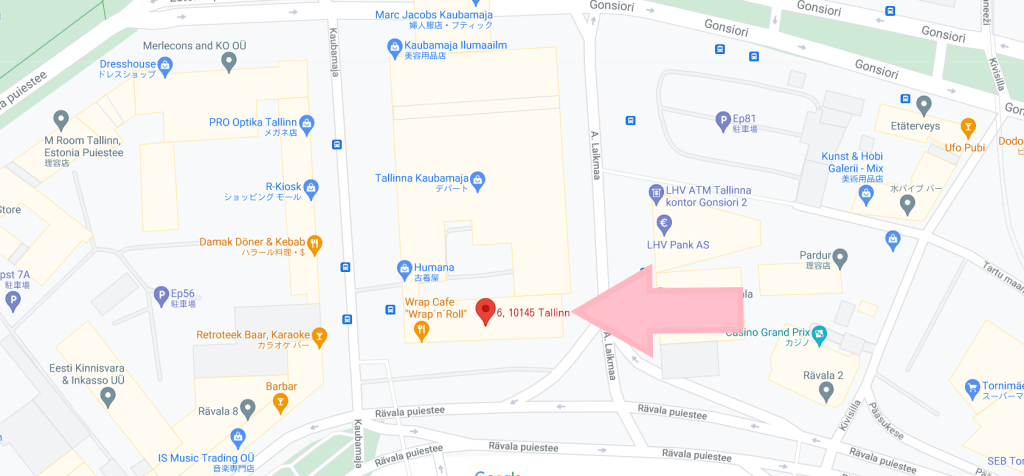
Then on the day to pick up the postcards, I was wondering about the exact location of the shop. The address certainly exists, but even the Google map didn’t show the sign board or anything.
Anyway, I came to Rävala pst 6, but still couldn’t find it. I thought of what would happen if I turned left at the corner. Then I found the shop. It was really difficult to find out.
On the Google map the pin was set in the middle of the building (which is not wrong), but the actual shop entry is where the arrow points out in the picture below. Be careful.
Then I asked one of the staff members, and paid after checking the postcards.
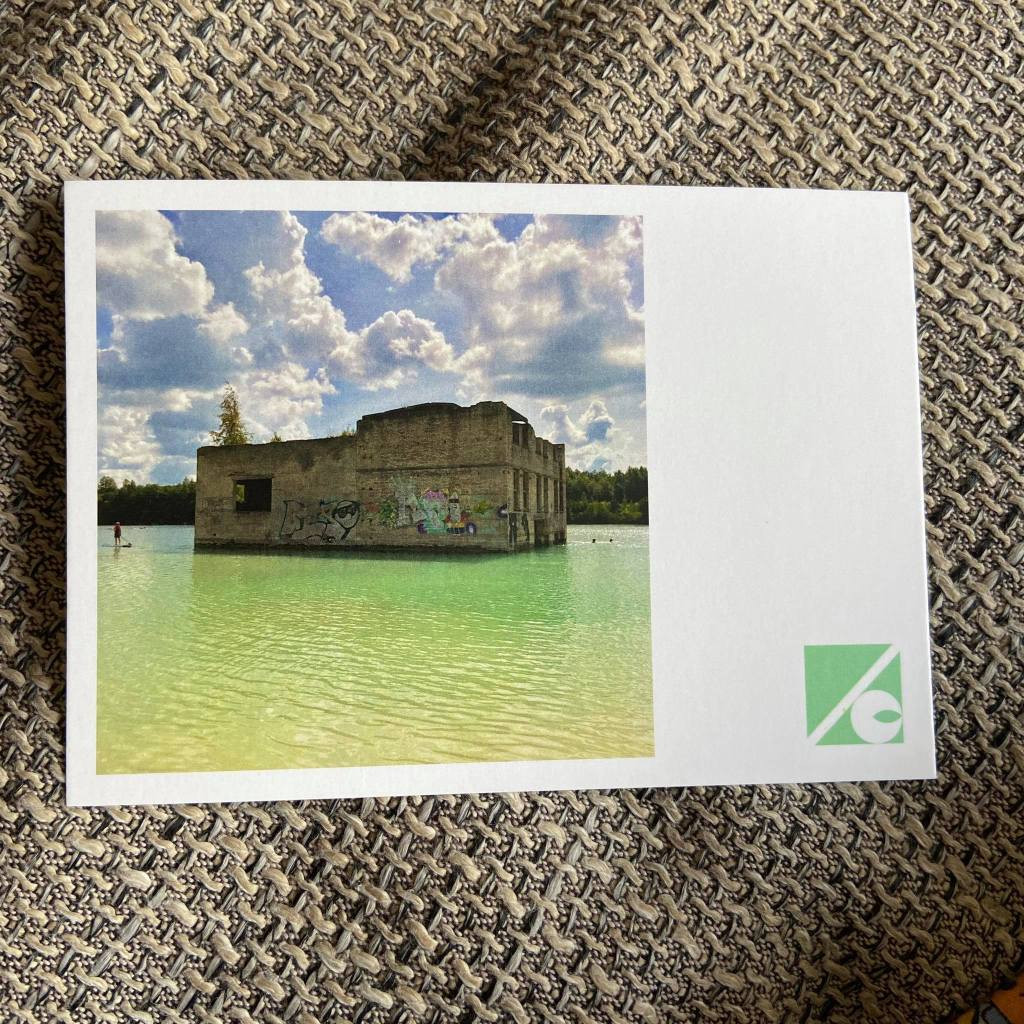
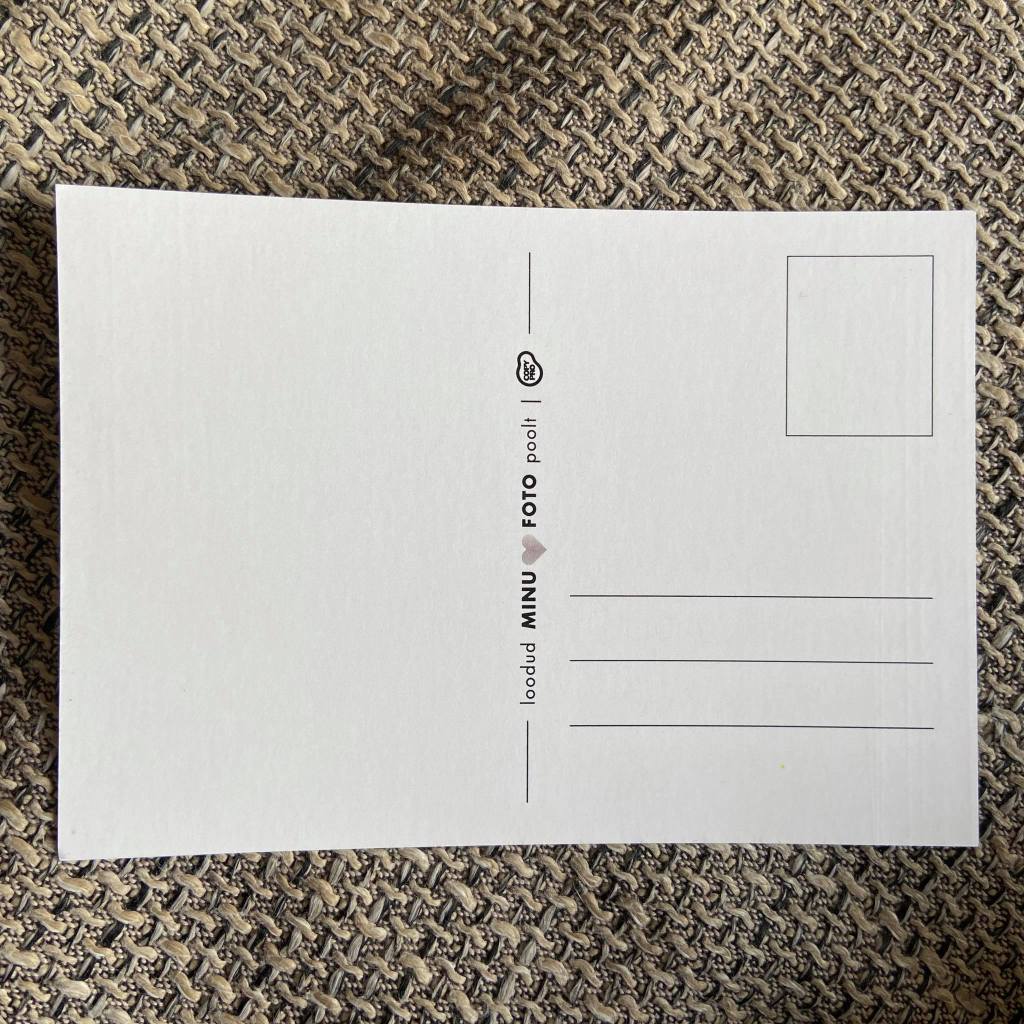
Later on, I bought a stamp, and sent it to my friend. If you are thinking about creating postcards in Estonia (or Tallinn), consider this shop. (Last but not least, the stamp to other countries like Japan costs 1.90 euro, and it is a shape of an Estonian flag.)
Aitäh! :)
 zooks.ee