Tere!
In October 2019, I was so ready and willing to draw pictures digitally a lot with my pen tablet and brought the tablet and the pen from my family place; the tablet was in my backpack and the pen was in my glasses case.
Then I took a flight from Tokyo Narita airport to Chopin Warsaw airport by LOT Polish airlines. The tablet was in my backpack as mentioned but I completely forgot my glasses case in the pocket of the seat in the plane. Yeah, what a surprise.
After coming back in Estonia, I contacted LOT Polish airlines and the airports both in Narita airport and Warsaw airport but eventually no one could find… For this incident even though I was really eager to draw digitally with my pen tablet, I was fucked up with only the tablet so I started thinking of buying a new one. However, the pen tablet is pretty expensive.

Of course the price changes depending on the brand or specification but if you want it with certain quality, it can be more expensive than iOS devices. However, it’s necessary to invest some more because I didn’t want to lose money by purchasing a cheap tablet with low quality.
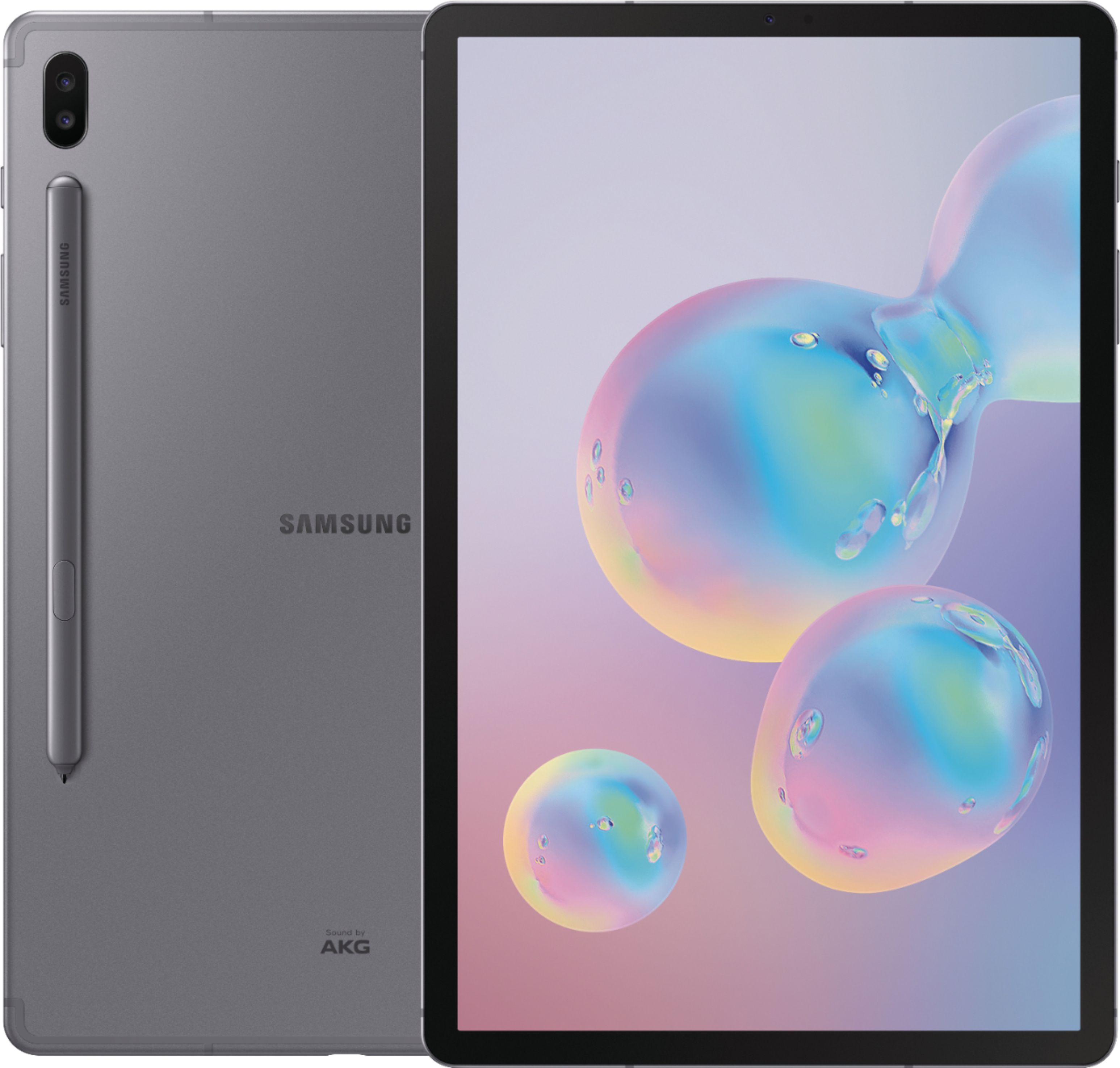
Then I googled and found one: Samsung’s Galaxy tab S6. I still remember that Samsung’s Galaxy models are as good as iPhones when I went to the promotion event of Galaxy 8 or something in Tokyo with my friend.
According to some online information, the latest Galaxy tablet model has a pen and the review or word of mouth says it’s as fine as iPads even when it comes to drawing digitally. However, this tablet doesn’t seem to be sold in Japan. Conversely saying, it’s being sold in Europe!
Okay, I’m gonna save money…
I remember secretly swearing to myself.
Then, one day a few friends came to visit me and talked about tax return in Estonia. According to them, I should get more than what one of them would get because I have worked since 2018.
It’s a windfall, mate.
So we accessed the website of Estonian Tax and Customs Board and logged in but:
You are not allowed to use this service because you don’t live in EEA.
No freaking way.
I have freaking lived here.
After all we couldn’t do anything that day so in another day I asked my CTO since he’s handling something financial in addition to something technical in our company. He advised me to call them so I accessed the Estonian financial portal site called e-MTA again and rang them.
Could you speak English?
No, I tell you number. Please call there.
Jesus she immediately declined.
Then I rang the number that she told me and another receptionist explained the procedures very politely and nicely. The reason why I saw the message like “You are not a resident in EEA” was because I hadn’t submitted the residential information to Tax and Customs Board. The followings are the procedures for both those who saw the same message and didn’t see the message to avoid being upset.
Contents
・How to proceed the tax return application in Estonia
・How to use Estonian digital signing system, DigiDog
・★ Additional comments (17/March)
・★ Additional comments (19/March)
1) Access e-MTA
First of all, access e-MTA. You can view and check information related to the tax in Estonia or submit the tax return application like this time.
After accessing e-MTA, click “Submit” in green on the left “Submit income tax and return”. If you see the message like I saw, as mentioned there, it’s because you haven’t submitted the residential information. No worries, read the next paragraphs and go to Step 2.
If you have already submitted the residential information, you should see the details about your income and/or tax year by year. You see such information from the previous year. In other words, in 2020 you should be able to implement the procedure for the tax that you paid until 2019. (In this case go to Step 6.)
Given that you have something unclear, you may contact the customer support but as mentioned earlier, when I rang them they could speak either Estonian or Russian, they gave me the number for the English speakers. (Why don’t they have it in public.) So in case you want to know something further, call 6764132.
As I rang them, during the talk, my SIM’s charge was run out so I topped up and called eight times. Maybe it was a busy time due to the daytime. Not sure.
Anyways it’s time-consuimg and hard to reach them. Just keep it in mind.
2) Download Form R
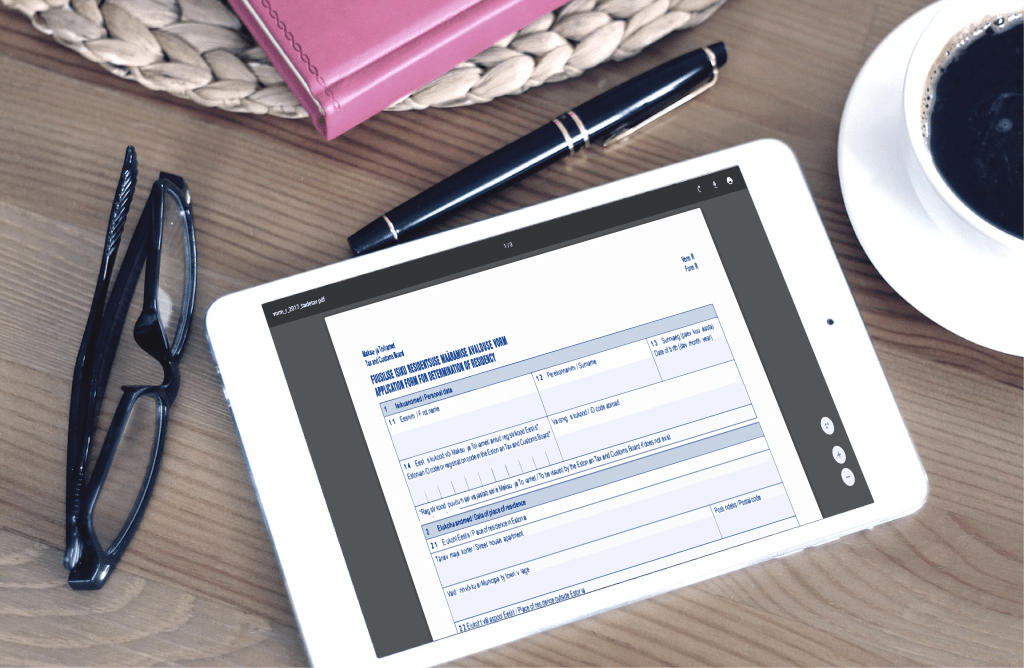
Next, if you see the popped-up message on your screen in Step 1, as repeated you are “not” in EEA so download the document to fill out and submit to Tax and Custom Board, here. (NB! Download it first and fill it out!)
3) Sign the file with DigiDoc
After downloading the file, open it with Adobe Acrobat or whatever you prefer and fill out the necessary boxes. Since I have a “permanent” residential right in and don’t know when I will leave Estonia, I entered the fundamental information about myself in the first box of the document, filled out the second part about my arrival in Estonia and typed my name, the date that I filled out and left the signature box in the last part. (The reason why I left the signature box empty was to sign digitally with DigiDoc.)
★How to sign digitally with DigiDoc
From now on here’s an explanation on how to sign digitally on the Estonian signing system called DigiDoc. DigiDoc is a system and/or software to sign the document digitally (as repeated). As far as I know any libraries in Estonia have this system installed in the computers. Also it doesn’t take time to install DigiDoc’s software so if you download it while filling out the document, you can also use it in the future too.
I had one in my previous laptop but at that time DigiDoc was available with either mobile ID or an ID card reader. For this reason, nevertheless I had the software, I didn’t use it at all on my laptop but signed the document on the library’s computer.
The ID card reader costs (only?) 9€ as far as I remember but I didn’t sign the documents that often so I thought “why not go to the library”. (It didn’t affect my life at all. It was just troublesome for me and I had to set my mind ready every time.)
However, recently they developed DigiDoc available for Smart-ID as well, which means we no longer have to buy a card reader or go to the library to sign the documents with DIgiDoc. Smart-ID is a mobile app to identify yourself and once you open a bank account in Estonia, they would tell you to download Smart-ID. By linking your own Estonian ID, Estonian bank account as well as Smart-ID, you can make purchases online in Estonia without a bank card.
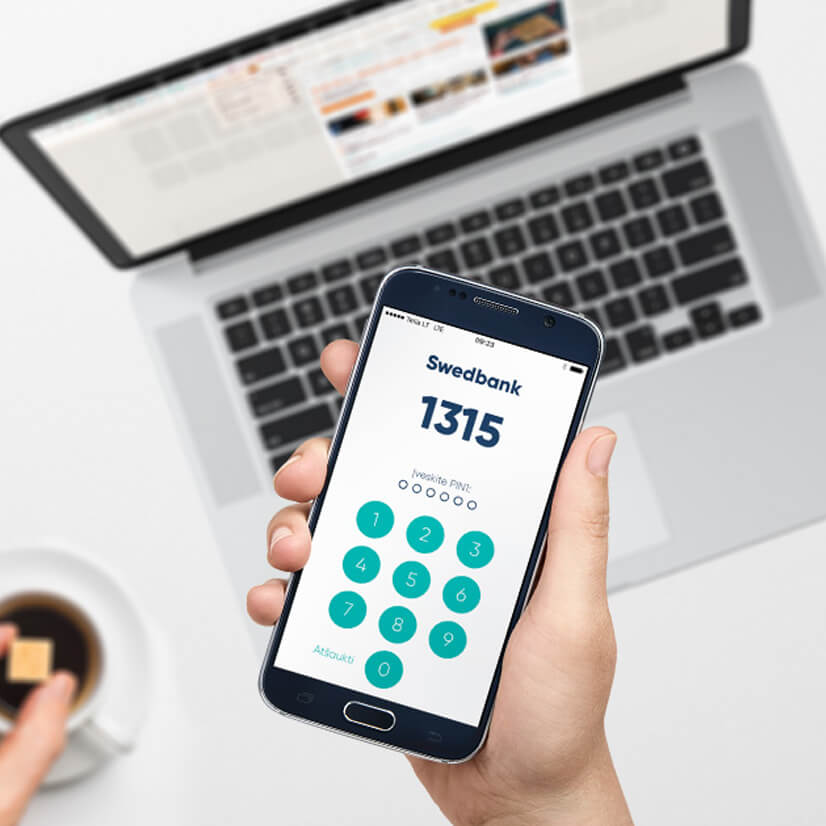
So I had used Smart-ID only to top up my phone or buy contacts (I mean, lenses) online or check the balance in my bank account. However, as mentioned above, (finally) they developed DigiDoc available for Smart-ID, I could signed the document to prove that I live in Estonia in order to get the submission right for the tax return.
Anyways, below there’s how to sign the document on DigiDoc with Smart-ID.
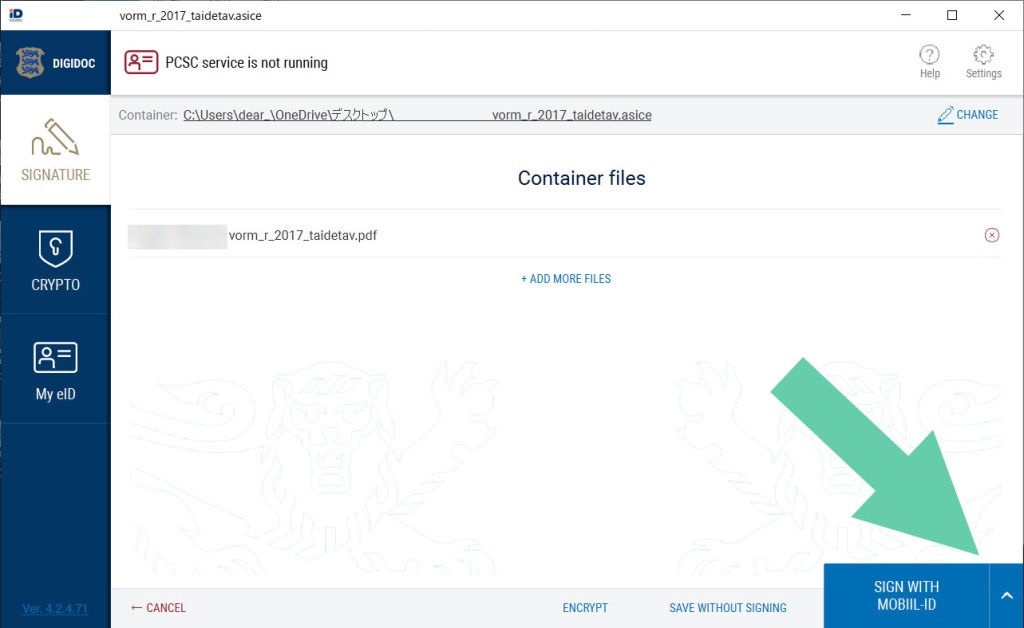
Firstly, after downloading DigiDoc, you would get two softwares, choose one of which named “DigiDoc4 client”. If this is the first time to open the software with your device, the language setting will appear so choose the language that you prefer and go next. I cannot understand either Estonian or Russian so I keep English.

Next, upload the file that you want to sign digitally.
Then, click the caret symbol (“^”) in the blue box at the bottom of the DigiDoc’s screen, and choose “SIGN WITH SMART-ID”.
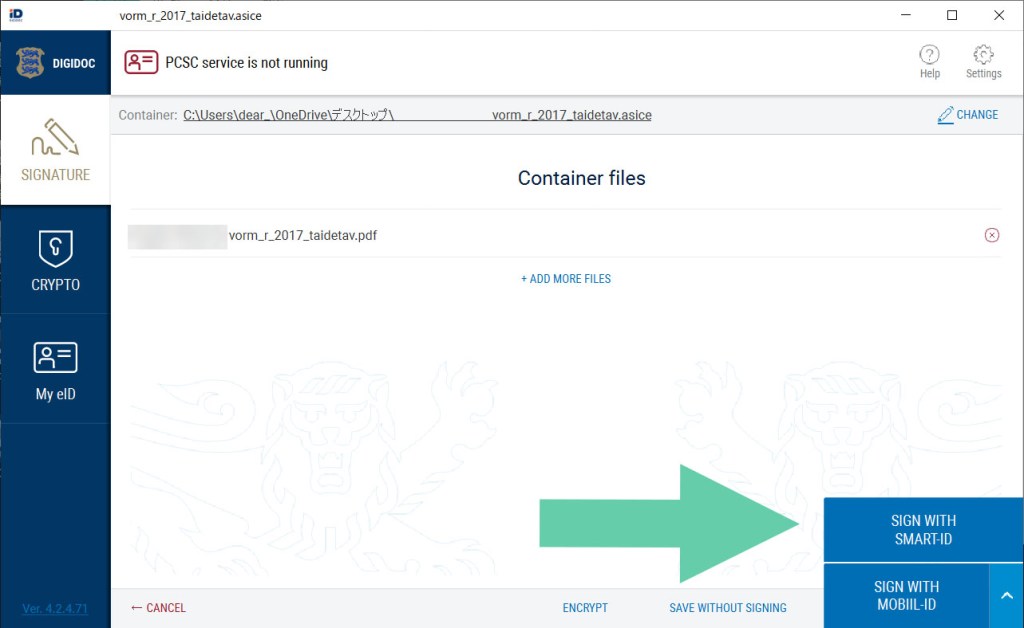
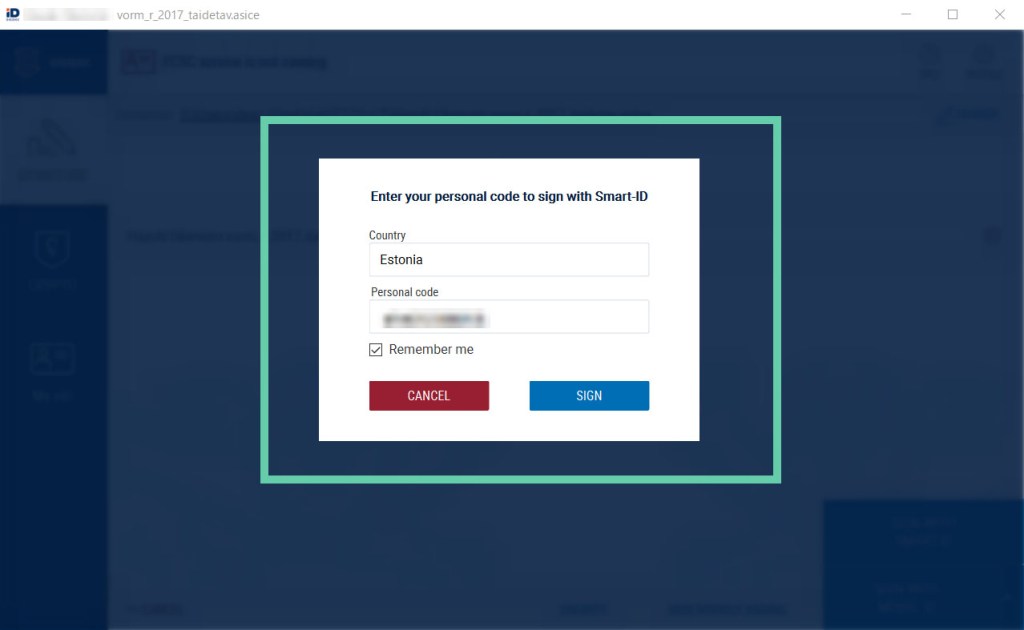
After that, it will show the name of the country that you are using DigiDoc and the entry box for your personal ID, so keep “Estonia” and type your ID (starting 4 if you’re female and starting 3 if you’re male as far as I remember). Then, decide whether you want your DigiDoc to remember your personal ID.
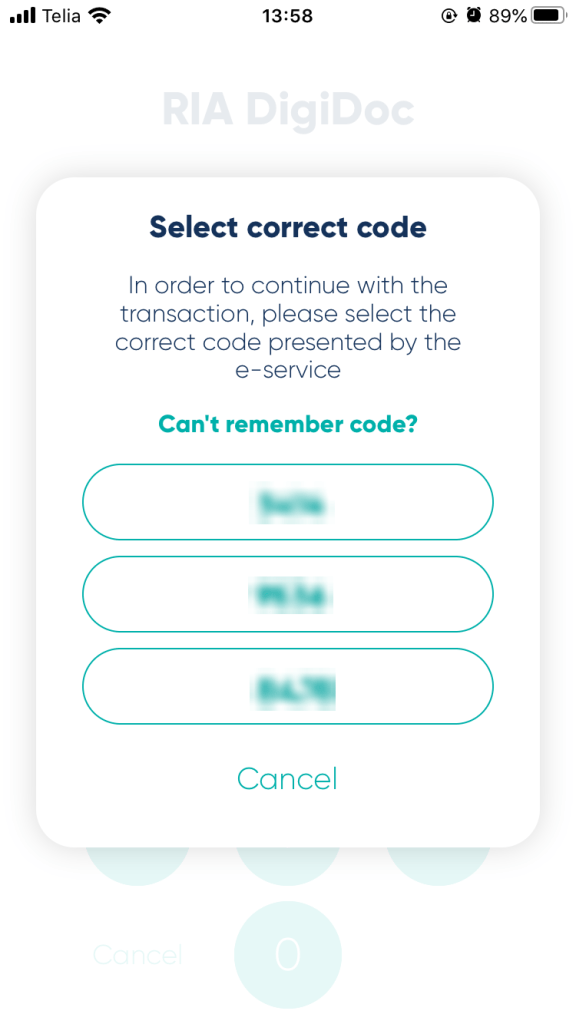
After clicking “SIGN”, open Smart-ID, the mobile app. This is something different from the usual use; the screen shows four digits and then you enter your PIN 1 or PIN 2 on your Smart-ID on the phone. However, this time you choose the set of number on the app, which is shown on your computer screen. Then you will enter your PIN code.
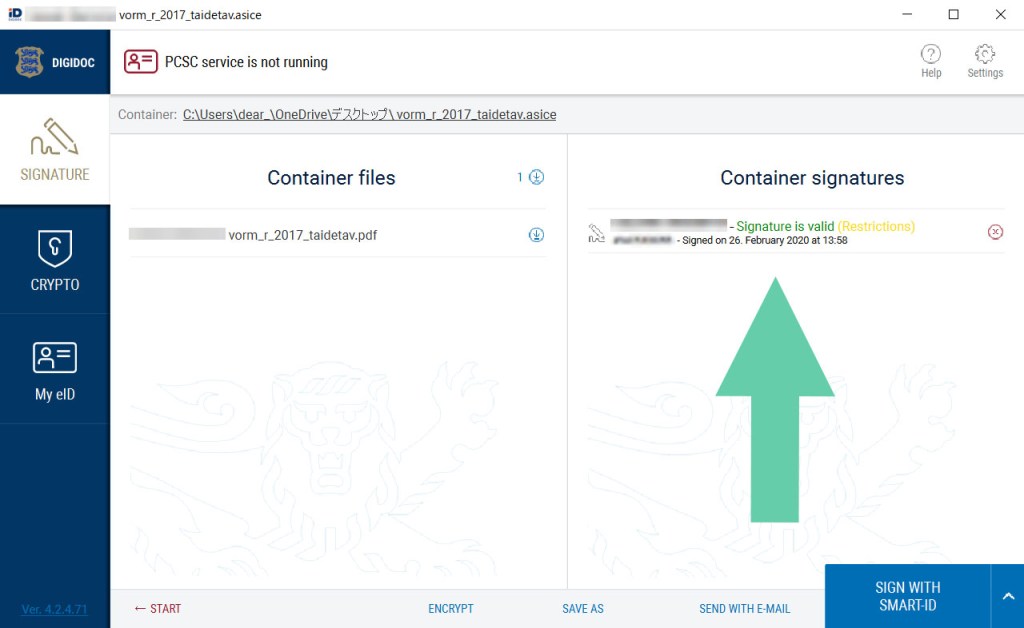
Once you’ve done with entry, make sure if the document has your digital signature on DigiDoc on your computer. (If it’s written “valid” in green, everything is alright.)
That’s all about how to use DigiDoc. For your information, I don’t know how your country is digitally developed but Japan is a digitally developing country. We have a similar thing like Estonian ID cards but so far it’s much less authentic than the driving license, absolutely weaker than our passport and really insufficient for identification.
It means we just have ID cards, whose diffusion is only around 13% of 100 million population. Due to this poor fact, someone established an e-resident company in Estonia, which called blockhive that has developed such Estonian systems using our Japanse ID numbers.
Surprising fact for you?
4) Send the file by email
Anyways, let’s get back to the main topic: how to submit the tax return application. Now you know that you completed signing the document to prove that you are a resident in Estonia legally, so send the file with the digital signature to Tax and Customs Board.
You may do through DigiDoc but you need to check which email address you should use, don’t you? Usually this happens or I don’t remember the precise email addresses whenever I sign digitally with DigiDoc and send the file so I always save the file somewhere on the computer once (just in case). As saving the file, you would see an unfamiliar filename extension “.asice”, which is correct.
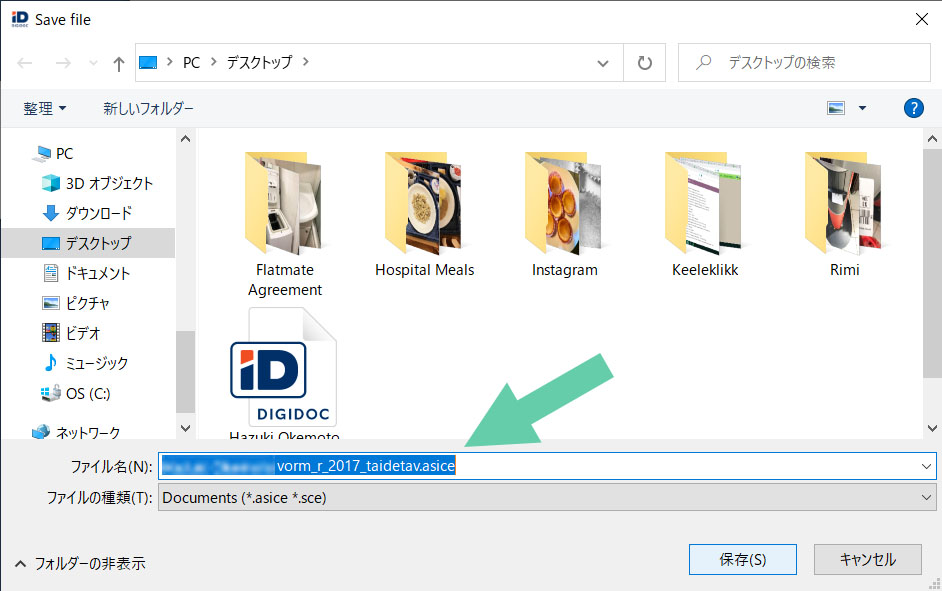
Then you just send an email to emta@emta.ee with the digitally signed file attached, describing that you are sending such a file for the tax return application submission or something like that in both the subject of the email and the main text box.
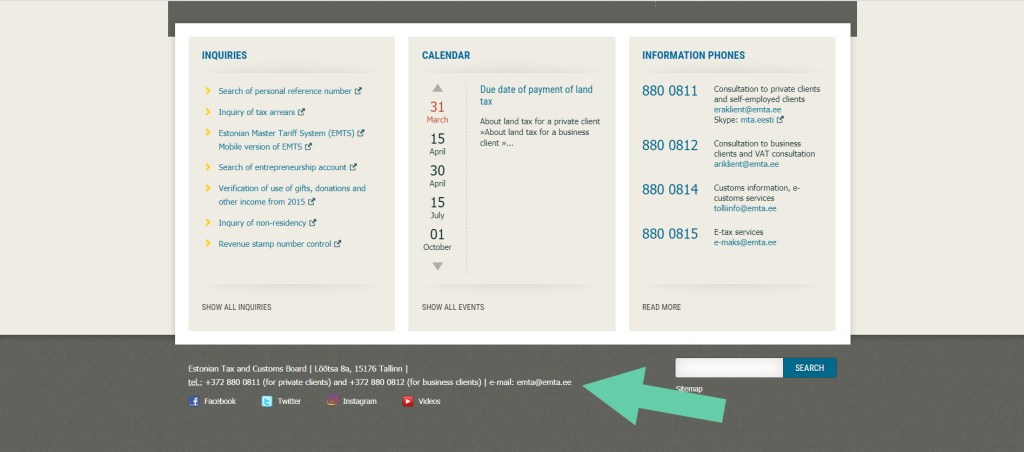
Now you may wonder how I got this email address because you probably couldn’t find. Open the Tax and Customs Board webpage, scroll down until the end of the page, find social media icons and there you go! There are their postal address, phone number and the email address in super hyper teeny-tiny letters. (Of course the lady that I spoke with on the phone told me this address. :P)
Once you sent the email, you get the auto/no-reply email, saying something like “we will reply you within 5 days” in Estonian so check it just in case.
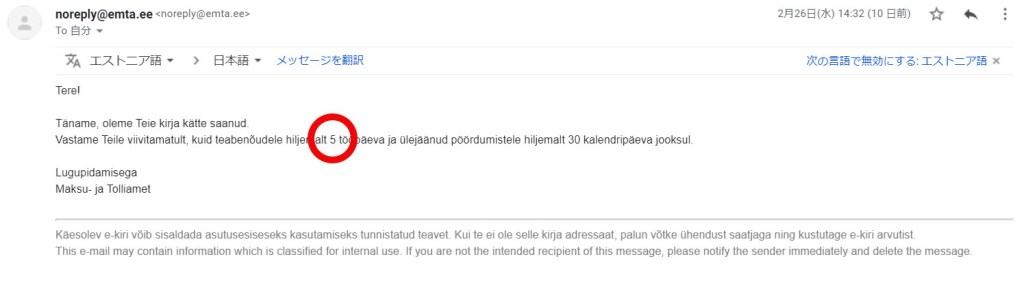
Well, it said five (5) clearly there and I don’t know why but I thought it would take around three (3) days to get their reply.
Then only in about one hour,
You have registered as a resident in Estonia since DD MM YYYY!
They granted my residence in Estonia in Estonian.
Super hyper quick.
After that the success is mine (or yours).
(I really thought it would take around three (3) days so I was fearfully surprised. Really. My document was totally innocent.)
5) Access e-MTA again
If your reply is the same as the above, log in e-MTA again. Then, like what you did already in the beginning, click “Submit” in green under “Submit income tax return” on the left box of the screen.
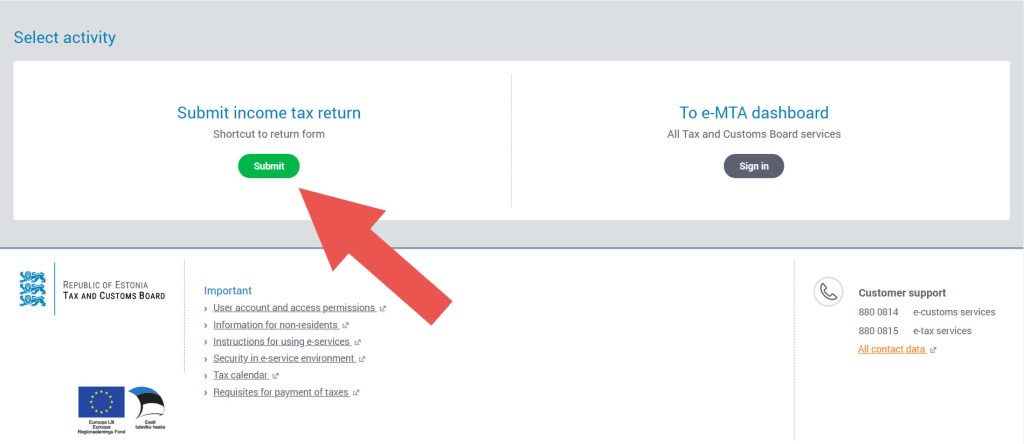
6) Confirm your income and tax
Once you successfully go to the application screen, you will see the information regarding your income and tax that you paid until the previous year of the year that you are logging in, that is, if you see the information in 2020, the shown information is up to 2019.
Also the information is shown year by year so choose the year that you want to submit the tax return application for. (As a default, it should show the previous year’s income and tax information.)
Moreover, if you are looking at the information of year 2019, you see the application progress of your tax return submission on the top of the information, which are only three steps. Check the amount of your income and tax and go next.
7) Confirm the tax return application and submit
When you go next, you will see how much you will get as the tax return of the year that you apply for. Confirm the amount and enter the bank account and just submit. (If you use your Estonian bank account, the account number is the set of alphabet and number starting “EE”!)
Finally some message pops up and it’s done. Given that you have multiple years for the submission of the tax return application, just go back to the dashboard and apply for another year’s tax return.
(This happens every year, but last year they were fucked up according to my CTO in our company, so the application process was messed up and I hadn’t known the tax return in Estonia until this February. That’s why I’m writing now. Due to this I’m supposed to get quite a lot.)
By the way, this tax return application is not valid for everyone. As I was talking with my friends, I didn’t know that I needed to submit the residential proof in Estonia to them so we were just wondering why I couldn’t do anything.
Then one of the friends remembered my Estonian colleague who worked at part-time so I asked him and he said “I don’t know about it and I think you probably won’t get anything”. This friend is Estonian so she was sure that he should have known the tax return. Then I remembered one fact:
This colleague is a programmer so even though he works at part-time, he should earn more than I do.
Yep, as you may guess, the tax return has a “trick”. The person who can get the tax return is someone who earns money less than 1000€ every month no matter what kind of agreement (part-time or full-time work) they have. (I have had a period that I had 1000€ and over but mostly less than that since I started working at my current company in 2018.)
Now I work for 30 hours per week so I probably will get the right to submit the tax return application again next year. Probably. I’m actually happy without the tax return since I can live a life without any financial struggle in my opinion/case but why not get something I can get?
You now know how much I earn every month but actually I have worked as a freelance translator and community manager for a Belgian company so occasionally I make more money than the other regular colleagues, not programmers. (Of course it depends on the workload and from time to time I can’t make enough money with this freelancer’s job to withdraw.)
Welcome to my life.
Once I could confirm the tax return on my bank account, I will renew the article.
According to my Hong Kong flatmate, we should get the tax return within a month after the application submission.
I’m also thinking of buying IKEA’s sit/stand desk for my room…
★ Additional comments (17/March)
Yeahhh, I’ve got my tax returned!
However, I still haven’t got last year’s tax returned maybe because it’s much more than this.
I’ll renew the article when I got last year’s tax returned.
★ Additional comments (19/March)
I’ve got last year’s tax returned! I immediately bought a tablet that I mentioned above. I was super wondering which colour to choose but I thought I could have a bit more expensive beer with 5€ so I simply bought it at euronics. If I can buy a desk at IKEA, everything will be perfect.
Aitäh! 🙂
 zooks.ee