Tere!
You may remember that I had to change the date to ride on Flixbus and flights on Ryanair because COVID-19 has made all the events such as a concert and trips in March postponed. There is the third transport that I was supposed to use for my planned trips: easyJet, a British LCC.
Before Estonia got panicked owing to COVID-19, I roughly checked if I could change the flight on easyJet and figured out that it seemed possible to do without any change fee unlike Ryanair at that time. However, I hadn’t got any email about it so I wasn’t sure and didn’t do anything. (I was so suspicious.)
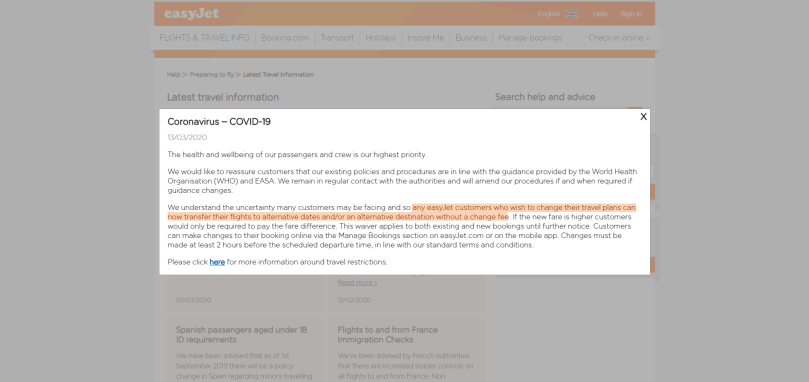
Then, on Friday the 13th when Estonia got panicked, I checked easyJet’s website again and found the announcement regarding flights due to COVID-19. To summarise what they said, any passengers had rights to change their flights without any change fee and need to pay the difference in case the postponed date tickets are more expensive, which is applicable up to two hours before the flights.
Sounds so good.
So this time I’m talking about how to change the flights on easyJet. There was nothing that big so the article is way shorter than the ones as for Flixbus or Ryanair.
1) You know, access it
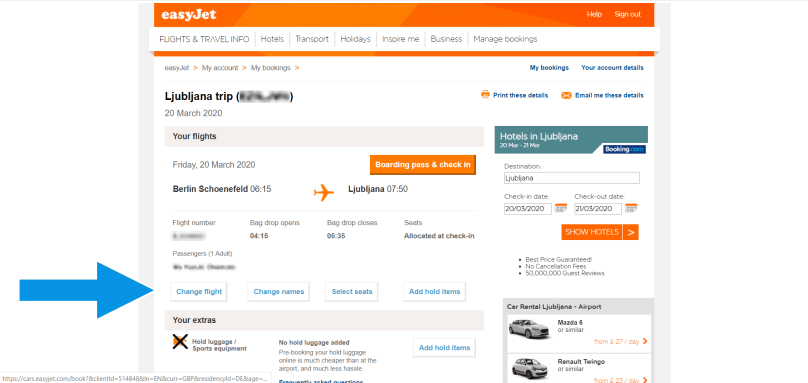
First of all access easyJet’s website and log in there. You cannot proceed anything without logging in. After logging in, you will see the information regarding the flight/s that you have booked so click “Change flight” below the information.
2) Search alternative flight/s
Next, search the alternative flight. This UI is not really good because you need to select the date not from the calendar form but from the pulldown form. Anyways, once you selected the destination and date of the alternative flight, click ”SEARCH NEW FLIGHTS” and go next.

3) Pay for the difference
It would be amazing if you found the best flight for you at once but as repeated in the previous articles I was supposed to travel in multiple countries so I had to consider the overall and total fees and the available flight dates on both Ryanair and easyJet. This means I had to go back to the previous page on easyJet several times as the UI on easyJet was really bad!
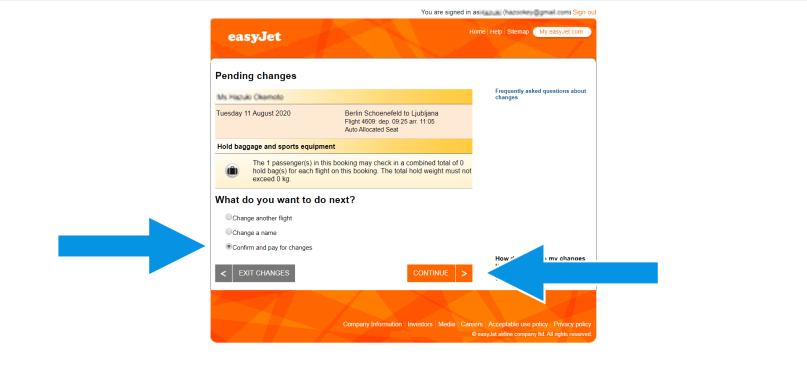
On easyJet’s website you have to change the date by repeating going back to the previous page. That was quite irritating. Besides, you finally can see the price by clicking “CONTINUE” in this step. Ryanair is the better for sure in terms of UI. (Yeah it’s my occupational side effect in a sense.)
4) Finish the change process
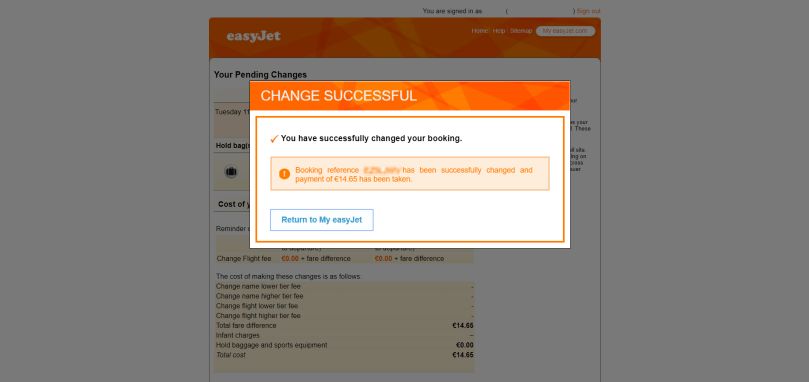
After confirming the alternative flights and getting ready to pay, you can pay by card like always. The image below is after the payment.
Considering the unnecessity of the help (centre), easyJet was easier to use but taking into account the flight change, Ryanair was more user-friendly.
Anyways the route for my trip in August was almost determined. All I will have to do is to rebook the buses and and accommodations!
Aitäh! 🙂
 zooks.ee