Tere!
Previously I wrote an article about personal news because of COVID-19 which has made entire Europe in panic and led subsequent cancellation and changes/rebooking of flights and accommodation, postponements of events and an “advice” of remote work, which has happened since the 12th of March.
As mentioned in the article, I was supposed to go to a concert in Stockholm, Sweden on the weekend of the 13th and go to travel by using the annual leave for about one week from the 19th.
Moreover, as also (kind of) described in the article, I decided to summarise how to cancel or change the flight or bus dates because the article got too long.
I, however, wrote how to change the flights with air Baltic that was supposed to be used for the trip to Sweden in the article. (This is because actually it wasn’t like a method so to speak.) This time I summarise how to change the booking with Flixbus, a German transport brand.
1) Access the website
You can’t start anything without accessing Flixbus’s website. However, there is no chatbot or chat functionality to ask agents for help in Flixbus’s website screen.
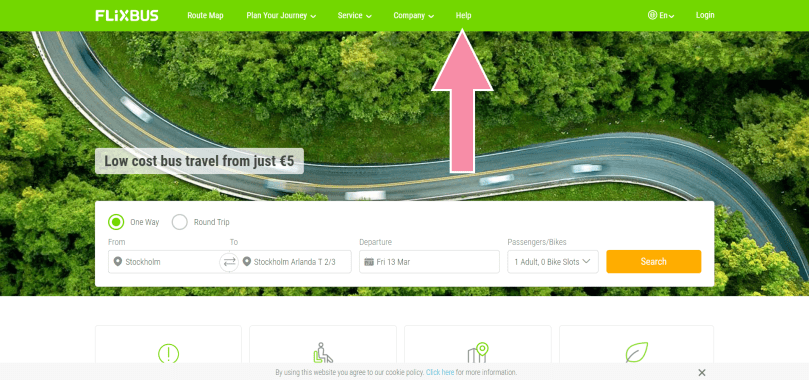
On Flixbus’s website you are required to search the help by yourself and if you finally can chat with the agent it’s not helpful but the way to find the clues to solve the problems can easily be found. When accessing the website, click “Help” from the bar in the header.
2) Choose the category of the help
As clicking “Help”, you will see the category of the help so choose the right one depending on your need.
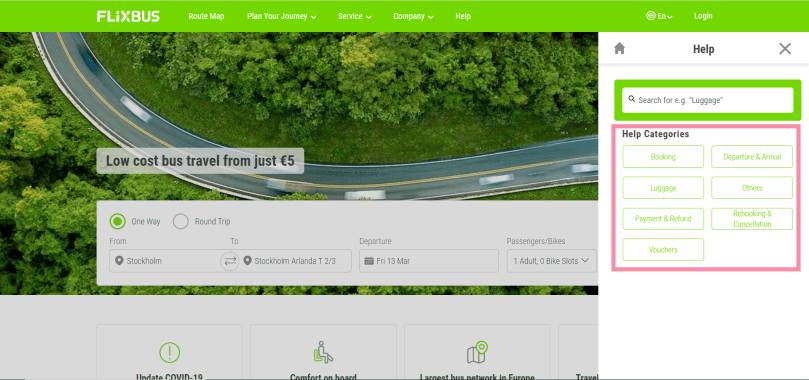
Here as an example I chose “Booking”. Then it shows the same questions probably as yours and you will see the relevant articles by scrolling down.
3) Chat with the help agent
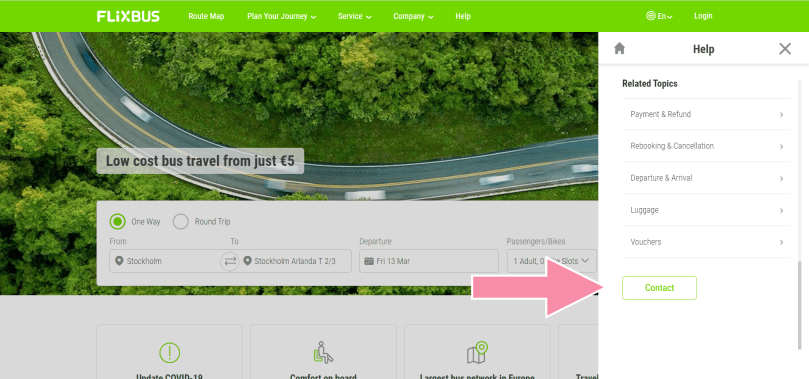
In case you couldn’t find any answers to solve your problem, click “Contact” below the relevant articles. Here finally you are given an opportunity to chat the help agent.
4) Make sure the agent available
After clicking “Contact”, you need to make sure if the help agent is really available before starting the chat. If your screen has the icon in orange, it means there are agents, one of who can handle your problem. On the other hand, if it’s in grey, it means there is no agent available so you cannot go forward no matter how many times you click there.
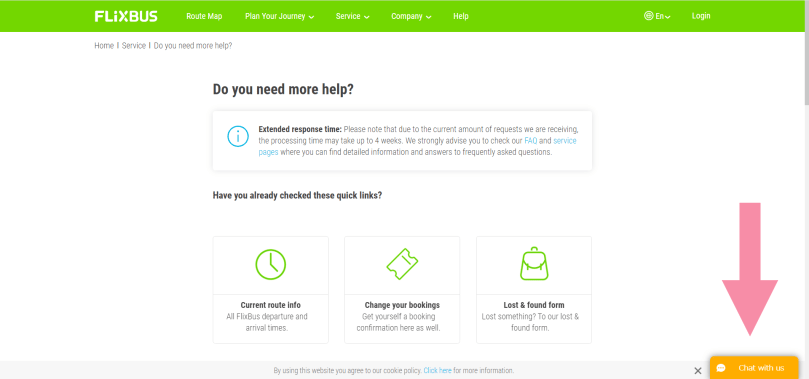
Besides, it’s probably a lunch time for one hour from 1pm of Central European (German) Time and the icon would be in grey so it may not be wise to try and find the agent during this time from my personal experience.
5) Enter the necessary infomartion
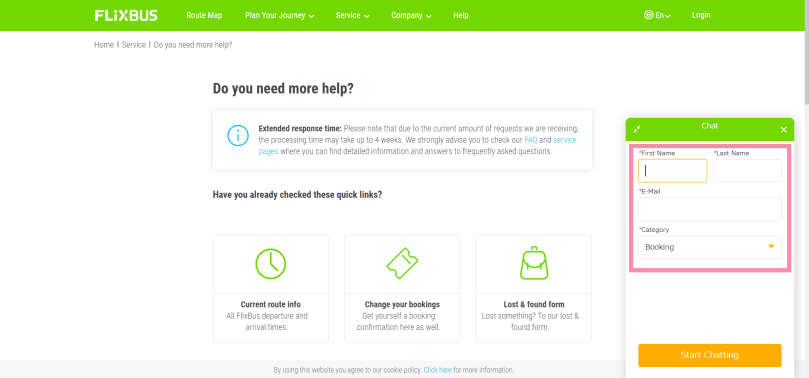
Fill out the items with asterisks (“*”).
Which is every item though.
You can choose the category of the help that you need from the pulldown box of “Category” in the form to fill out so choose the right one. After entering all the items and selecting the category, start the chat with the preparation of the reference (booking) number in case you have already bought Flixbus’s ticket/s. (Flixbus’s ticket reference/booking number starts with the hash “#” and several digits. You can find it on both the confirmation email and the ticket PDF file itself.)
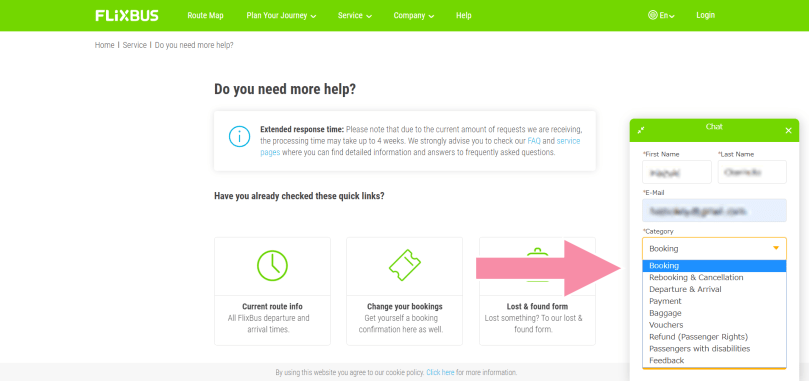
6) Be patient
Furthermore, it doesn’t mean that the chat immediately starts right after you clicked the button. Imagine the post offices in Estonia or probably banks in general. Usually they can’t accept the customers right away. Yep, you need the waiting number. (It’s called reference number technically speaking but it’s confusing here if using it.)
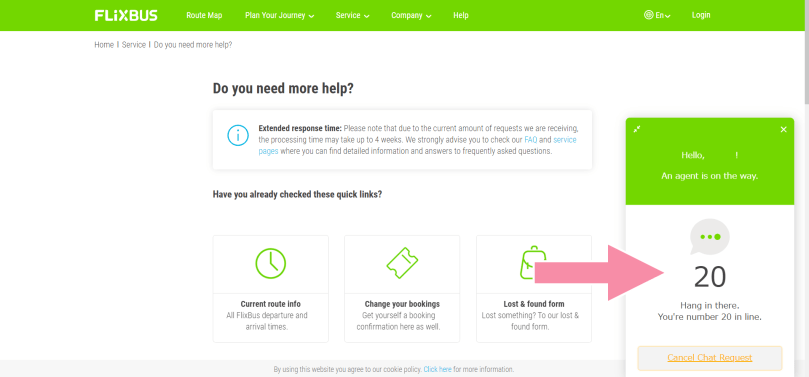
Flixbus’s chat support has a similar system. Once you click the start chat button, you will see the number. As people “in front of” you finish their business, your number gets smaller. I personally recommend you not to go back to the previous page and fill out the form again but to patiently wait. (If you want to do, please do. That’s not my business :P)
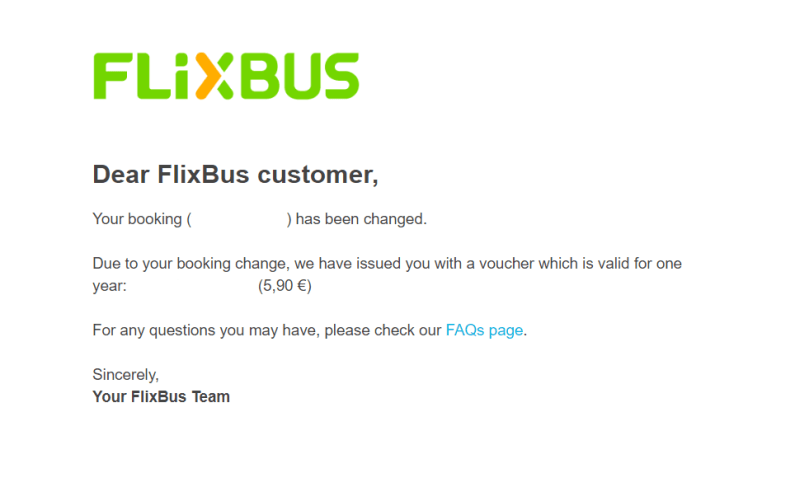
Thanks to the chat support of Flixbus, I successfully postponed the date of the ride on Flixbus in Stockholm. Given that you cancel your ride on Flixbus, there will be a cancellation fee but they issued me a voucher valid for one year after treating my ticket as a cancelled one since my case was a change of the date of the ride.
The reason why I said “with the preparation of the reference (booking) number” is because the helping process will be easily and quickly done if you prepared your own booking numbers in advance.
Also it’s easier for the support agents to assist the customers if their preparation is sufficient. Provided that they know the booking number, it’s also less time and/or energy-consuming for them to check the customers’ email addresses and the overall support is done quickly. Therefore it reduces the time that the next customers have to wait for and their negative feelings such as frustration. Just try to pay attention in your daily life.
And that’s all about how to change the ride date with Flixbus!
Aitäh! 🙂
 zooks.ee